
NEWS

watchOS 4.2 beta 3, tvOS 11.2 beta 3, and macOS High Sierra 10.13.2 beta 3 Released for Testing

11/14/2017

3127

Apple has released beta software updates for their entire operating system suite, including iOS 11.2 beta 3, watchOS 4.2 beta 3, tvOS 11.2 beta 3, and macOS High Sierra 10.13.2 beta 3.


Perhaps most notable is the introduction of the Apple Pay Cash feature in the iOS 11.2 betas, which allow users to send payments to other recipients using Apple Pay. iOS 11.2 betas also include various new wallpapers for iPhone X.


Aside from Apple Pay Cash in iOS 11.2, the new beta versions of system software focus primarily on bug fixes and security enhancements and do not include new features.


iOS 11.2 beta 3 can be downloaded now from the Software Update mechanism of iOS, via the Settings app.
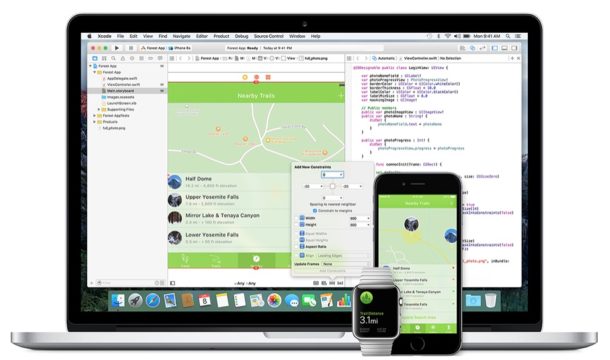

watchOS 4.2 beta 3, tvOS 11.2 beta 3, and macOS High Sierra 10.13.2 beta 3 Released for Testing


macOS High Sierra 10.13.2 beta 3 can be downloaded from the Mac App Store via the Updates tab.


Updates to tvOS and watchOS can be found via their individual Settings apps as well.


Typically the developer build of a beta version is released first, soon followed by the public beta version. Any user can enroll to participate in the public beta testing program, but due to the buggy nature of beta system software it is generally not recommended to do so, at least on primary hardware.


The most recent final versions of system software available for Apple products are currently macOS High Sierra 10.13.1 for MaciOS 11.1.1 for iPhone and iPad, watchOS 4.1 for Apple Watch, and tvOS 11.1 for Apple TV.


Source: osxdaily

Windows
Mac OS
iOS
Linux
3uTools
Win 64-bit For this device
V9.0 2025-11-11
Download
Win 32-bit For this device
V9.0 2025-11-11
Download
3uTools
Intel Chip How to Identify Chip Type
V9.0 2025-12-02
Download
Apple Chip
V9.0 2025-12-02
Download
How to Identify Chip Type
1.  Click the Apple icon in the top-left corner of the screen and select About This Mac.
2.  Check the Processor or Chip field to determine if it is "Intel" or "Apple".
Please use the 3uTools PC client to install the iOS client:
1、 Install either the Windows or Mac version of 3uTools on your computer
2、 Open the PC client and connect your device to the computer via USB cable
3、 After the connection is successful, wait for the computer to automatically install the mobile app for the device, or locate “Install Mobile App” on the computer and manually click to install.
3uTools
deb file
V3.01 2025-11-20
Download
rpm file
V3.01 2025-11-20
Download
Windows
Windows
iOS
iOS
Android
Android
TV
TV
3uAirPlayer
Win 64-bit For this device
V6.0.2 2025-11-19
Download
Win 32-bit For this device
V6.0.2 2025-11-19
Download
iOS Device Mirroring (No App Required)
1、 Install 3uAirPlayer on the Windows PC
2、 Open Control Center and select Screen Mirroring
3、 From the list, choose your PC to start mirroring
4、 Or connect your iOS device to the PC via USB to begin mirroring
Scan to get "3uAirPlayer" App
3uAirPlayer TV V1.0.18
2025-11-28
TV System Requirements: Android 7.0 or later
Download the TV installation package, copy it to a USB drive, insert it into your TV or set-top box, then select the file from the home screen to install.




