
NEWS

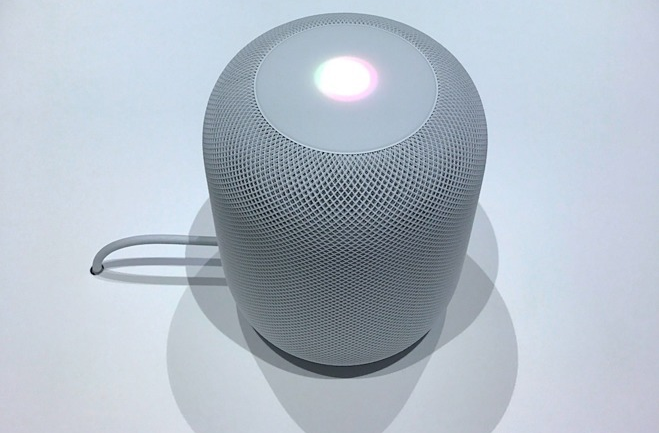
Apple Supplier Hints at Next-Gen HomePod With Face ID

11/14/2017

3674

Before the first-generation HomePod can even make its way into the wild, rumors are already cropping up about a future update to the premium speaker, as the president of supplier Inventec made comments about future smart speakers with facial recognition capabilities.

Apple Supplier Hints at Next-Gen HomePod With Face ID


While the comments by Inventec President David Ho were not specifically about Apple, they did fuel speculation that his comments could be regarding a future update to the HomePod with Face ID technology. The speculation was highlighted by Nikkei.


"We see trends that engineers are designing smart speakers that will not only come with voice recognition but also incorporate features such as facial and image recognition," Ho said. "Such AI-related features are set to make people's lives more convenient and to make the product easier to use."


If a HomePod with Face ID is in fact in the works, it's unlikely to arrive anytime soon. Apple hasn't even released the first hardware yet —it's scheduled to arrive in December.


The HomePod hardware was unveiled at Apple's annual Worldwide Developers Conference in June. It will be priced at $349.


Source: appleinsider


Windows
Mac OS
iOS
Linux
3uTools
Win 64-bit For this device
V9.0 2025-11-11
Download
Win 32-bit For this device
V9.0 2025-11-11
Download
3uTools
Intel Chip How to Identify Chip Type
V9.0 2025-12-02
Download
Apple Chip
V9.0 2025-12-02
Download
How to Identify Chip Type
1.  Click the Apple icon in the top-left corner of the screen and select About This Mac.
2.  Check the Processor or Chip field to determine if it is "Intel" or "Apple".
Please use the 3uTools PC client to install the iOS client:
1、 Install either the Windows or Mac version of 3uTools on your computer
2、 Open the PC client and connect your device to the computer via USB cable
3、 After the connection is successful, wait for the computer to automatically install the mobile app for the device, or locate “Install Mobile App” on the computer and manually click to install.
3uTools
deb file
V3.01 2025-11-20
Download
rpm file
V3.01 2025-11-20
Download
Windows
Windows
iOS
iOS
Android
Android
TV
TV
3uAirPlayer
Win 64-bit For this device
V6.0.2 2025-11-19
Download
Win 32-bit For this device
V6.0.2 2025-11-19
Download
iOS Device Mirroring (No App Required)
1、 Install 3uAirPlayer on the Windows PC
2、 Open Control Center and select Screen Mirroring
3、 From the list, choose your PC to start mirroring
4、 Or connect your iOS device to the PC via USB to begin mirroring
Scan to get "3uAirPlayer" App
3uAirPlayer TV V1.0.18
2025-11-28
TV System Requirements: Android 7.0 or later
Download the TV installation package, copy it to a USB drive, insert it into your TV or set-top box, then select the file from the home screen to install.




