
NEWS

Some iPhone X Buyers Are Having Problems Activating Their Phones

11/06/2017

3950

A number of iPhone X owners on Twitter have reported having issues activating their new phones. The issue seems to be affecting some AT&T, Verizon, and Sprint users in the last few hours as they try to get service on Apple’s $1,000 phone. When users try to activate the device, a message pops up saying, “The activation server is temporarily unavailable.”


Users who have gotten their phones activated in the past couple hours are saying the process is slow or takes multiple times to work.
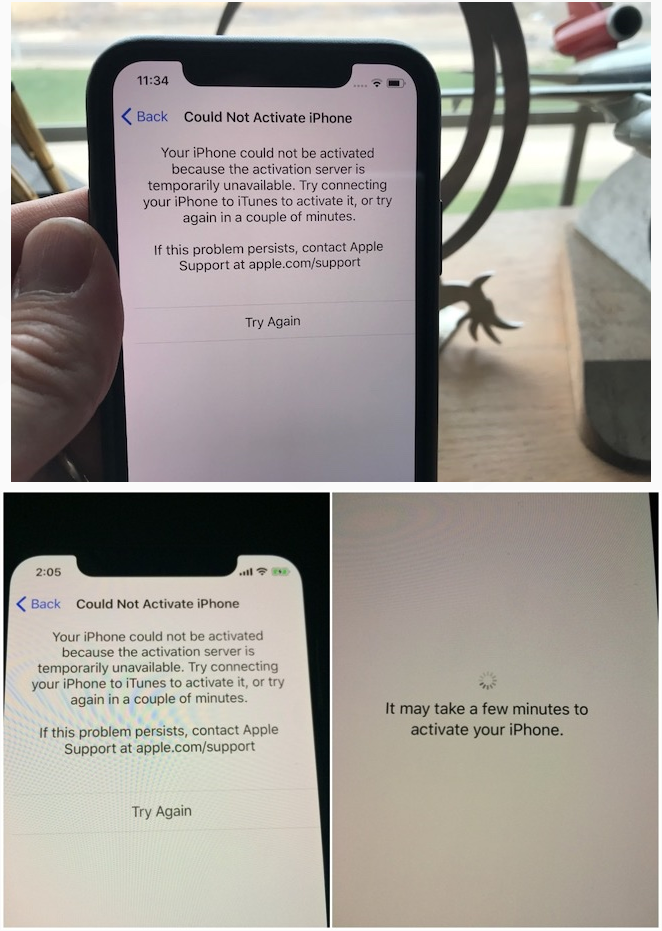

Some iPhone X Buyers Are Having Problems Activating Their Phones


“I checked with customer support and can confirm that customers that purchased iPhone X from Verizon are not having activation issues.“ a Verizon spokesperson said in a statement to The Verge. In a similar statement, AT&T said the issue was not limited to its users. "Some of our customers experienced a delay activating their iPhone X,” an AT&T spokesman said. “The issue was not specific to our customers and is resolved."


It appears the issue could just be related to iPhones purchased directly from Apple and not from the carriers.


Source: theverge

Windows
Mac OS
iOS
Linux
3uTools
Win 64-bit For this device
V9.0 2025-11-11
Download
Win 32-bit For this device
V9.0 2025-11-11
Download
3uTools
Intel Chip How to Identify Chip Type
V9.0 2025-12-02
Download
Apple Chip
V9.0 2025-12-02
Download
How to Identify Chip Type
1.  Click the Apple icon in the top-left corner of the screen and select About This Mac.
2.  Check the Processor or Chip field to determine if it is "Intel" or "Apple".
Please use the 3uTools PC client to install the iOS client:
1、 Install either the Windows or Mac version of 3uTools on your computer
2、 Open the PC client and connect your device to the computer via USB cable
3、 After the connection is successful, wait for the computer to automatically install the mobile app for the device, or locate “Install Mobile App” on the computer and manually click to install.
3uTools
deb file
V3.01 2025-11-20
Download
rpm file
V3.01 2025-11-20
Download
Windows
Windows
iOS
iOS
Android
Android
TV
TV
3uAirPlayer
Win 64-bit For this device
V6.0.2 2025-11-19
Download
Win 32-bit For this device
V6.0.2 2025-11-19
Download
iOS Device Mirroring (No App Required)
1、 Install 3uAirPlayer on the Windows PC
2、 Open Control Center and select Screen Mirroring
3、 From the list, choose your PC to start mirroring
4、 Or connect your iOS device to the PC via USB to begin mirroring
Scan to get "3uAirPlayer" App
3uAirPlayer TV V1.0.18
2025-11-28
TV System Requirements: Android 7.0 or later
Download the TV installation package, copy it to a USB drive, insert it into your TV or set-top box, then select the file from the home screen to install.




