 NEWS
NEWS
YouTube is Inexplicably Demonetizing Videos of the iPhone X
 11/06/2017
 3603
3603
With iPhone X launching this week, the internet has been flooded with videos of Apple’s latest flagship. That’s par for the course with iPhone launch day, but for some odd reason, some of these videos are getting demonetized by YouTube.
YouTube tech channels MKBHD, TLD and SuperSaf and blogger Casey Neistat have all seen their iPhone X videos demonetized. They took to Twitter to vent their frustrations.
Hilarious/ridiculous @YouTube bug of the day: Demonetizing every iPhone unboxing on the site @tldtoday @SuperSaf @CaseyNeistat pic.twitter.com/Sj44SfORWD
— Marques Brownlee (@MKBHD) November 3, 2017
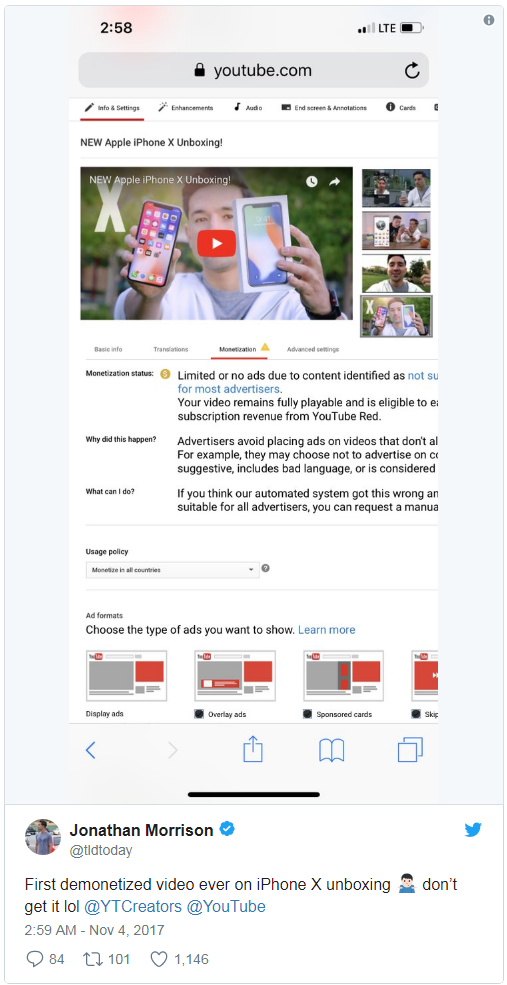
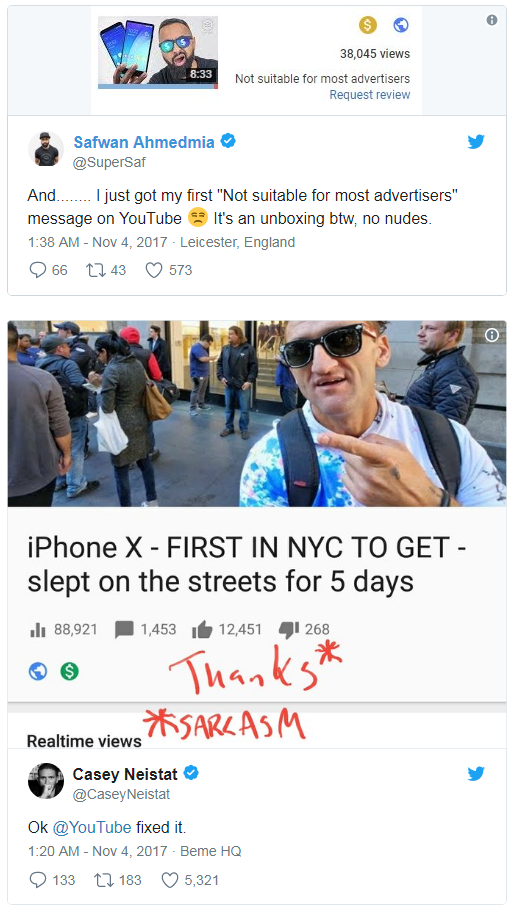
The immediate reflex is to question if these videos are inappropriate, and that is a resounding no. The tech oriented videos by MKBHD, TLD and SuperSaf are just plain unboxings of the device. There’s no cursing, sexual elements or content an advertiser would have a problem with.
It’s the same story with Casey Neistat’s video. The entire video fits into his usual blogging style, with him just going to check out the long lines of people waiting for the iPhone X at New York Apple Stores. Again, there’s no cursing, sexual elements, or content an advertiser would find unsuitable.
The only logical question for this would be that it’s an error with YouTube’s algorithm. This was the culprit for the so-called “adpocalypse” earlier in the year when YouTube demonetized millions of videos with content unsuitable for advertisers. But as the YouTubers pointed out, they did nothing wrong in their videos, yet they were demonetized.
YouTube will eventually lift the demonetized status of these videos, because that’s how it’s been going of late. It demonetizes a video right away, and it takes up to a few days for it to confirm that there isn’t anything wrong with these videos. But it’ll be after the video misses the prime spot to make money when it initially goes up.
The problems between YouTube and its creators isn’t ending anytime soon. If anything, it seems to be growing.
Source: technobuffalo










