 NEWS
NEWS
First iPhone X Orders Start Arriving to Customers in New Zealand
 11/03/2017
 4124
4124
Apple customers in Australia and New Zealand are always the first to get their hands on new devices on launch day because of time zone differences, and the iPhone X is no exception.
It's nearly 9:00 a.m. in New Zealand, and customers who pre-ordered an iPhone X are beginning to receive their shipments and have started sharing the first customer photos of the new device on Twitter, Instagram, reddit.
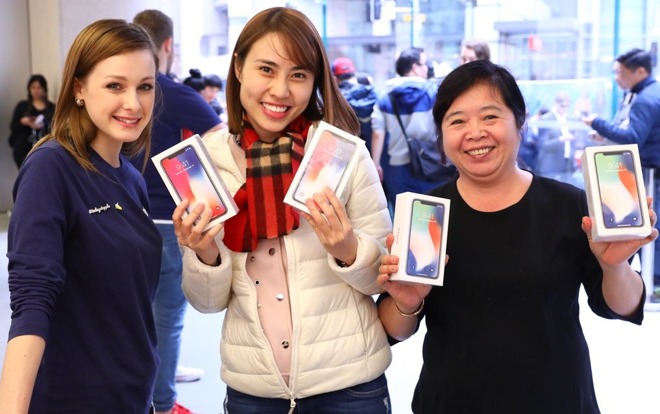
There are no Apple Stores in New Zealand, so customers in Australia will be the first to be able to purchase devices from an Apple retail location. Available stock in Australia should give us an idea of what we can expect as it rolls around to November 3 across the globe.
Following New Zealand and Australia, iPhone X sales will kick off in Asia, Europe, and finally, North America. Apple Stores globally are opening at 8:00 a.m. local time to allow customers to pick up reserved devices and make walk-in purchases.
Apple has promised that its retail locations have stock available for walk-in customers, but supplies are believed to be limited. In countries where the iPhone X launch is approaching, lines are growing longer and longer. In the United States, customers hoping for a device should try to get to Apple Stores early.

Along with Apple Stores, other retailers are offering the iPhone X for purchase, but supplies may be even tighter at these locations. For U.S. customers, we've heard rumors suggesting some retailers like Target and AT&T may not have any iPhone X stock at some locations.
First wave iPhone X launch countries where the device is available starting on November 3 include Andorra, Australia, Austria, Bahrain, Belgium, Bulgaria, Canada, China, Croatia, Cyprus, Czech Republic, Denmark, Estonia, Finland, France, Germany, Greece, Greenland, Guernsey, Hong Kong, Hungary, Iceland, India, Ireland, Isle of Man, Italy, Japan, Jersey, Kuwait, Latvia, Liechtenstein, Lithuania, Luxembourg, Malta, Mexico, Monaco, the Netherlands, New Zealand, Norway, Poland, Portugal, Puerto Rico, Qatar, Romania, Russia, Saudi Arabia, Singapore, Slovakia, Slovenia, Spain, Sweden, Switzerland, Taiwan, United Arab Emirates, the UK, the US and the US Virgin Islands.
In the United States, the first iPhone X deliveries will take place on the east coast starting at 8:00 a.m. iPhone X pricing starts at $999 for the 64GB model, with the 256GB model priced at $1,149.
Source: macrumors










