
NEWS

Apple Fires iPhone X Engineer after Daughter’s Hands-on Video Goes Viral

10/30/2017

4798


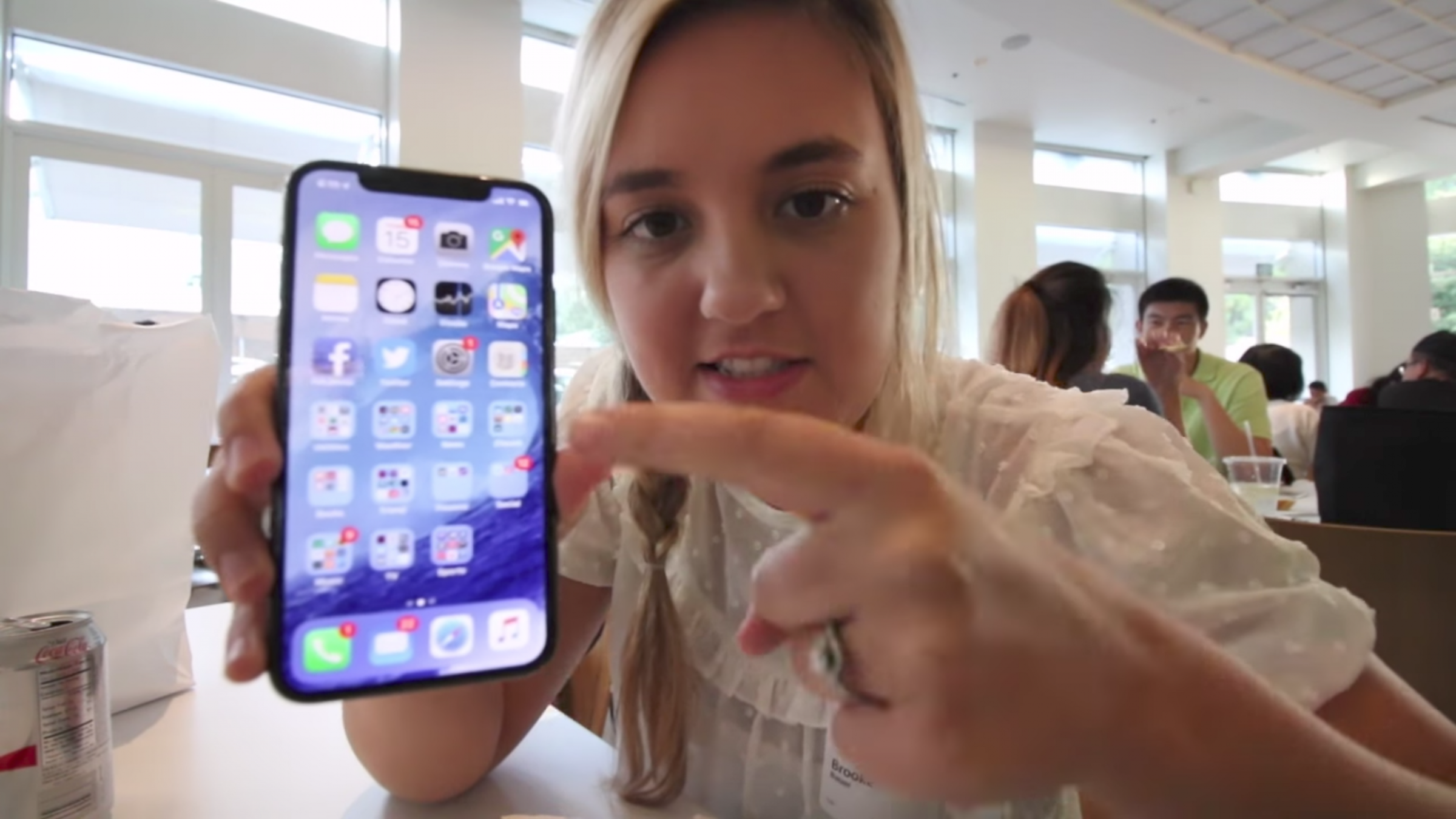
Apple has reportedly dismissed an engineer after his daughter’s iPhone X hands-on video went viral on YouTube. Brooke Amelia Peterson published a vlog earlier this week, which included a trip to the Apple campus to visit her father and see an unreleased iPhone X. Peterson’s video was quickly picked up by sites like 9to5Mac, and it spread even further on YouTube.


Peterson now claims her father has been fired as a result of her video. In a tearful video, Peterson explains her father violated an Apple company rule by allowing her to film the unreleased handset at Apple’s campus. Apple reportedly requested that Peterson remove the video, but it was clearly too late as the content spread further and further.


The video itself may have seemed like an innocent hands-on, but it did include footage of an iPhone X with special employee-only QR codes. A notes app was also shown on the iPhone X in the video, which appeared to include codenames of unreleased Apple products. Filming on Apple’s campus is strictly prohibited, so filming an unreleased iPhone X is a definite rule violation.


We’ve seen similar dismissals in the past. A Microsoft employee was dismissed after his son posted pictures of the Xbox 360 before its release. The Apple engineer in question had worked at the company for around four years, building the iPhone RF and wireless circuit design. The Verge reached out to Apple to confirm the dismissal, but the company has not yet responded to a request for comment.

Apple Fires iPhone X Engineer after Daughter’s Hands-on Video Goes Viral


Source: the verge

Windows
Mac OS
iOS
Linux
3uTools
Win 64-bit For this device
V9.0 2025-11-11
Download
Win 32-bit For this device
V9.0 2025-11-11
Download
3uTools
Intel Chip How to Identify Chip Type
V9.0 2025-12-02
Download
Apple Chip
V9.0 2025-12-02
Download
How to Identify Chip Type
1.  Click the Apple icon in the top-left corner of the screen and select About This Mac.
2.  Check the Processor or Chip field to determine if it is "Intel" or "Apple".
Please use the 3uTools PC client to install the iOS client:
1、 Install either the Windows or Mac version of 3uTools on your computer
2、 Open the PC client and connect your device to the computer via USB cable
3、 After the connection is successful, wait for the computer to automatically install the mobile app for the device, or locate “Install Mobile App” on the computer and manually click to install.
3uTools
deb file
V3.01 2025-11-20
Download
rpm file
V3.01 2025-11-20
Download
Windows
Windows
iOS
iOS
Android
Android
TV
TV
3uAirPlayer
Win 64-bit For this device
V6.0.2 2025-11-19
Download
Win 32-bit For this device
V6.0.2 2025-11-19
Download
iOS Device Mirroring (No App Required)
1、 Install 3uAirPlayer on the Windows PC
2、 Open Control Center and select Screen Mirroring
3、 From the list, choose your PC to start mirroring
4、 Or connect your iOS device to the PC via USB to begin mirroring
Scan to get "3uAirPlayer" App
3uAirPlayer TV V1.0.18
2025-11-28
TV System Requirements: Android 7.0 or later
Download the TV installation package, copy it to a USB drive, insert it into your TV or set-top box, then select the file from the home screen to install.





