 NEWS
NEWS
$500 Off the iPhone X Is Still $500 Off, Even From Comcast
 10/27/2017
 3022
3022
With the iPhone X set to be in incredibly short demand, there aren’t a lot of promotional deals floating around right now. The best you can really do is a trade-in offer from most of the big carriers, but $300 off when you trade in a perfectly good iPhone 6S isn’t much of a deal.
So when a company offers a $500 for any new customers buying an iPhone X, you have to sit up and listen — even if that company is Xfinity Mobile, the wireless arm of Comcast.
The deal Xfinity Mobile is offering is straightforward, and a steal if you’re in position to take advantage of it. From now until December 3rd, any new customers who sign up for Comcast’s Xfinity internet, TV, and mobile service and buys an iPhone X will get a $500 gift card. Yes, this means whole-heartedly jumping into the belly of the beast, but for $500 off a $999 phone, you can’t be too picky.
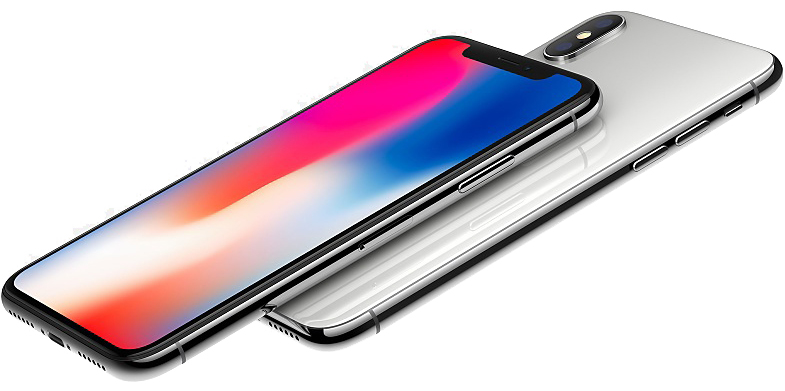
Xfinity Mobile is Comcast’s new mobile network. It runs on Verizon’s LTE network, and is only available for customers who also subscribe to Comcast’s home internet or TV services. If you already do, though, it’s a good deal: $45 per month for unlimited data, which includes unlimited talk, text, and a soft cap of 20GB of data. It’s much better than Verizon’s pricing for unlimited, which goes from $75 to $85 for one line, depending on what features you want. There’s also a pay-what-you-want $12-per-GB option.
Comcast is letting you mix and match different types of line on one account, which is unusual for a wireless carrier, and can help make a family plan a lot cheaper. Normally, pricing for Unlimited plans works that the cost per line decreases the more lines you have on the account, but you can’t mix and match different types of lines. It’s designed so that you’ll end up paying for unlimited data for you entire family — even your grandparents who still have an AOL email — since it’s cheaper than doing it line by line.
With Xfinity Mobile, you can pay $45 for any heavy data users in your family, and $25 a month for those who just need a few gigs of data. In theory, it could be a lot cheaper than doing it through T-Mobile or Verzion — and you’re getting Verizon’s excellent network to boot.
Comcast has confirmed that you’ll be able to pre-order the iPhone X through the Xfinity Mobile website starting October 27th, and it’ll have devices available in stores starting at 8AM November 3rd. Given the relatively small number of Xfinity Mobile subscribers (at least compared to the big networks), getting a device directly from Xfinity Mobile might be a good move to try and get a device on launch day.
Source: bgr










