 NEWS
NEWS
iPhone X Takes Over Apple․com Ahead of Pre-orders
 10/26/2017
 2815
2815
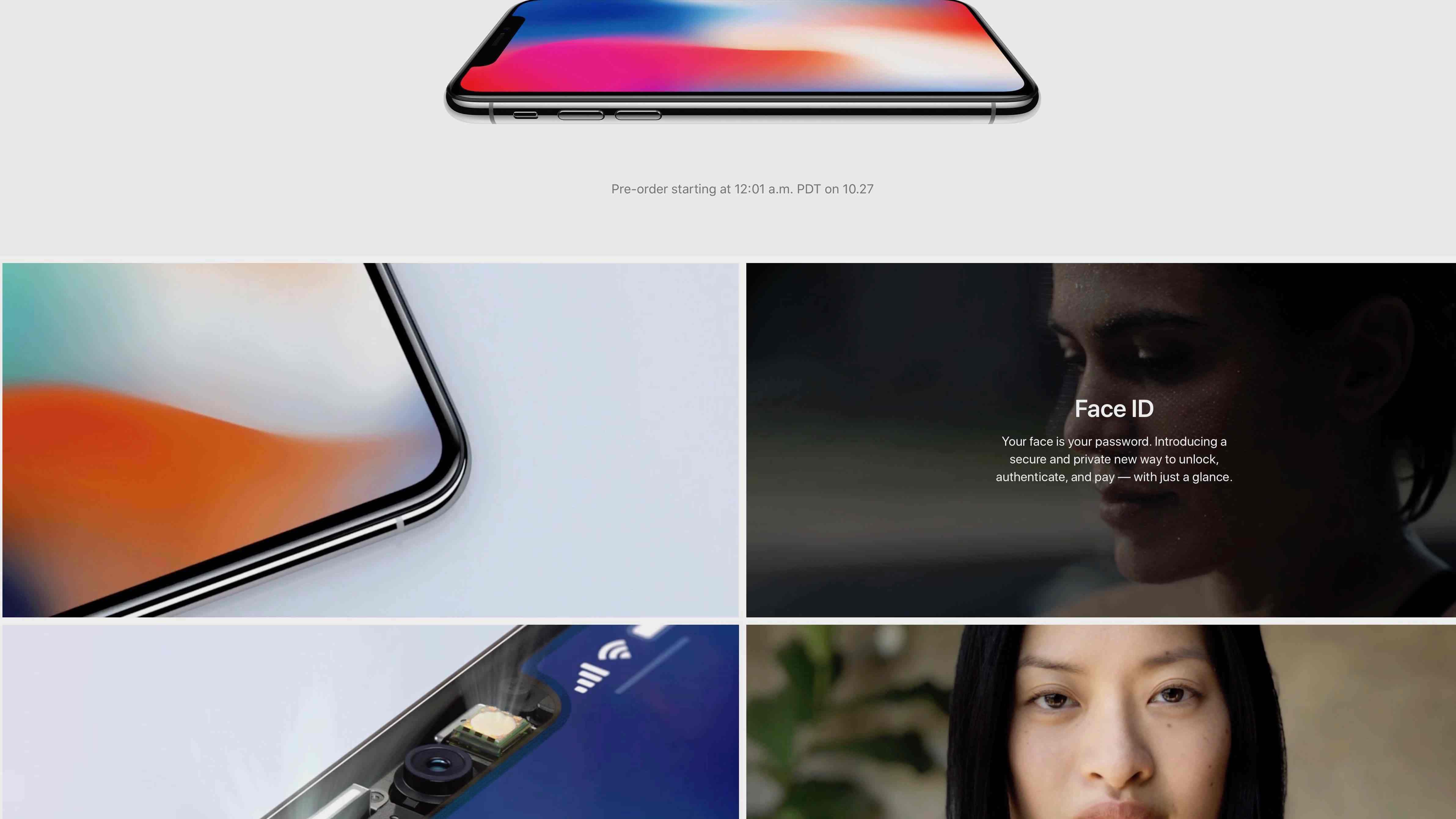
The iPhone X officially goes up for pre-order on Friday morning and Apple has dramatically overhauled its homepage tonight to better showcase the upcoming flagship. Apple.com now features nothing but the iPhone X, with a slew of images and animations touting various features of the device.
If you head to Apple.com right now, you’ll see a large banner up top with Apple reminding visitors that the iPhone X goes up for pre-order on Friday at 12:01 PT. Below that are a slew of boxes, each highlighting a different feature of the device. One showcases the bezel-less design, while another showcases Face ID and another the TrueDepth camera.
One of the boxes highlights camera features such as Stage Light for Portrait Mode shots, while another showcases the new OLED display. Finally, Apple is also touting its upcoming AirPower charging mat, which lets users charge their iPhone, Apple Watch, and AirPods at once.
Clicking on any of the boxes takes you to Apple’s full iPhone X webpage for a description of each feature, while you can mouse over for a brief overview of each. Apple had previously advertised the iPhone X and various other products on its homepage, including the iPhone 8 and new Apple Watch. Today’s overhaul, however, makes it all about the iPhone X ahead of pre-orders on Friday.
Apple this morning issued a new press release regarding the iPhone X release. In the press release, Apple noted that its retail stores will have launch day availability of the device next Friday, November 3rd – but it was quick to tell customers they need to arrive early if they wish to secure one. Carriers have also started preparing for the release with trade-in deals and changes to their web pages and apps.
Source: 9to5mac










