 NEWS
NEWS
How to Avoid Your iPhone Paint Peel Off?
 11/07/2016
 6956
6956
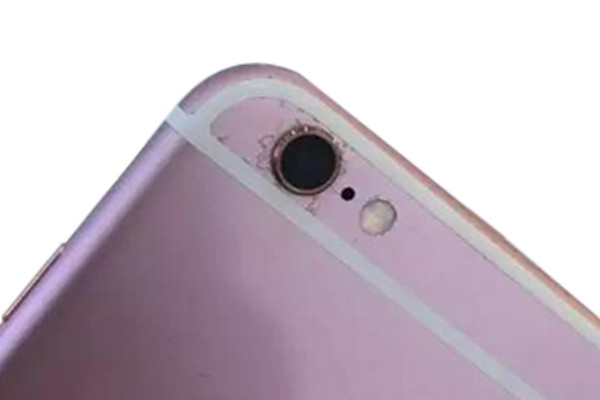
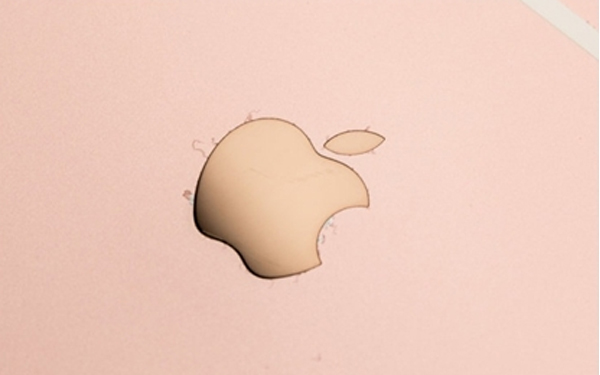
Recently, there are more and more iPhone 6S /7 pictures users with the rear housing getting rusty and the surface paint falling off complaining in many forums, how this happened? Here we have some speculations.
Why this happened? The reasons are from 2 aspects:
First, as we know that Apple uses the softer full aluminum material since iPhone 5 series in order to pursue a lighter and thinner phone body, which unfortunately causes the phone tending to bend. To solve this problem, Apple adopt the stronger 7000 series aluminum in iPhone 6S and 6S Plus, which makes the 6S features higher hardness. However, here comes the problem, the 7000 series aluminum alloy contains higher percent of Zinc and Magnesium than 6000 series which has been used in 5 and 6 series, which makes its inoxidizability and corrosion resistance weaker than the 6000 series.
The other reason is, we all know that Apple owns lots of contract manufacturers to produce the iPhone/iPad/iMac parts they need, There are absolutely some differences in technological level or treatment process between different contract manufacturers. Speaking of the treatment process, most cellphones including iPhone, use the anodizing treatment to produce the rear housing and we can’t deny the possibility that somehow the there’s a little misoperations in production process or something is wrong with the quality inspections, which can bring the results that metal oxide film (or called oxidized tinct membrane) painted on the rear housing surface is not well-proportioned or strong enough, and then makes it easier to falling off from the surface. In other words, we speculate that there may be something related to the treatment process.
Where’s the most susceptible place
If you’ve encountered this, you may find that happened mostly near the camera, Apple logo, the joint area of the white fringe and metal cover, even with the joint of metal frame and glass edges. These corrosion parts are just like small bugs. What’s worse is that it will not stop till it getting more serious and starting fall off.
How to avoid this problem
The corrosion of the rear housing is not included in the warranty so don’t expect you can get it replaced by Apple.And according to the above analysis, there is hardly an effective solution to prevent these phenomena, still we need to pay more attention to our 6S, trying to make it away from this tragedy.
1.Try not to use your iPhone 6S under high temperature and moist environment.
2.Better wear a back protective glass film or back cover case to protect your iPhone.
3.Try your best to keep your iPhone clean and dry, do not touch your phone while your hands are wet.
On the other hand, we hope that Apple can strengthen the control of product quality and no more problems like this appears.
Source:Etrade Supply










