 NEWS
NEWS
Google and Facebook Working to Fight the Spread of 'Fake News'
 04/10/2017
 2794
2794
Google and Facebook have announced new measures to fight "fake news," a term recently popularized by U.S. President Donald Trump.
Google today said it will be making its "Fact Check" label in Google News available everywhere, rather than in the United States only, and expanding the feature to its traditional search results globally in all languages.
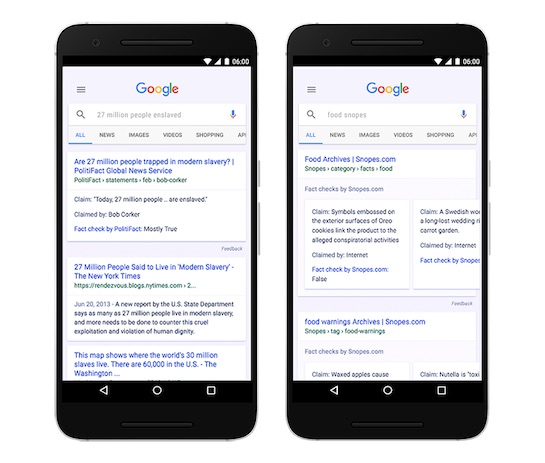
The "Fact Check" label identifies articles that include information fact checked by news publishers and fact-checking organizations.
Google said the "Fact Check" label is presented so people "can make more informed judgements" about a particular news story or claim, although the information won't be available for every search result, and there may be instances where different publishers checked the same claim and reached different conclusions.
Google said "only publishers that are algorithmically determined to be an authoritative source of information will qualify for inclusion," but it did not elaborate on how it makes this determination. Beyond that, publishers must be using the ClaimReview markup or the Share the Facts widget to be included.
Facebook for its part said it's working to better identify false news through its community and third-party fact-checking organizations.
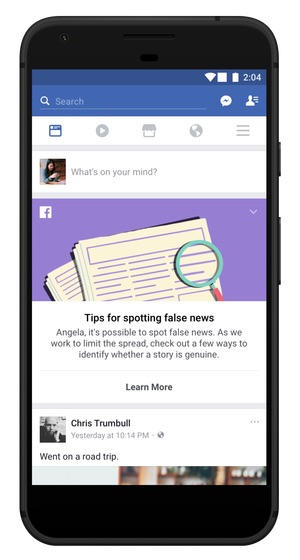
Earlier this week, Facebook said it's rolling out an educational tool to help people spot false news, developed in consultation with non-profit organization First Draft. Facebook said it's featuring this tool at the top of the News Feed "for a few days" to users in 14 countries, including the United States.
"When people click on this educational tool at the top of their News Feed, they will see more information and resources in the Facebook Help Center, including tips on how to spot false news, such as checking the URL of the site, investigating the source and looking for other reports on the topic."
Facebook said it "cannot become arbiters of truth" itself given the size of its platform, but it's committed to fighting the spread of misinformation.
Source: Macrumors









