
NEWS

iPhone 17 Models May See $50 Price Hike, Says Jefferies

07/31/2025

1458

Apple is expected to implement a $50 price increase across its iPhone 17 lineup when the new models launch in September as a way to offset rising component costs and China tariffs, according to a new investor note by Jefferies analyst Edison Lee.
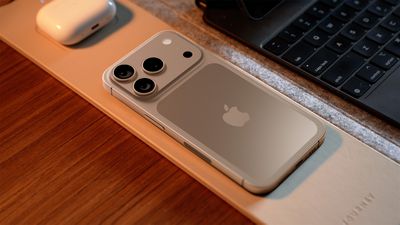
iPhone 17 Models May See $50 Price Hike, Says Jefferies
The price hike is expected across all iPhone 17 models, including the regular iPhone 17, iPhone 17 Air (replacing the Plus model), iPhone 17 Pro, and iPhone 17 Pro Max. Current iPhone models range from the base iPhone 16 starting at $799 to the iPhone 16 Pro Max at $1,199.

The analyst's prediction came as it gave AAPL stock a Hold rating, citing strong iPhone sales in the second quarter of 2025. U.S. telecommunications companies reported a 22% year-on-year equipment growth, their highest in six quarters, according to the analyst's note.

The Wall Street Journal reported in May that Apple was considering raising prices for its upcoming iPhone 17 models. The company reportedly aims to pair the potential price hikes with new features and design changes to justify the increased cost to consumers, rather than attributing them to U.S. tariffs on goods from China.

Source: Macrumors

Windows
Mac OS
iOS
Linux
3uTools
Win 64-bit For this device
V9.0 2025-11-11
Download
Win 32-bit For this device
V9.0 2025-11-11
Download
3uTools
Intel Chip How to Identify Chip Type
V9.0 2025-12-02
Download
Apple Silicon
V9.0 2025-12-02
Download
How to Identify Chip Type
1.  Click the Apple icon in the top-left corner of the screen and select About This Mac.
2.  Check the Processor or Chip field to determine if it is "Intel" or "Apple".
Please use the 3uTools PC client to install the iOS client:
1、 Install either the Windows or Mac version of 3uTools on your computer
2、 Open the PC client and connect your device to the computer via USB cable
3、 After the connection is successful, wait for the computer to automatically install the mobile app for the device, or locate “Install Mobile App” on the computer and manually click to install.
3uTools
deb file
V3.01 2025-11-20
Download
rpm file
V3.01 2025-11-20
Download
Windows
Windows
iOS
iOS
Android
Android
TV
TV
3uAirPlayer
Win 64-bit For this device
V6.0.2 2025-11-19
Download
Win 32-bit For this device
V6.0.2 2025-11-19
Download
iOS Device Mirroring (No App Required)
1、 Install 3uAirPlayer on the Windows PC
2、 Open Control Center and select Screen Mirroring
3、 From the list, choose your PC to start mirroring
4、 Or connect your iOS device to the PC via USB to begin mirroring
Scan to get "3uAirPlayer" App
3uAirPlayer TV V1.0.18
2025-11-28
TV System Requirements: Android 7.0 or later
Download the TV installation package, copy it to a USB drive, insert it into your TV or set-top box, then select the file from the home screen to install.




