NEWS

You Can Now Buy AirTag-Compatible Shoes for Tracking Your Kid

07/31/2025

666

You Can Now Buy AirTag-Compatible Shoes for Tracking Your Kid


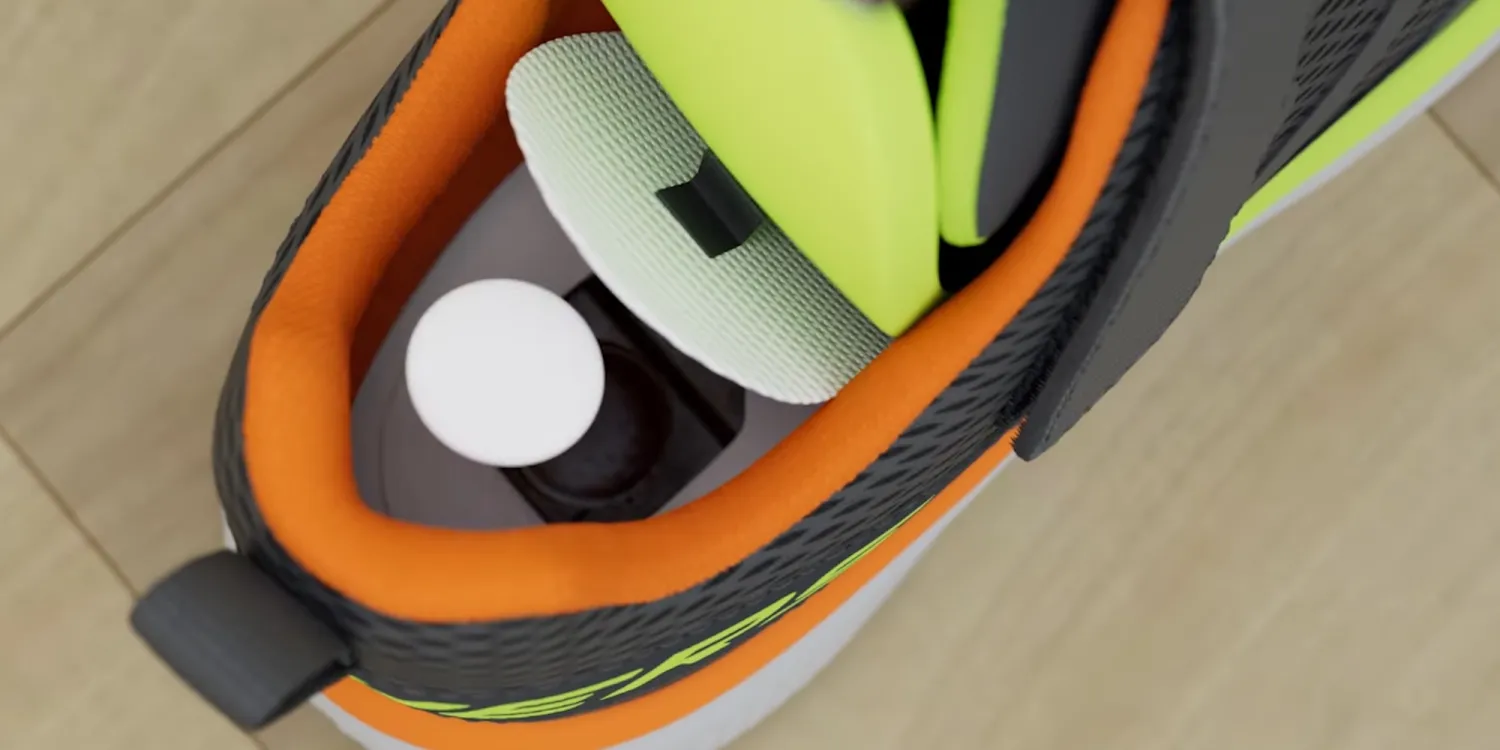
AirTag launched four years ago, and users have found a variety of applications for the product ever since. But now you can add another to the list: Skechers has just launched kids’ shoes with a hidden compartment to stash an AirTag.


‘Find My Skechers’ is a new line of shoes with AirTag holder


Many of us use AirTags to track our luggage when traveling. Others like to put AirTag on their keychain. You can use AirTag to track your car, wallet, or any precious item.


And now, Skechers has made a line of shoes designed to help you track your kid.


’Find My Skechers’ is a new product line with a built-in, hidden AirTag compartment.


As explained in the company’s new commercial, the AirTag will be completely concealed and not impact comfort in any way.


In other words: your kid won’t know it’s there.


You can buy Find My Skechers in a variety of shoe styles, ranging from $52-58 per pair.


When AirTag 2 eventually arrives, it’s expected to carry the same basic design and should fit in these shoes too.


Source: Macrumors

Windows
Mac OS
iOS
Linux
3uTools
Win 64-bit For this device
V9.0 2025-11-11
Download
Win 32-bit For this device
V9.0 2025-11-11
Download
3uTools
Intel Chip How to Identify Chip Type
V9.0 2025-12-02
Download
Apple Silicon
V9.0 2025-12-02
Download
How to Identify Chip Type
1.  Click the Apple icon in the top-left corner of the screen and select About This Mac.
2.  Check the Processor or Chip field to determine if it is "Intel" or "Apple".
Please use the 3uTools PC client to install the iOS client:
1、 Install either the Windows or Mac version of 3uTools on your computer
2、 Open the PC client and connect your device to the computer via USB cable
3、 After the connection is successful, wait for the computer to automatically install the mobile app for the device, or locate “Install Mobile App” on the computer and manually click to install.
3uTools
deb file
V3.01 2025-11-20
Download
rpm file
V3.01 2025-11-20
Download
Windows
Windows
iOS
iOS
Android
Android
TV
TV
3uAirPlayer
Win 64-bit For this device
V6.0.2 2025-11-19
Download
Win 32-bit For this device
V6.0.2 2025-11-19
Download
iOS Device Mirroring (No App Required)
1、 Install 3uAirPlayer on the Windows PC
2、 Open Control Center and select Screen Mirroring
3、 From the list, choose your PC to start mirroring
4、 Or connect your iOS device to the PC via USB to begin mirroring
Scan to get "3uAirPlayer" App
3uAirPlayer TV V1.0.18
2025-11-28
TV System Requirements: Android 7.0 or later
Download the TV installation package, copy it to a USB drive, insert it into your TV or set-top box, then select the file from the home screen to install.