NEWS

Apple Watch Ultra 3: What to Expect

07/14/2025

997

Apple Watch Ultra 3: What to Expect


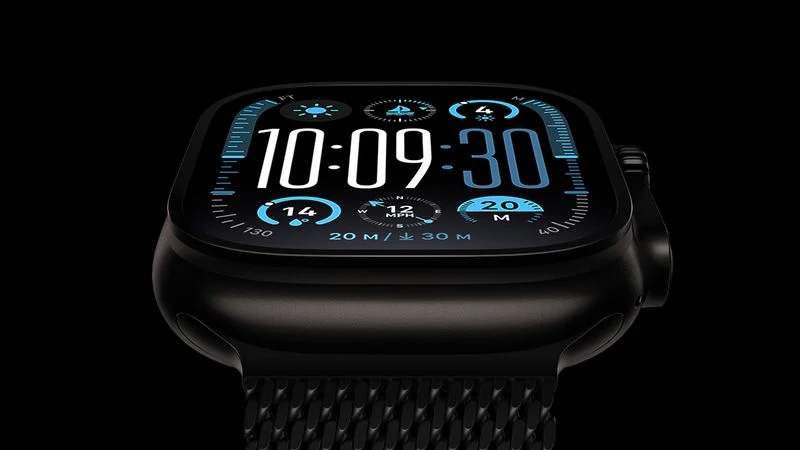
The long wait for an Apple Watch Ultra 3 is nearly over, and a handful of new features and changes have been rumored for the device.


Below, we recap what to expect from the Apple Watch Ultra 3:


  • Satellite connectivity for sending and receiving text messages when Wi-Fi and cellular coverage is unavailable
  • 5G support, up from LTE on the Apple Watch Ultra 2
  • Likely a wide-angle OLED display that is brighter when viewed from an angle, and offers a higher refresh rate for the always-on display mode
  • S10 chip or newer for faster performance
  • Blood pressure monitoring has been rumored, but it might not be ready in time for the Apple Watch Ultra 3


Last year, the Apple Watch Ultra 2 received a black titanium case option, but otherwise the Ultra model has not received any hardware upgrades since 2023. 


After a two-year wait, the Apple Watch Ultra 3 should be unveiled in September.


Source: Macrumors

Windows
Mac OS
iOS
Linux
3uTools
Win 64-bit For this device
V9.0 2025-11-11
Download
Win 32-bit For this device
V9.0 2025-11-11
Download
3uTools
Intel Chip How to Identify Chip Type
V9.0 2025-12-02
Download
Apple Chip
V9.0 2025-12-02
Download
How to Identify Chip Type
1.  Click the Apple icon in the top-left corner of the screen and select About This Mac.
2.  Check the Processor or Chip field to determine if it is "Intel" or "Apple".
Please use the 3uTools PC client to install the iOS client:
1、 Install either the Windows or Mac version of 3uTools on your computer
2、 Open the PC client and connect your device to the computer via USB cable
3、 After the connection is successful, wait for the computer to automatically install the mobile app for the device, or locate “Install Mobile App” on the computer and manually click to install.
3uTools
deb file
V3.01 2025-11-20
Download
rpm file
V3.01 2025-11-20
Download
Windows
Windows
iOS
iOS
Android
Android
TV
TV
3uAirPlayer
Win 64-bit For this device
V6.0.2 2025-11-19
Download
Win 32-bit For this device
V6.0.2 2025-11-19
Download
iOS Device Mirroring (No App Required)
1、 Install 3uAirPlayer on the Windows PC
2、 Open Control Center and select Screen Mirroring
3、 From the list, choose your PC to start mirroring
4、 Or connect your iOS device to the PC via USB to begin mirroring
Scan to get "3uAirPlayer" App
3uAirPlayer TV V1.0.18
2025-11-28
TV System Requirements: Android 7.0 or later
Download the TV installation package, copy it to a USB drive, insert it into your TV or set-top box, then select the file from the home screen to install.