
NEWS

iPhone 17 Base Model Likely to Stick with 8GB RAM

07/11/2025

1817

Apple's iPhone 17 lineup could feature a notable RAM divide, with the base model potentially missing out on a rumored memory boost coming to the more high-end models.
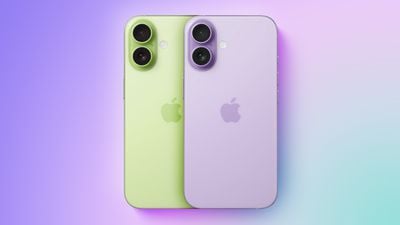
iPhone 17 Base Model Likely to Stick with 8GB RAM
According to leaker Fixed Focus Digital on Weibo, the iPhone 17 will stick with 8GB of RAM while the iPhone 17 Air, iPhone 17 Pro, and iPhone 17 Pro Max will jump to 12GB. The leaker previously revealed the iPhone 16e name before its official announcement, lending some credibility to their claim.

For comparison, Samsung's latest Galaxy S25 models, which launched earlier this year, all come with 12GB of RAM. Google's Pixel 9 also comes with 12GB of RAM.

The leaker's information tallies with earlier predictions from analyst Ming-Chi Kuo, who suggested the same 12GB upgrade for the Air and Pro models. Kuo expressed uncertainty about the base iPhone 17's RAM configuration getting an upgrade due to potential supply constraints, and he has not provided an update on his thoughts since his original April prediction.

All current iPhone 16 models ship with 8GB of RAM, which meets Apple Intelligence's minimum requirement. The base iPhone 17 maintaining this amount would still support Apple's AI features, though the extra memory in higher-end models could enable more sophisticated processing and better gaming performance.

The iPhone 17 lineup is expected to launch around mid-September.

Source: Macrumors

Windows
Mac OS
iOS
Linux
3uTools
Win 64-bit For this device
V9.0 2025-11-11
Download
Win 32-bit For this device
V9.0 2025-11-11
Download
3uTools
Intel Chip How to Identify Chip Type
V9.0 2025-12-02
Download
Apple Chip
V9.0 2025-12-02
Download
How to Identify Chip Type
1.  Click the Apple icon in the top-left corner of the screen and select About This Mac.
2.  Check the Processor or Chip field to determine if it is "Intel" or "Apple".
Please use the 3uTools PC client to install the iOS client:
1、 Install either the Windows or Mac version of 3uTools on your computer
2、 Open the PC client and connect your device to the computer via USB cable
3、 After the connection is successful, wait for the computer to automatically install the mobile app for the device, or locate “Install Mobile App” on the computer and manually click to install.
3uTools
deb file
V3.01 2025-11-20
Download
rpm file
V3.01 2025-11-20
Download
Windows
Windows
iOS
iOS
Android
Android
TV
TV
3uAirPlayer
Win 64-bit For this device
V6.0.2 2025-11-19
Download
Win 32-bit For this device
V6.0.2 2025-11-19
Download
iOS Device Mirroring (No App Required)
1、 Install 3uAirPlayer on the Windows PC
2、 Open Control Center and select Screen Mirroring
3、 From the list, choose your PC to start mirroring
4、 Or connect your iOS device to the PC via USB to begin mirroring
Scan to get "3uAirPlayer" App
3uAirPlayer TV V1.0.18
2025-11-28
TV System Requirements: Android 7.0 or later
Download the TV installation package, copy it to a USB drive, insert it into your TV or set-top box, then select the file from the home screen to install.





