
NEWS

iPadOS 19 Rumored to Show Mac-Like Menu Bar When Connected to Magic Keyboard

04/25/2025

1213

When an iPad running iPadOS 19 is connected to a Magic Keyboard, a macOS-like menu bar will appear on the screen, according to the leaker Majin Bu.
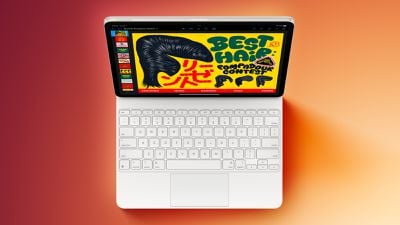
iPadOS 19 Rumored to Show Mac-Like Menu Bar When Connected to Magic Keyboard
This change would further blur the lines between the iPad and the Mac. Bloomberg's Mark Gurman previously claimed that iPadOS 19 will be "more like macOS," with unspecified improvements to productivity, multitasking, and app window management, and the addition of a macOS-like menu bar would certainly align with that overall plan.

In a blog post today, the leaker also claimed that iPadOS 19 will enhance Stage Manager, the feature that lets you use multiple apps at once on an external display. The leaker said that Stage Manager will work more seamlessly, but they did not provide any specific details about the alleged improvements. They also said that iOS 19 will enable at least a basic version of Stage Manager on iPhone models with a USB-C port.

The first beta of iPadOS 19 should be available after the WWDC 2025 keynote on June 9, but some new features are not enabled until later betas.

Majin Bu has a mixed track record with Apple rumors, with some hits and some misses.

Source: Macrumors

Windows
Mac OS
iOS
Linux
3uTools
Win 64-bit For this device
V9.0 2025-11-11
Download
Win 32-bit For this device
V9.0 2025-11-11
Download
3uTools
Intel Chip How to Identify Chip Type
V9.0 2025-12-02
Download
Apple Silicon
V9.0 2025-12-02
Download
How to Identify Chip Type
1.  Click the Apple icon in the top-left corner of the screen and select About This Mac.
2.  Check the Processor or Chip field to determine if it is "Intel" or "Apple".
Please use the 3uTools PC client to install the iOS client:
1、 Install either the Windows or Mac version of 3uTools on your computer
2、 Open the PC client and connect your device to the computer via USB cable
3、 After the connection is successful, wait for the computer to automatically install the mobile app for the device, or locate “Install Mobile App” on the computer and manually click to install.
3uTools
deb file
V3.01 2025-11-20
Download
rpm file
V3.01 2025-11-20
Download
Windows
Windows
iOS
iOS
Android
Android
TV
TV
3uAirPlayer
Win 64-bit For this device
V6.0.2 2025-11-19
Download
Win 32-bit For this device
V6.0.2 2025-11-19
Download
iOS Device Mirroring (No App Required)
1、 Install 3uAirPlayer on the Windows PC
2、 Open Control Center and select Screen Mirroring
3、 From the list, choose your PC to start mirroring
4、 Or connect your iOS device to the PC via USB to begin mirroring
Scan to get "3uAirPlayer" App
3uAirPlayer TV V1.0.18
2025-11-28
TV System Requirements: Android 7.0 or later
Download the TV installation package, copy it to a USB drive, insert it into your TV or set-top box, then select the file from the home screen to install.




