NEWS

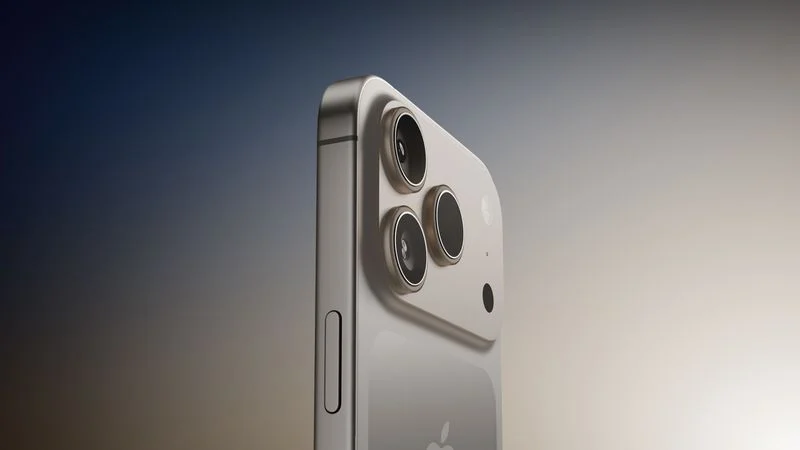
iPhone 17 Pro Models Rumored to Offer Dual Video Recording Feature in Camera App

04/09/2025

1018

iPhone 17 Pro Models Rumored to Offer Dual Video Recording Feature in Camera App


YouTube channel Front Page Tech on Monday shared renders of iOS 19's alleged new design. The end of the video also revealed a new feature that is supposedly planned for the iPhone 17 Pro models later this year: dual video recording.


According to Front Page Tech host Jon Prosser, the iPhone 17 Pro and iPhone 17 Pro Max will allow users to record video with the front and rear cameras simultaneously. This is a capability that is already available through select apps on the App Store, such as Snapchat, but it would now be available through the built-in Camera app. Samsung introduced a built-in dual video recording feature on the Galaxy S21 and newer.


Dual video recording in the Camera app would be useful for content creators on platforms like YouTube and TikTok, allowing them to easily overlay a shot of their face over a world-facing video, so that viewers can watch them speak and react.


Skip to the 9:13 mark of Front Page Tech's video to hear about this particular rumor.


Apple should release all of the iPhone 17 models in September. It is unclear why this seemingly basic feature will allegedly require an iPhone 17 Pro model.


Source: Macrumors

 

Windows
Mac OS
iOS
Linux
3uTools
Win 64-bit For this device
V9.0 2025-11-11
Download
Win 32-bit For this device
V9.0 2025-11-11
Download
3uTools
Intel Chip How to Identify Chip Type
V9.0 2025-12-02
Download
Apple Silicon
V9.0 2025-12-02
Download
How to Identify Chip Type
1.  Click the Apple icon in the top-left corner of the screen and select About This Mac.
2.  Check the Processor or Chip field to determine if it is "Intel" or "Apple".
Please use the 3uTools PC client to install the iOS client:
1、 Install either the Windows or Mac version of 3uTools on your computer
2、 Open the PC client and connect your device to the computer via USB cable
3、 After the connection is successful, wait for the computer to automatically install the mobile app for the device, or locate “Install Mobile App” on the computer and manually click to install.
3uTools
deb file
V3.01 2025-11-20
Download
rpm file
V3.01 2025-11-20
Download
Windows
Windows
iOS
iOS
Android
Android
TV
TV
3uAirPlayer
Win 64-bit For this device
V6.0.2 2025-11-19
Download
Win 32-bit For this device
V6.0.2 2025-11-19
Download
iOS Device Mirroring (No App Required)
1、 Install 3uAirPlayer on the Windows PC
2、 Open Control Center and select Screen Mirroring
3、 From the list, choose your PC to start mirroring
4、 Or connect your iOS device to the PC via USB to begin mirroring
Scan to get "3uAirPlayer" App
3uAirPlayer TV V1.0.18
2025-11-28
TV System Requirements: Android 7.0 or later
Download the TV installation package, copy it to a USB drive, insert it into your TV or set-top box, then select the file from the home screen to install.