
NEWS

Sorry, iPhone Mini Fans: Apple Isn't Planning Another Small Phone

03/27/2025

891

Bloomberg's Mark Gurman today shared bad news for fans of the iPhone mini.
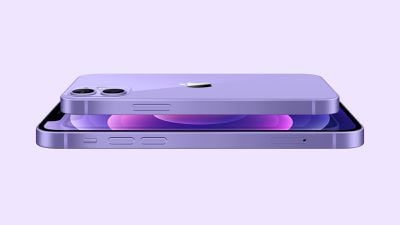
Sorry, iPhone Mini Fans: Apple Isn't Planning Another Small Phone
In a live-streamed Q&A session today, Gurman said that Apple currently has no plans to reintroduce a smaller iPhone model.

Apple discontinued the iPhone 13 mini in September 2023, and it has not offered a mini model since then. Apple is not expected to release an iPhone 17 mini this year, and Gurman's revelation likely rules out an iPhone 18 mini next year too, given Apple's multi-year planning and development cycle for future iPhone models.

Since it discontinued the third-generation iPhone SE last month, Apple no longer offers any new iPhone models with under a 6-inch screen size. All of the iPhone 15 and iPhone 16 models that Apple currently sells have between 6.1-inch and 6.9-inch displays, whereas the iPhone 12 mini and iPhone 13 mini had 5.4-inch displays. The final iPhone SE had a 4.7-inch display, albeit with thicker bezels that increased the device's overall size.

While there is a vocal group of customers who wish that Apple would bring back the iPhone mini, the smaller model simply never sold well enough for the company to continue offering it, according to market research firms. It is not much of a surprise that Apple is not currently reconsidering this decision, but it helps to set expectations for those who may still be holding out hope. Do not expect another iPhone mini any time soon.

The full Q&A audio stream can be replayed on Bloomberg's website.

Source: Macrumors

Windows
Mac OS
iOS
Linux
3uTools
Win 64-bit For this device
V9.0 2025-11-11
Download
Win 32-bit For this device
V9.0 2025-11-11
Download
3uTools
Intel Chip How to Identify Chip Type
V9.0 2025-12-02
Download
Apple Silicon
V9.0 2025-12-02
Download
How to Identify Chip Type
1.  Click the Apple icon in the top-left corner of the screen and select About This Mac.
2.  Check the Processor or Chip field to determine if it is "Intel" or "Apple".
Please use the 3uTools PC client to install the iOS client:
1、 Install either the Windows or Mac version of 3uTools on your computer
2、 Open the PC client and connect your device to the computer via USB cable
3、 After the connection is successful, wait for the computer to automatically install the mobile app for the device, or locate “Install Mobile App” on the computer and manually click to install.
3uTools
deb file
V3.01 2025-11-20
Download
rpm file
V3.01 2025-11-20
Download
Windows
Windows
iOS
iOS
Android
Android
TV
TV
3uAirPlayer
Win 64-bit For this device
V6.0.2 2025-11-19
Download
Win 32-bit For this device
V6.0.2 2025-11-19
Download
iOS Device Mirroring (No App Required)
1、 Install 3uAirPlayer on the Windows PC
2、 Open Control Center and select Screen Mirroring
3、 From the list, choose your PC to start mirroring
4、 Or connect your iOS device to the PC via USB to begin mirroring
Scan to get "3uAirPlayer" App
3uAirPlayer TV V1.0.18
2025-11-28
TV System Requirements: Android 7.0 or later
Download the TV installation package, copy it to a USB drive, insert it into your TV or set-top box, then select the file from the home screen to install.




