NEWS

Powerbeats Pro 2 Given to Customer Early, Expected to Debut Tomorrow

02/11/2025

536

Powerbeats Pro 2 Given to Customer Early, Expected to Debut Tomorrow


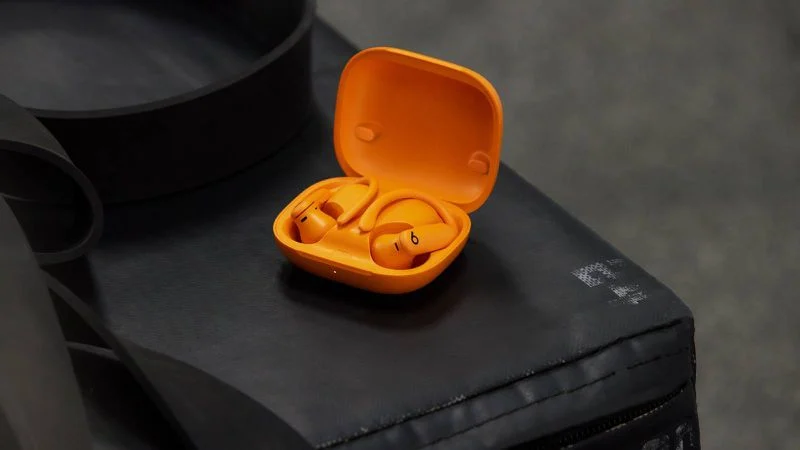
Apple's long-awaited Powerbeats Pro 2 are finally expected to be announced this Tuesday. Ahead of time, one lucky Walmart customer was able to get their hands on the earbuds early, according to a since-deleted Reddit post over the weekend.


"My local Walmart had them in the cage," the Reddit user explained. "I asked if I can buy them [and] he said yes."


Apple already shared a Powerbeats Pro 2 teaser video last year, revealing that the earbuds have a slimmer and more vertical design compared to the original Powerbeats Pro from 2019. Other rumored features include the H2 chip from the AirPods Pro 2, heart rate monitoring for workouts, new color options like Electric Orange, and more.


With the H2 chip, the Powerbeats Pro 2 should offer active noise cancellation, which is something the original Powerbeats Pro lack. The chip should also enable better sound quality and longer battery life compared to the original Powerbeats Pro.


In the United States, the Powerbeats Pro 2 are expected to cost $249.


Source: Macrumors

Windows
Mac OS
iOS
Linux
3uTools
Win 64-bit For this device
V9.0 2025-11-11
Download
Win 32-bit For this device
V9.0 2025-11-11
Download
3uTools
Intel Chip How to Identify Chip Type
V9.0 2025-12-02
Download
Apple Silicon
V9.0 2025-12-02
Download
How to Identify Chip Type
1.  Click the Apple icon in the top-left corner of the screen and select About This Mac.
2.  Check the Processor or Chip field to determine if it is "Intel" or "Apple".
Please use the 3uTools PC client to install the iOS client:
1、 Install either the Windows or Mac version of 3uTools on your computer
2、 Open the PC client and connect your device to the computer via USB cable
3、 After the connection is successful, wait for the computer to automatically install the mobile app for the device, or locate “Install Mobile App” on the computer and manually click to install.
3uTools
deb file
V3.01 2025-11-20
Download
rpm file
V3.01 2025-11-20
Download
Windows
Windows
iOS
iOS
Android
Android
TV
TV
3uAirPlayer
Win 64-bit For this device
V6.0.2 2025-11-19
Download
Win 32-bit For this device
V6.0.2 2025-11-19
Download
iOS Device Mirroring (No App Required)
1、 Install 3uAirPlayer on the Windows PC
2、 Open Control Center and select Screen Mirroring
3、 From the list, choose your PC to start mirroring
4、 Or connect your iOS device to the PC via USB to begin mirroring
Scan to get "3uAirPlayer" App
3uAirPlayer TV V1.0.18
2025-11-28
TV System Requirements: Android 7.0 or later
Download the TV installation package, copy it to a USB drive, insert it into your TV or set-top box, then select the file from the home screen to install.