NEWS

Bigfoot, Apple Core Emoji May Land on iMessage in Late 2025

11/15/2024

1234

Bigfoot, Apple Core Emoji May Land on iMessage in Late 2025


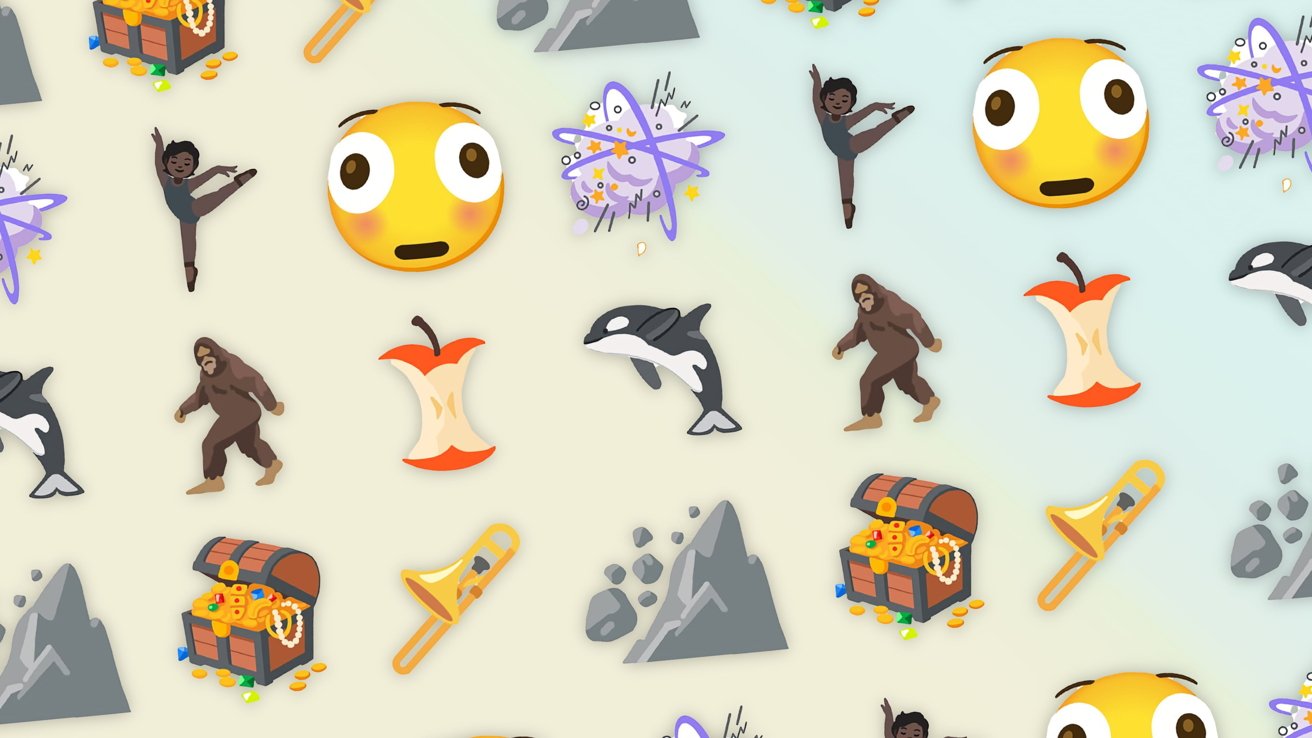
The Unicode Consortium has issued its latest collection of emoji you could be using on an iPhone in late 2025, including a distorted face, a "fight cloud," and an apple core.


The Unicode Consortium's Emoji Standard & Research Working Group is behind the creation and management of emoji characters. These images are included in iOS, macOS, and other operating systems around the world.


Every year, the group proposes a collection of new emoji or changes to the existing roster to the Unicode Technical Committee. According to Emojipedia, 164 emoji symbols were submitted for addition in November.


A document published by the working group includes nine symbols from the list, giving a hint of what should be on the way.


The nine symbols cover a number of areas, with an orca whale included alongside a Bigfoot-style hairy creature. Humans are also included with a distorted face, as well as a ballet dancer that will support all five standard skin tone modifier options.


The remainder includes an apple core, a landslide, a treasure chest, a trombone, and a "fight cloud" often depicted in cartoons.


If accepted, the emoji will be approved for Emoji 17.0 in September 2025. Apple often includes the emoji in iOS and its operating systems within a few months of approval.


Source: Appleinsider

Windows
Mac OS
iOS
Linux
3uTools
Win 64-bit For this device
V9.0 2025-11-11
Download
Win 32-bit For this device
V9.0 2025-11-11
Download
3uTools
Intel Chip How to Identify Chip Type
V9.0 2025-12-02
Download
Apple Silicon
V9.0 2025-12-02
Download
How to Identify Chip Type
1.  Click the Apple icon in the top-left corner of the screen and select About This Mac.
2.  Check the Processor or Chip field to determine if it is "Intel" or "Apple".
Please use the 3uTools PC client to install the iOS client:
1、 Install either the Windows or Mac version of 3uTools on your computer
2、 Open the PC client and connect your device to the computer via USB cable
3、 After the connection is successful, wait for the computer to automatically install the mobile app for the device, or locate “Install Mobile App” on the computer and manually click to install.
3uTools
deb file
V3.01 2025-11-20
Download
rpm file
V3.01 2025-11-20
Download
Windows
Windows
iOS
iOS
Android
Android
TV
TV
3uAirPlayer
Win 64-bit For this device
V6.0.2 2025-11-19
Download
Win 32-bit For this device
V6.0.2 2025-11-19
Download
iOS Device Mirroring (No App Required)
1、 Install 3uAirPlayer on the Windows PC
2、 Open Control Center and select Screen Mirroring
3、 From the list, choose your PC to start mirroring
4、 Or connect your iOS device to the PC via USB to begin mirroring
Scan to get "3uAirPlayer" App
3uAirPlayer TV V1.0.18
2025-11-28
TV System Requirements: Android 7.0 or later
Download the TV installation package, copy it to a USB drive, insert it into your TV or set-top box, then select the file from the home screen to install.