NEWS

Apple Vision Pro Rumored to Get M5 in 2025, But Lower Cost Model is Delayed

11/04/2024

864

Apple Vision Pro Rumored to Get M5 in 2025, But Lower Cost Model is Delayed


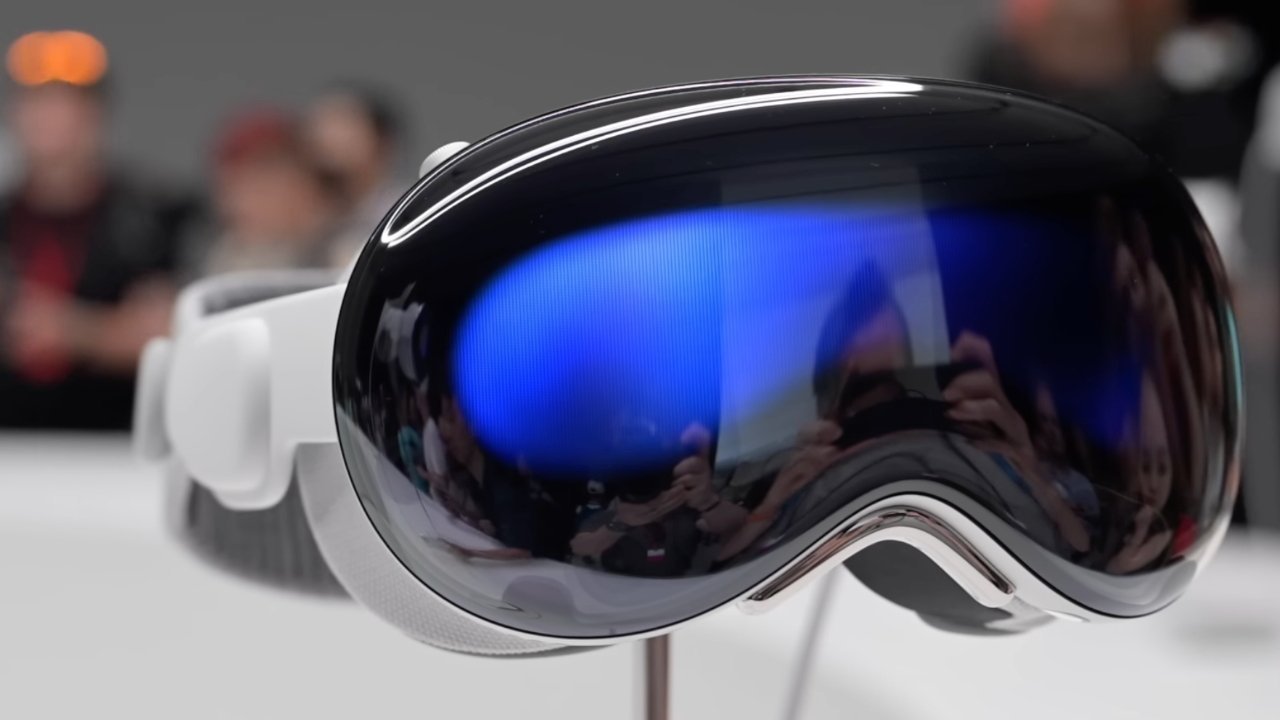
Apple Vision Pro may get an M5 upgrade in 2025, but the expected lower-price headset has been delayed, and may offload processing to the iPhone to cut costs.


Ming-Chi Kuo says that production of an all-new version of the Apple Vision Pro has been pushed back to "beyond 2027." He claims that the current existing model will be replaced with an identical one upgraded to an M5 processor in 2025.


He says that Apple has chosen to delay a rumored less-expensive Apple Vision Pro due to reasoning that "simply reducing the price wouldn't help create successful use cases." Apple has also struggled with attracting rapid development of apps and experiences for the headset.


Kuo likened the thinking at Apple to the company's experience with the HomePod line. "Even after launching the cheaper HomePod mini, Apple's smart speakers failed to become mainstream products," he said.


Kuo does not say whether this news comes from his industry sources, or is once again solely his extrapolation from his experience covering Apple.


However, his projection about plans being revamped for the lower cost Apple Vision Pro is backed up by a Bloomberg report. That report claims that Apple is "seriously considering" developing a cheaper "Apple Vision" headset that offloads most if not all of the computing duties to the user's iPhone. Such a device might look more like existing AR smart glasses.


Source: AppleInsider

Windows
Mac OS
iOS
Linux
3uTools
Win 64-bit For this device
V9.0 2025-11-11
Download
Win 32-bit For this device
V9.0 2025-11-11
Download
3uTools
Intel Chip How to Identify Chip Type
V9.0 2025-12-02
Download
Apple Silicon
V9.0 2025-12-02
Download
How to Identify Chip Type
1.  Click the Apple icon in the top-left corner of the screen and select About This Mac.
2.  Check the Processor or Chip field to determine if it is "Intel" or "Apple".
Please use the 3uTools PC client to install the iOS client:
1、 Install either the Windows or Mac version of 3uTools on your computer
2、 Open the PC client and connect your device to the computer via USB cable
3、 After the connection is successful, wait for the computer to automatically install the mobile app for the device, or locate “Install Mobile App” on the computer and manually click to install.
3uTools
deb file
V3.01 2025-11-20
Download
rpm file
V3.01 2025-11-20
Download
Windows
Windows
iOS
iOS
Android
Android
TV
TV
3uAirPlayer
Win 64-bit For this device
V6.0.2 2025-11-19
Download
Win 32-bit For this device
V6.0.2 2025-11-19
Download
iOS Device Mirroring (No App Required)
1、 Install 3uAirPlayer on the Windows PC
2、 Open Control Center and select Screen Mirroring
3、 From the list, choose your PC to start mirroring
4、 Or connect your iOS device to the PC via USB to begin mirroring
Scan to get "3uAirPlayer" App
3uAirPlayer TV V1.0.18
2025-11-28
TV System Requirements: Android 7.0 or later
Download the TV installation package, copy it to a USB drive, insert it into your TV or set-top box, then select the file from the home screen to install.