NEWS

New 2024 iPads Still Have 10 Hours of Battery Life

05/08/2024

1543

 New 2024 iPads Still Have 10 Hours of Battery Life


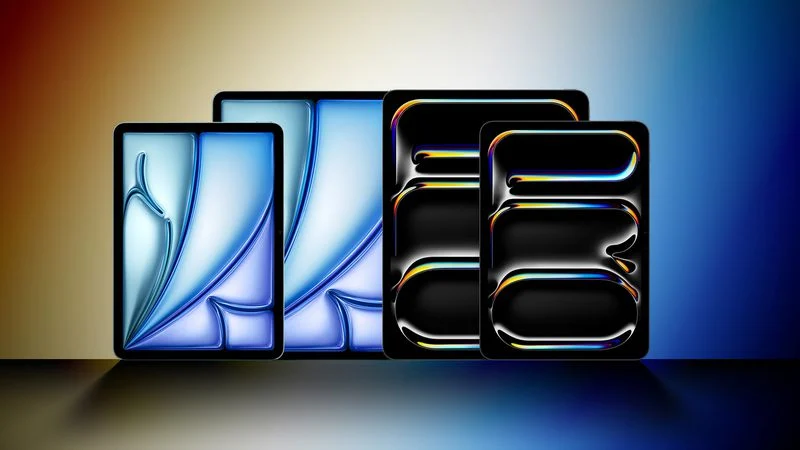
The iPad Pro and iPad Air models that Apple introduced today continue to offer the same 10 hours of battery life that Apple has advertised with iPads for years now, despite the addition of new, more efficient chips.


Apple's ‌iPad Pro‌ has an M4 chip that is built on second-generation 3-nanometer technology, and it has six efficiency cores, or two more than the M2. The device is also equipped with a more efficient OLED display, but neither the chip nor the OLED display have resulted in additional battery life.


The 11-inch ‌iPad Pro‌ has a 31.29-watt-hour battery, up from 28.65‐watt‐hours in the prior-generation model, while the 13-inch ‌iPad Pro‌ has a 38.99-watt-hour battery, down from 40.88-watt-hours.


As for the ‌iPad Air‌, the 11-inch model has a 28.93‐watt‐hour, up slightly from the 28.6-watt-hour battery that was in the prior 10.9-inch version. The new 13-inch model has a 36.59‐watt‐hour battery.


Apple says that the ‌iPad Pro‌ and ‌iPad Air‌ models last for up to 10 hours when surfing the web on Wi-Fi or watching video, but that drops to nine hours when surfing the web using a cellular data network.


Source: Macrumors

Windows
Mac OS
iOS
Linux
3uTools
Win 64-bit For this device
V9.0 2025-11-11
Download
Win 32-bit For this device
V9.0 2025-11-11
Download
3uTools
Intel Chip How to Identify Chip Type
V9.0 2025-12-02
Download
Apple Silicon
V9.0 2025-12-02
Download
How to Identify Chip Type
1.  Click the Apple icon in the top-left corner of the screen and select About This Mac.
2.  Check the Processor or Chip field to determine if it is "Intel" or "Apple".
Please use the 3uTools PC client to install the iOS client:
1、 Install either the Windows or Mac version of 3uTools on your computer
2、 Open the PC client and connect your device to the computer via USB cable
3、 After the connection is successful, wait for the computer to automatically install the mobile app for the device, or locate “Install Mobile App” on the computer and manually click to install.
3uTools
deb file
V3.01 2025-11-20
Download
rpm file
V3.01 2025-11-20
Download
Windows
Windows
iOS
iOS
Android
Android
TV
TV
3uAirPlayer
Win 64-bit For this device
V6.0.2 2025-11-19
Download
Win 32-bit For this device
V6.0.2 2025-11-19
Download
iOS Device Mirroring (No App Required)
1、 Install 3uAirPlayer on the Windows PC
2、 Open Control Center and select Screen Mirroring
3、 From the list, choose your PC to start mirroring
4、 Or connect your iOS device to the PC via USB to begin mirroring
Scan to get "3uAirPlayer" App
3uAirPlayer TV V1.0.18
2025-11-28
TV System Requirements: Android 7.0 or later
Download the TV installation package, copy it to a USB drive, insert it into your TV or set-top box, then select the file from the home screen to install.