 NEWS
NEWS
New iPhone SE Likely to Launch in April Based on Production Timeframe
 01/20/2022
 2242
2242
Apple suppliers will begin producing display panels for the third-generation iPhone SE this month, with final assembly of the device likely to start in March, according to information shared by display industry consultant Ross Young.
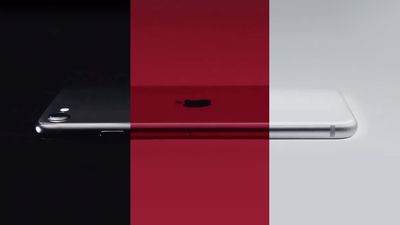
Based on this production timeframe, Young believes the third-generation iPhone SE is likely to launch in the second half of April, or perhaps in early May at the latest. iPhone SE launches have always taken place in the spring, with the original model launching in March 2016 and the second-generation model launching in April 2020.
Bloomberg's Mark Gurman recently tweeted that Apple will be holding a spring event to announce the new iPhone SE and other new hardware. Last year, Apple held an event on April 20 to unveil the AirTag, new iPad Pro and 24-inch iMac models powered by the M1 chip, a new Apple TV 4K, and a purple color option for the iPhone 12 and iPhone 12 mini.
The third-generation iPhone SE is expected to have the same design as the current iPhone SE, including a 4.7-inch display. Key new features rumored for the device include the same A15 Bionic chip as iPhone 13 models and 5G support.
Apple 5G SE model starting panel production this month. Phone production likely from March. This means a launch is likely for 2H April/early May with shipments from late April or early May. — Ross Young (@DSCCRoss) January 19, 2022
Young has proven to be a reliable source of display-related information for future Apple products. Last year, for example, he accurately claimed that the new iPad mini would feature an 8.3-inch display with the home button removed. He was also first to report that the 14-inch and 16-inch MacBook Pro would feature ProMotion displays.
Source: Macrumors









