NEWS

Apple Has Been Testing In-screen Touch ID, But it Won't Be In 'iPhone 13'

08/24/2021

2072

Apple Has Been Testing In-screen Touch ID, But it Won't Be In 'iPhone 13'


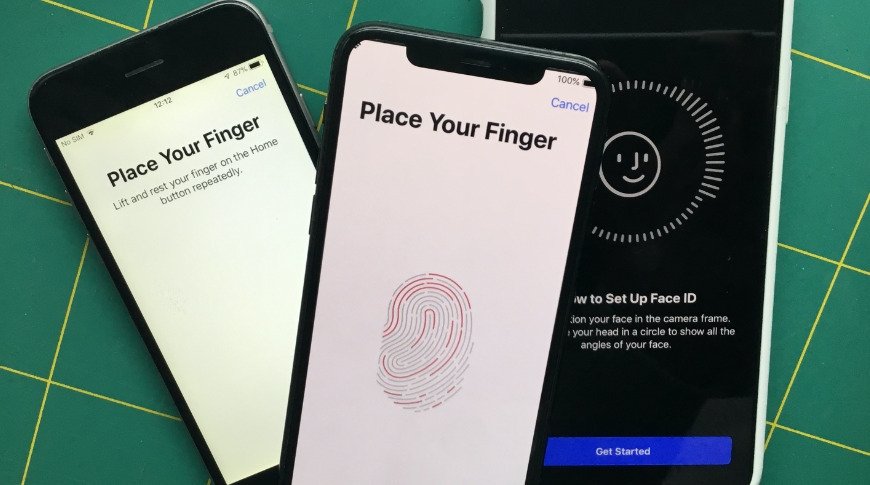
Apple is testing an in-screen version of Touch ID for the iPhone, a report claims, bu it probably won't make an appearance in the iPhone 13.


Rumors of a reintroduction of Touch ID to the iPhone have floated for a while, but while a relocated sensor has been used in products such as the iPad Air, the biometric authentication system has yet to make it back to the iPhone. According to a newsletter, that won't be happening in 2021, at least.


According to Bloomberg's Mark Gurman, Apple has been testing in-screen Touch ID for a future flagship iPhone launch, but "it won't make the cut this year."


Reports of testing Touch ID in a next-generation iPhone surfaced in January, with a new in-screen optical system accompanying the existing Face ID. By March, analyst Ming-Chi Kuo forecast that Apple would not add Touch ID to the iPhone with the next launch, advising that its survey of the supply chain indicated there was no timeline for its adoption.


Touch ID isn't the only technology that could be embedded in the display, as Gurman believes Apple has a "long-term goal" of implementing Face ID in a similar way.


As for how Face ID and Touch ID could be implemented down the line, the report offers two possible scenarios.


The first involves the high-end Pro models having in-screen Face ID, while non-pro models continue with a notch-based approach. The second has the premium end gaining in-screen Face ID, while the value-priced devices have in-screen Touch ID.


Source: Appleinsider

Windows
Mac OS
iOS
Linux
3uTools
Win 64-bit For this device
V9.0 2025-11-11
Download
Win 32-bit For this device
V9.0 2025-11-11
Download
3uTools
Intel Chip How to Identify Chip Type
V9.0 2025-12-02
Download
Apple Chip
V9.0 2025-12-02
Download
How to Identify Chip Type
1.  Click the Apple icon in the top-left corner of the screen and select About This Mac.
2.  Check the Processor or Chip field to determine if it is "Intel" or "Apple".
Please use the 3uTools PC client to install the iOS client:
1、 Install either the Windows or Mac version of 3uTools on your computer
2、 Open the PC client and connect your device to the computer via USB cable
3、 After the connection is successful, wait for the computer to automatically install the mobile app for the device, or locate “Install Mobile App” on the computer and manually click to install.
3uTools
deb file
V3.01 2025-11-20
Download
rpm file
V3.01 2025-11-20
Download
Windows
Windows
iOS
iOS
Android
Android
TV
TV
3uAirPlayer
Win 64-bit For this device
V6.0.2 2025-11-19
Download
Win 32-bit For this device
V6.0.2 2025-11-19
Download
iOS Device Mirroring (No App Required)
1、 Install 3uAirPlayer on the Windows PC
2、 Open Control Center and select Screen Mirroring
3、 From the list, choose your PC to start mirroring
4、 Or connect your iOS device to the PC via USB to begin mirroring
Scan to get "3uAirPlayer" App
3uAirPlayer TV V1.0.18
2025-11-28
TV System Requirements: Android 7.0 or later
Download the TV installation package, copy it to a USB drive, insert it into your TV or set-top box, then select the file from the home screen to install.