NEWS

'iPhone 13 Pro' to Come in New Colors, Including Bronze-like 'Sunset Gold'

07/21/2021

2133

'iPhone 13 Pro' to Come in New Colors, Including Bronze-like 'Sunset Gold'


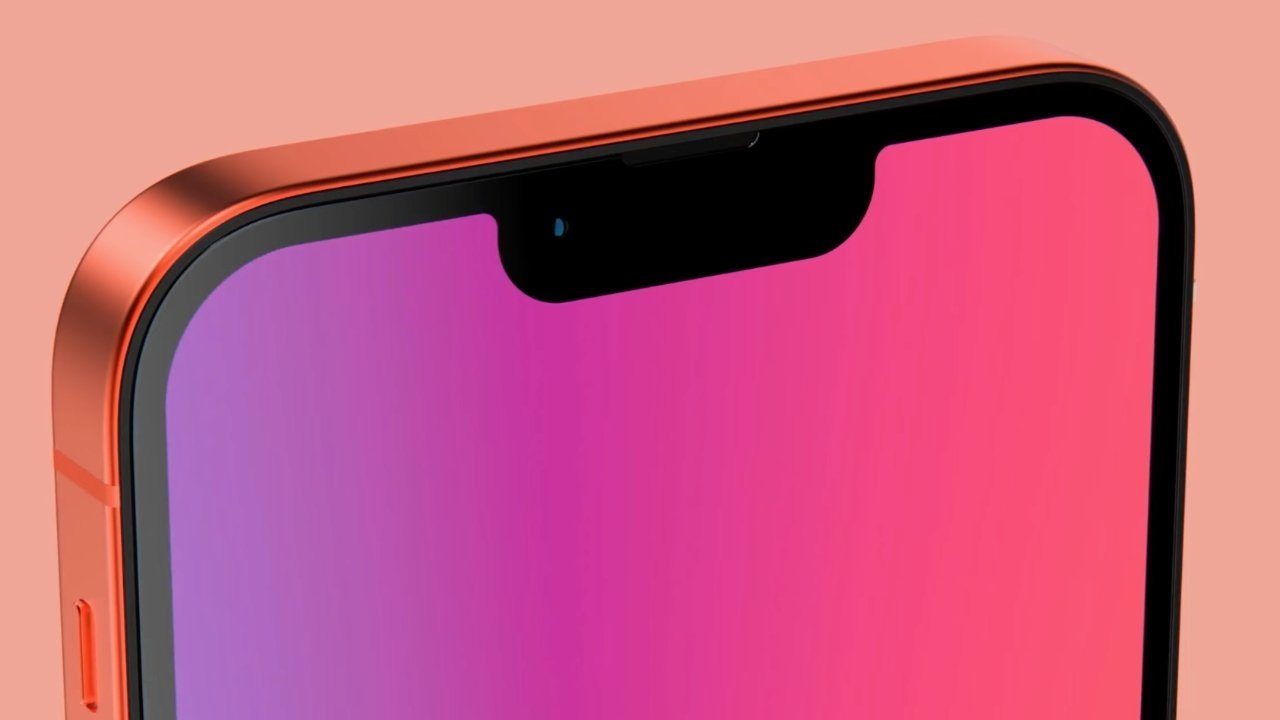
An apparent supply chain leak is corroborating rumors that Apple's higher-end "iPhone 13" models could be offered in new colors like "sunset gold," matte black, and a pale rose gold.


The information was posted on a Korean-language message board by leaker Ranzuk. Citing a Chinese supply chain source, the post claims that Apple's "iPhone 13 Pro" will be offered in four colors: black, silver, rose gold, and sunset gold.


According to the post, the sunset gold color will have a "bronze feel," while the rose gold "looks very pale."


These new color options will likely only apply to the higher-end "iPhone 13 Pro" models. Currently, the iPhone 12 Pro. is offered in graphite, silver, gold, and Pacific Blue. In all likelihood, the mid-range "iPhone 13" models will continue to come in a variety of colorful hues.


The leak corroborates a previous rumor suggesting that the "iPhone 13 Pro" would come in a new bronze-like color option. That previous rumor also indicated that the black "iPhone 13 Pro" model would be matte, suggesting a shift away from the graphite color of the current Pro lineup.


Apple is set to release new iPhone models sometime in the latter half of 2021, possibly in September. The so-called "iPhone 13" is rumored to sport a smaller notch, an updated camera bump, and other incremental upgrades over the iPhone 12 Pro.


Source: Appleinsider

Windows
Mac OS
iOS
Linux
3uTools
Win 64-bit For this device
V9.0 2025-11-11
Download
Win 32-bit For this device
V9.0 2025-11-11
Download
3uTools
Intel Chip How to Identify Chip Type
V9.0 2025-12-02
Download
Apple Chip
V9.0 2025-12-02
Download
How to Identify Chip Type
1.  Click the Apple icon in the top-left corner of the screen and select About This Mac.
2.  Check the Processor or Chip field to determine if it is "Intel" or "Apple".
Please use the 3uTools PC client to install the iOS client:
1、 Install either the Windows or Mac version of 3uTools on your computer
2、 Open the PC client and connect your device to the computer via USB cable
3、 After the connection is successful, wait for the computer to automatically install the mobile app for the device, or locate “Install Mobile App” on the computer and manually click to install.
3uTools
deb file
V3.01 2025-11-20
Download
rpm file
V3.01 2025-11-20
Download
Windows
Windows
iOS
iOS
Android
Android
TV
TV
3uAirPlayer
Win 64-bit For this device
V6.0.2 2025-11-19
Download
Win 32-bit For this device
V6.0.2 2025-11-19
Download
iOS Device Mirroring (No App Required)
1、 Install 3uAirPlayer on the Windows PC
2、 Open Control Center and select Screen Mirroring
3、 From the list, choose your PC to start mirroring
4、 Or connect your iOS device to the PC via USB to begin mirroring
Scan to get "3uAirPlayer" App
3uAirPlayer TV V1.0.18
2025-11-28
TV System Requirements: Android 7.0 or later
Download the TV installation package, copy it to a USB drive, insert it into your TV or set-top box, then select the file from the home screen to install.