NEWS

iPad Mini 6 Set for Fall Launch, Bigger M1 iMac on The Way

07/12/2021

1885

iPad Mini 6 Set for Fall Launch, Bigger M1 iMac on The Way


A refreshed iPad mini with an updated design is reportedly arriving in the fall of 2021, and the 24-inch iMac may be joined by a larger model that is also powered by Apple Silicon.


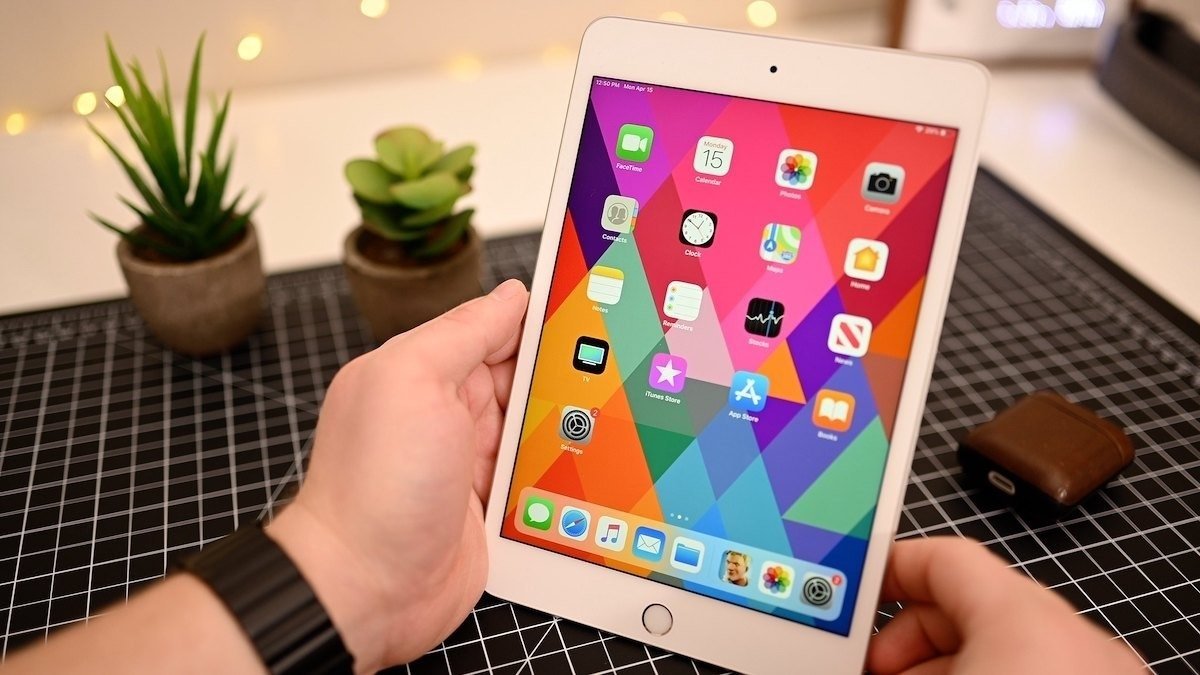
Apple is rumored to be revamping the iPad mini with quite a few changes, chiefly including thinner bezels and the removal of the Home button. The updated sixth-generation model was previously rumored to be arriving before the end of the year, but it may launch as soon as this fall according to one report.


In his weekly "Power On" newsletter for Bloomberg, Mark Gurman claims the iPad mini "should be a go" for launch in the fall. In what is billed to be the "biggest redesign in the nine-year history" of the device, Gurman's sources claim it will be similar to the alterations made to the iPad Air.


Leaked schematics have pointed to the iPad mini having the same footprint as the current model, with only a 3mm difference between the two. The Lightning port is thought to have been switched for USB-C, the speakers are said to be improved, and Touch ID will remain in the form of a power button sensor.


The iPad mini isn't the only product on Apple's mind, Gurman continued. Alongside the refreshed 24-inch iMac, Apple is preparing a second iMac model that will use Apple Silicon.


The new model will be a larger version, which will apparently be intended to replace the current 27-inch iMac, though it could have an even bigger screen. Rather than the M1, the iMac may use the rumored M1X chip, or the M2.


Source: Macrumors

Windows
Mac OS
iOS
Linux
3uTools
Win 64-bit For this device
V9.0 2025-11-11
Download
Win 32-bit For this device
V9.0 2025-11-11
Download
3uTools
Intel Chip How to Identify Chip Type
V9.0 2025-12-02
Download
Apple Chip
V9.0 2025-12-02
Download
How to Identify Chip Type
1.  Click the Apple icon in the top-left corner of the screen and select About This Mac.
2.  Check the Processor or Chip field to determine if it is "Intel" or "Apple".
Please use the 3uTools PC client to install the iOS client:
1、 Install either the Windows or Mac version of 3uTools on your computer
2、 Open the PC client and connect your device to the computer via USB cable
3、 After the connection is successful, wait for the computer to automatically install the mobile app for the device, or locate “Install Mobile App” on the computer and manually click to install.
3uTools
deb file
V3.01 2025-11-20
Download
rpm file
V3.01 2025-11-20
Download
Windows
Windows
iOS
iOS
Android
Android
TV
TV
3uAirPlayer
Win 64-bit For this device
V6.0.2 2025-11-19
Download
Win 32-bit For this device
V6.0.2 2025-11-19
Download
iOS Device Mirroring (No App Required)
1、 Install 3uAirPlayer on the Windows PC
2、 Open Control Center and select Screen Mirroring
3、 From the list, choose your PC to start mirroring
4、 Or connect your iOS device to the PC via USB to begin mirroring
Scan to get "3uAirPlayer" App
3uAirPlayer TV V1.0.18
2025-11-28
TV System Requirements: Android 7.0 or later
Download the TV installation package, copy it to a USB drive, insert it into your TV or set-top box, then select the file from the home screen to install.