 NEWS
NEWS
OLED "iPhone X' With 5.8" Wraparound Display Prepped For A 'Feature-Rich' launch
 01/20/2017
 3044
3044
Look, Ma, yet another analyst has probed their "supply chain sources," and reiterates the rumor for an OLED iPhone 8, in addition to the iPhone 7s and 7s Plus upgrades this year. As if we needed further tips on the matter, Timothy Arcuri from research firm Cowen and Company tips a "feature-rich launch" for no less than three new iPhone models this fall, one of which is referred to as "iPhone X" in his clients memo.
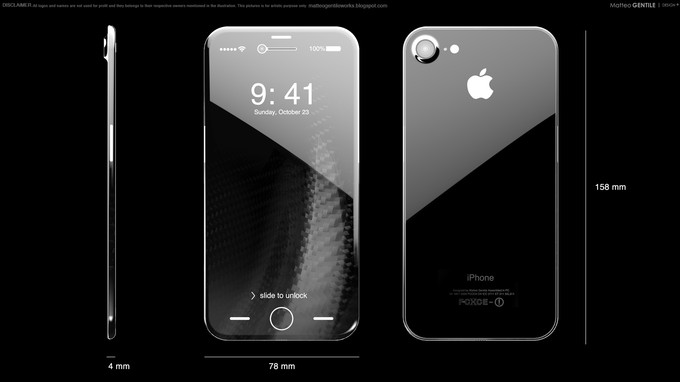
Just as previously rumored, the analyst restates that the iPhone 8 will sport a 5.8" flexible OLED display sheet that will be curved around all sides for a "wraparound" design, while various proximity, light and other sensors, as well as the finger scanner, will somehow beem bedded in the front. This much we have heard so far, but the new twist is that the analyst is still not sure whether the iPhone 7s and 7s Plus upgrades will ship with regular LCD displays, as speculated before. There is still a chance, he mentions, for Apple to use OLED panels in all three models, provided that Samsung and other smaller OLED screen makers, are able to churn out the goods with enough volume and quality to satisfy a massive launch like that of the 2017 iPhones.
Somehow we doubt that there will be enough capacity for everyone to shift to OLEDs, but there's still time for Apple to decide before those orders are submitted to suppliers en masse. The 5.8" wraparound iPhone 8 panel means that the flat area that is actually usable, will actually be smaller than 5.8 inches across, so we are mentally prepared for some crazy screen-to-body ratio claims if this thing materializes as the rumors claim.
Source: phonearena









