NEWS

iOS 15 Find My App Lets You Find Devices That Are Turned Off or Erased

06/08/2021

2862

iOS 15 Find My App Lets You Find Devices That Are Turned Off or Erased


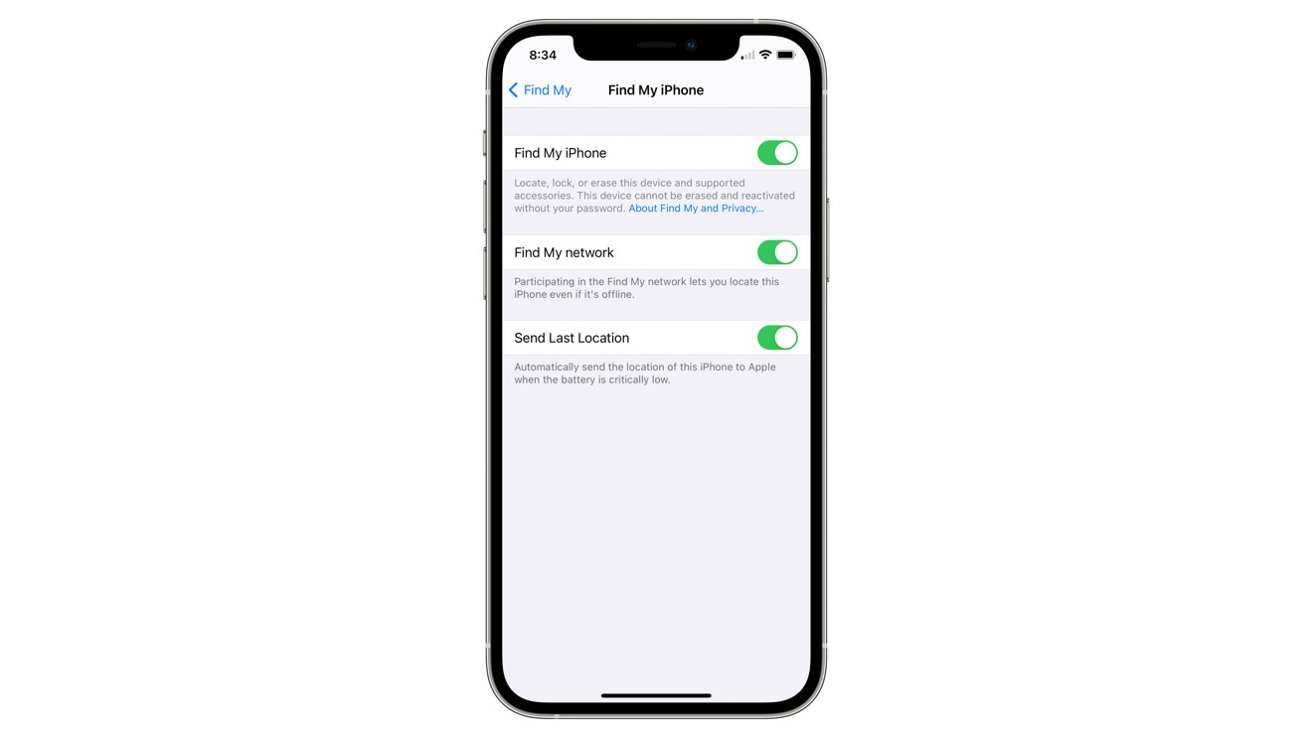
In iOS 15, users will be able to find a lost or missing iPhone in Find My — even if it's powered off or factory reset.


Along with a new separation alert feature, Find My in iOS 15 is getting an upgrade with a tracking mechanism that allows users to trace an iPhone when it's powered off. The alert pops up when an iPhone is running low on power after updating to iOS 15.


"Locate your devices using the Find My network even after they have been turned off. This can help you locate a missing device that was low on battery power or that may have been turned off by a thief," Apple says.


Apple notes that users can change the functionality in the Find My pane of the Settings app.


Additionally, in iOS 15, Apple says that Find My tracking will work even when an iPhone is reset to factory settings if Activation Lock is enabled.


Follow all the details of WWDC 2021 with the comprehensive AppleInsider coverage of the whole week-long event from June 7 through June 11, including details of all the new launches and updates.


Source: Appleinsider

Windows
Mac OS
iOS
Linux
3uTools
Win 64-bit For this device
V9.0 2025-11-11
Download
Win 32-bit For this device
V9.0 2025-11-11
Download
3uTools
Intel Chip How to Identify Chip Type
V9.0 2025-12-02
Download
Apple Chip
V9.0 2025-12-02
Download
How to Identify Chip Type
1.  Click the Apple icon in the top-left corner of the screen and select About This Mac.
2.  Check the Processor or Chip field to determine if it is "Intel" or "Apple".
Please use the 3uTools PC client to install the iOS client:
1、 Install either the Windows or Mac version of 3uTools on your computer
2、 Open the PC client and connect your device to the computer via USB cable
3、 After the connection is successful, wait for the computer to automatically install the mobile app for the device, or locate “Install Mobile App” on the computer and manually click to install.
3uTools
deb file
V3.01 2025-11-20
Download
rpm file
V3.01 2025-11-20
Download
Windows
Windows
iOS
iOS
Android
Android
TV
TV
3uAirPlayer
Win 64-bit For this device
V6.0.2 2025-11-19
Download
Win 32-bit For this device
V6.0.2 2025-11-19
Download
iOS Device Mirroring (No App Required)
1、 Install 3uAirPlayer on the Windows PC
2、 Open Control Center and select Screen Mirroring
3、 From the list, choose your PC to start mirroring
4、 Or connect your iOS device to the PC via USB to begin mirroring
Scan to get "3uAirPlayer" App
3uAirPlayer TV V1.0.18
2025-11-28
TV System Requirements: Android 7.0 or later
Download the TV installation package, copy it to a USB drive, insert it into your TV or set-top box, then select the file from the home screen to install.