NEWS

12.9-inch M1 iPad Pro Arrives Earlier Than Expected for a Lucky Customer

05/17/2021

2427

12.9-inch M1 iPad Pro Arrives Earlier Than Expected for a Lucky Customer


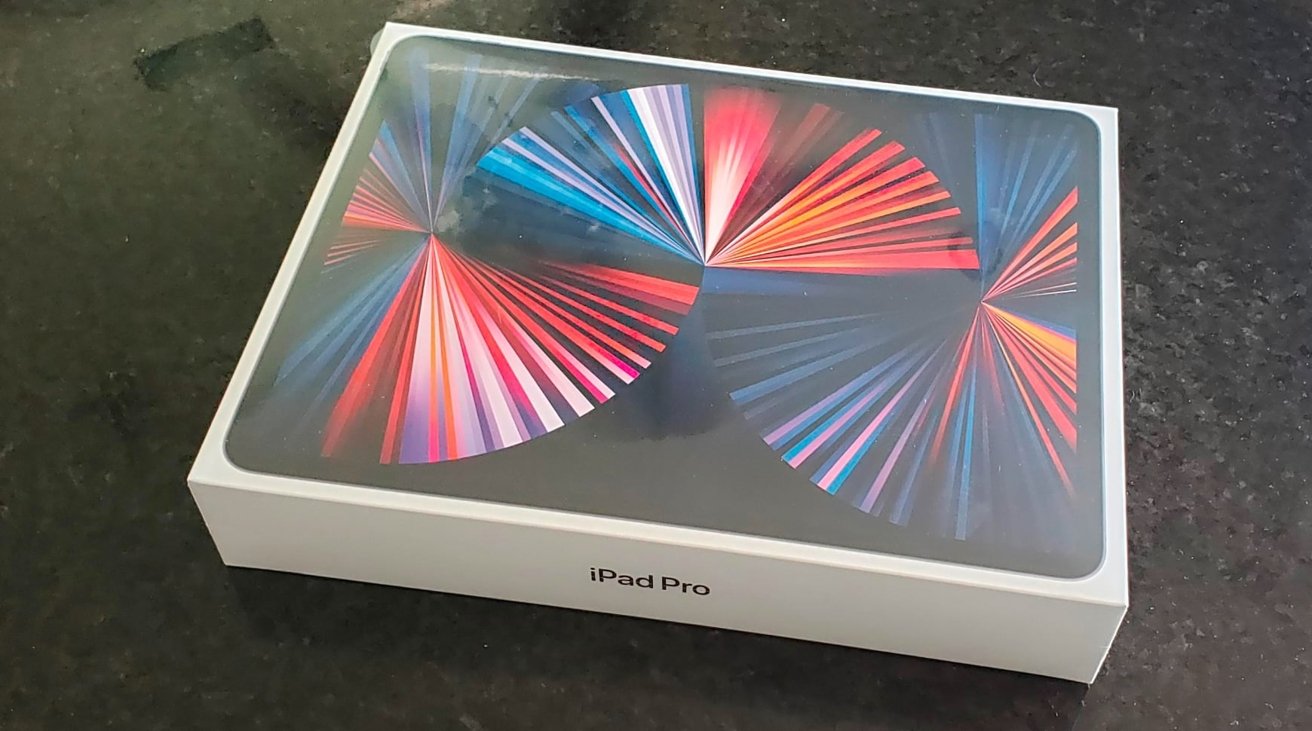
A few Apple customers may get their orders of the M1-equipped iPad Pro earlier than anticipated, with one person claiming to have received the 12.9-inch 5th-generation model a week ahead of the expected street date.


The updated iPad Pro was announced as part of Apple's "Spring Loaded" special event, with wide availability expected from May 21. However, one customer received their order a full week ahead of when stores are supposed to start selling the new tablet.


In a post to Reddit's r/iPad on Saturday, user "PeterDragon50" posted images of an iPad Pro he had picked up from a store. In the thread, initially spotted by MacRumors, the person was informed by retailer Nebraska Furniture Mart that their iPad Pro was available for pick-up.


It is highly probable that the order was mistakenly fulfilled far earlier than Apple desired. However, Apple hasn't offered a firm release date aside from the "second half of May," though leaks and Apple's website metadata point to an intended street date of May 21.


The early sighting could be an indication that other customers could start receiving their orders ahead of schedule, but the vast majority will most likely arrive on May 21 or later.


Apple's new iPad Pro introduces a mini-LED backlight to the 12.9-inch model, with both it and the 11-inch version also gaining 5G support and Thunderbolt connectivity. The model also departs from the usual use of A-series chips, with Apple instead using the same M1 chip as used in its Apple Silicon Macs.


Source: Appleinsider

Windows
Mac OS
iOS
Linux
3uTools
Win 64-bit For this device
V9.0 2025-11-11
Download
Win 32-bit For this device
V9.0 2025-11-11
Download
3uTools
Intel Chip How to Identify Chip Type
V9.0 2025-12-02
Download
Apple Chip
V9.0 2025-12-02
Download
How to Identify Chip Type
1.  Click the Apple icon in the top-left corner of the screen and select About This Mac.
2.  Check the Processor or Chip field to determine if it is "Intel" or "Apple".
Please use the 3uTools PC client to install the iOS client:
1、 Install either the Windows or Mac version of 3uTools on your computer
2、 Open the PC client and connect your device to the computer via USB cable
3、 After the connection is successful, wait for the computer to automatically install the mobile app for the device, or locate “Install Mobile App” on the computer and manually click to install.
3uTools
deb file
V3.01 2025-11-20
Download
rpm file
V3.01 2025-11-20
Download
Windows
Windows
iOS
iOS
Android
Android
TV
TV
3uAirPlayer
Win 64-bit For this device
V6.0.2 2025-11-19
Download
Win 32-bit For this device
V6.0.2 2025-11-19
Download
iOS Device Mirroring (No App Required)
1、 Install 3uAirPlayer on the Windows PC
2、 Open Control Center and select Screen Mirroring
3、 From the list, choose your PC to start mirroring
4、 Or connect your iOS device to the PC via USB to begin mirroring
Scan to get "3uAirPlayer" App
3uAirPlayer TV V1.0.18
2025-11-28
TV System Requirements: Android 7.0 or later
Download the TV installation package, copy it to a USB drive, insert it into your TV or set-top box, then select the file from the home screen to install.