NEWS

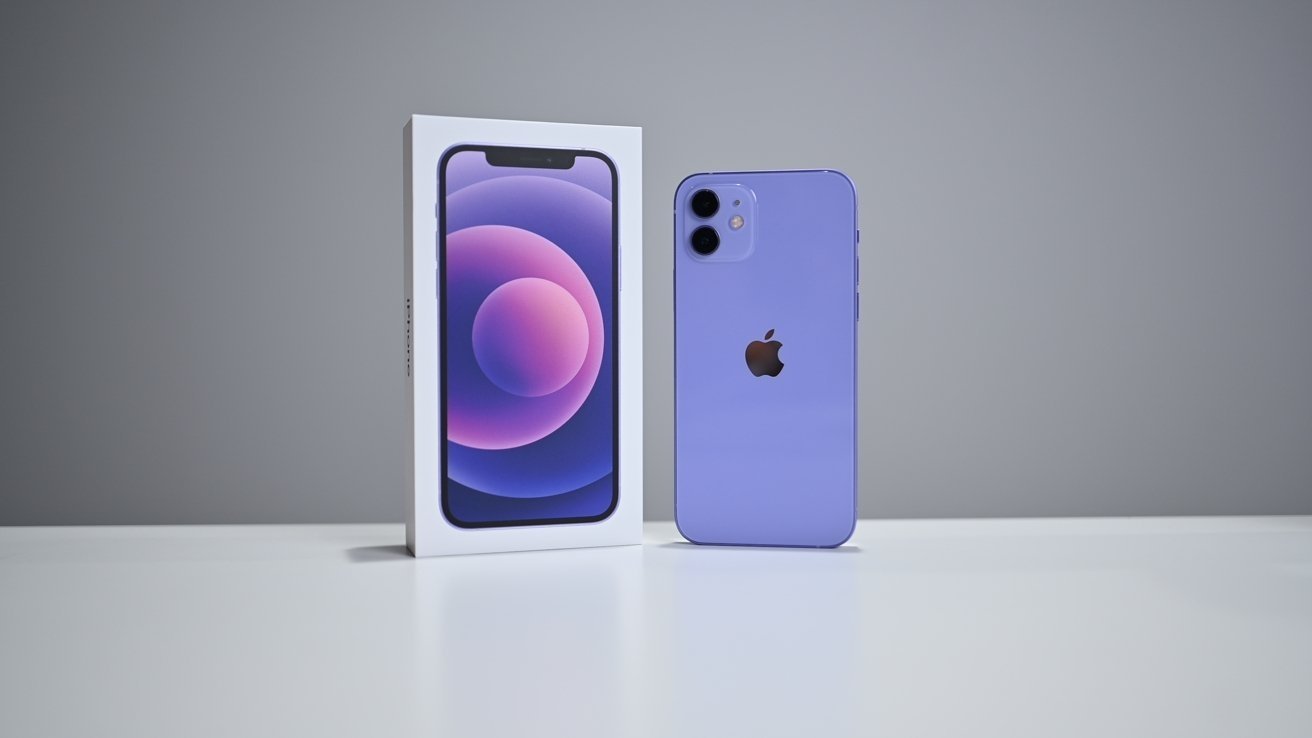
Apple Begins Transition to Randomized Device Serial Numbers With Purple iPhone 12

05/06/2021

2139

Apple Begins Transition to Randomized Device Serial Numbers With Purple iPhone 12


Apple has initiated a transition to randomized device serial numbers, a policy that will likely extend to the company's entire product line, according to a report on Wednesday.


In March, Apple in an internal email sent to AppleCare service providers announced plans to switch to a new serial number format that strips out manufacturing information.


Instead of using a string of numbers and letters that designate when and where a device was produced, as well as its unique designation and configuration, Apple is transitioning to a series of random characters. The shift was initially planned for 2020, but the COVID-19 pandemic delayed the program into early 2021.


As noted in the report, the new iPhone 12 variant appears to be the first of Apple's products to receive the treatment, as another new product — AirTag — retains legacy 12-character strings. The publication was unable to confirm whether the new format extends to the purple iPhone 12 mini.


Apple is expected to adopt serial number schemes that range between 8 and 14 characters as the initiative rolls out with subsequent products, potentially including the 2021 iPad Pro, 24-inch iMac or refreshed Apple TV 4K.


Source: Appleinsider

Windows
Mac OS
iOS
Linux
3uTools
Win 64-bit For this device
V9.0 2025-11-11
Download
Win 32-bit For this device
V9.0 2025-11-11
Download
3uTools
Intel Chip How to Identify Chip Type
V9.0 2025-12-02
Download
Apple Chip
V9.0 2025-12-02
Download
How to Identify Chip Type
1.  Click the Apple icon in the top-left corner of the screen and select About This Mac.
2.  Check the Processor or Chip field to determine if it is "Intel" or "Apple".
Please use the 3uTools PC client to install the iOS client:
1、 Install either the Windows or Mac version of 3uTools on your computer
2、 Open the PC client and connect your device to the computer via USB cable
3、 After the connection is successful, wait for the computer to automatically install the mobile app for the device, or locate “Install Mobile App” on the computer and manually click to install.
3uTools
deb file
V3.01 2025-11-20
Download
rpm file
V3.01 2025-11-20
Download
Windows
Windows
iOS
iOS
Android
Android
TV
TV
3uAirPlayer
Win 64-bit For this device
V6.0.2 2025-11-19
Download
Win 32-bit For this device
V6.0.2 2025-11-19
Download
iOS Device Mirroring (No App Required)
1、 Install 3uAirPlayer on the Windows PC
2、 Open Control Center and select Screen Mirroring
3、 From the list, choose your PC to start mirroring
4、 Or connect your iOS device to the PC via USB to begin mirroring
Scan to get "3uAirPlayer" App
3uAirPlayer TV V1.0.18
2025-11-28
TV System Requirements: Android 7.0 or later
Download the TV installation package, copy it to a USB drive, insert it into your TV or set-top box, then select the file from the home screen to install.