NEWS

'AirPods 3' and 'Apple Pencil 3' Nearly Ready for Release, Says Leaker

04/16/2021

2122

'AirPods 3' and 'Apple Pencil 3' Nearly Ready for Release, Says Leaker


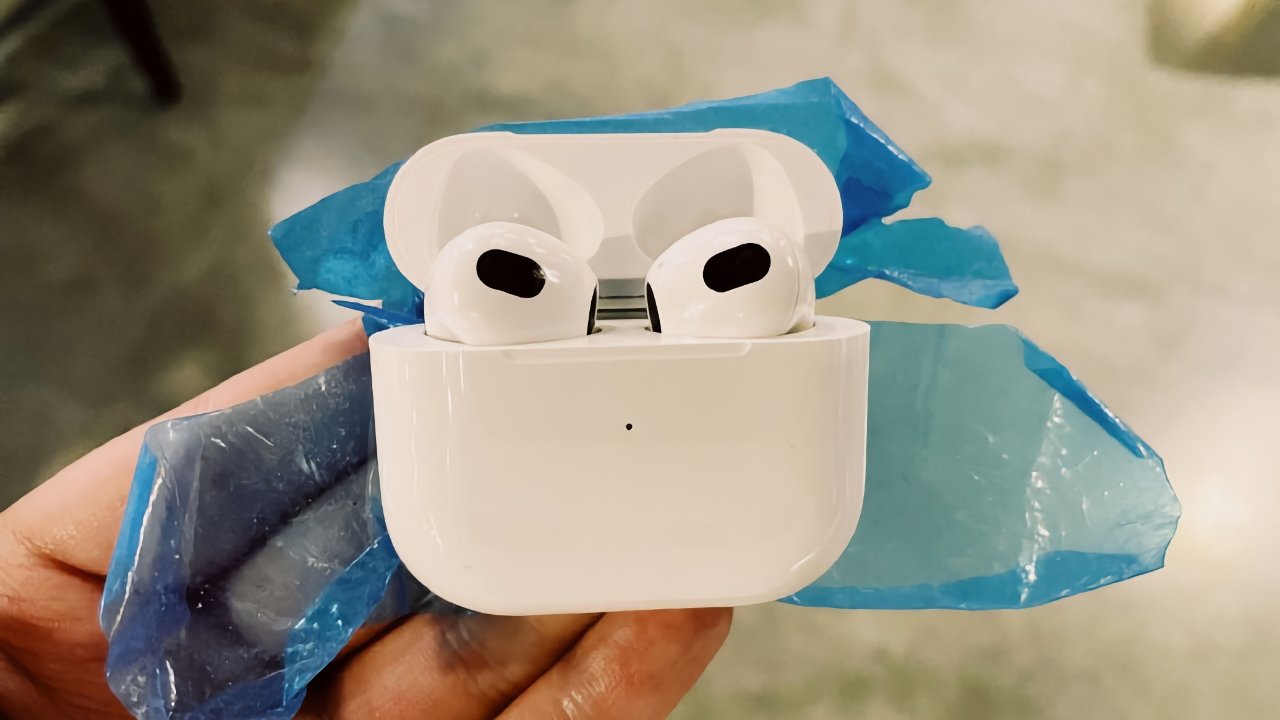
A leak on Chinese social media suggests that "AirPods 3" and "Apple Pencil 3" are both ready for release, or will be soon.


The leak originates from a new source called "Uncle Pan Pan" on Chinese social media website Weibo. Though the leaker has no history, the image shared resembles other images of the so-called "AirPods 3."


Rumors suggest the "AirPods 3" may have interchangeable tips, but the latest image leaves little room in the case for such an attachment. Apple has gone with a one-size-fits-all approach with the standard AirPods lineup so far and likely won't change it. The new AirPods may feature a shorter stem and new SoC, however.


Alongside the leaked image, his post says Apple is "preparing to release the third generation of Apple Pencil." Apple is expected to release the next iPad Pro during the event. A new Apple Pencil makes sense for the event, but other than the one picture, there haven't been any notable leaks relating to an updated device.


Apple seemingly has many devices ready for the "Spring Loaded" event and could reveal any number of them. The long-awaited AirTags are expected alongside iPad updates and possibly a new 24-inch iMac.


Source: Appleinsider

Windows
Mac OS
iOS
Linux
3uTools
Win 64-bit For this device
V9.0 2025-11-11
Download
Win 32-bit For this device
V9.0 2025-11-11
Download
3uTools
Intel Chip How to Identify Chip Type
V9.0 2025-12-02
Download
Apple Chip
V9.0 2025-12-02
Download
How to Identify Chip Type
1.  Click the Apple icon in the top-left corner of the screen and select About This Mac.
2.  Check the Processor or Chip field to determine if it is "Intel" or "Apple".
Please use the 3uTools PC client to install the iOS client:
1、 Install either the Windows or Mac version of 3uTools on your computer
2、 Open the PC client and connect your device to the computer via USB cable
3、 After the connection is successful, wait for the computer to automatically install the mobile app for the device, or locate “Install Mobile App” on the computer and manually click to install.
3uTools
deb file
V3.01 2025-11-20
Download
rpm file
V3.01 2025-11-20
Download
Windows
Windows
iOS
iOS
Android
Android
TV
TV
3uAirPlayer
Win 64-bit For this device
V6.0.2 2025-11-19
Download
Win 32-bit For this device
V6.0.2 2025-11-19
Download
iOS Device Mirroring (No App Required)
1、 Install 3uAirPlayer on the Windows PC
2、 Open Control Center and select Screen Mirroring
3、 From the list, choose your PC to start mirroring
4、 Or connect your iOS device to the PC via USB to begin mirroring
Scan to get "3uAirPlayer" App
3uAirPlayer TV V1.0.18
2025-11-28
TV System Requirements: Android 7.0 or later
Download the TV installation package, copy it to a USB drive, insert it into your TV or set-top box, then select the file from the home screen to install.