NEWS

Brazil Regulator Fines Apple $2 Million for not Including Chargers With iPhone 12

03/22/2021

2474

Brazil Regulator Fines Apple $2 Million for not Including Chargers With iPhone 12


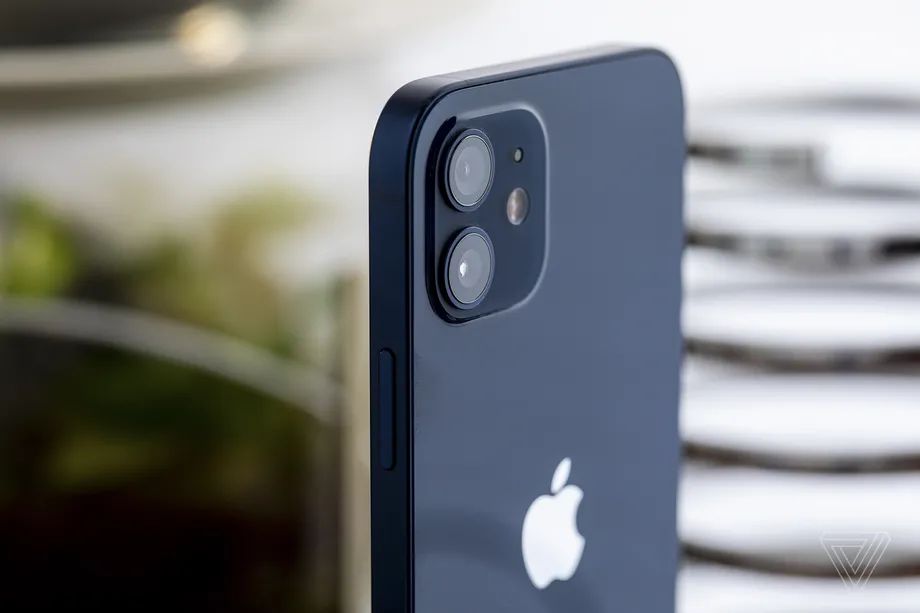
The consumer protection agency in Brazil’s São Paulo state has fined Apple $2 million for failing to include chargers within iPhone 12 boxes, according to 9to5 Mac. Procon-SP says Apple engaged in “misleading advertising, selling a device without the charger and unfair terms.”


Apple announced in October that the iPhone 12 and would not come with chargers or earbuds in their boxes, citing environmental concerns. By only including a USB-C to Lightning cable with iPhone 12 and other new models, Apple said it would be able to reduce the raw materials for each iPhone it sells, in addition to reducing the size of the phones’ boxes. Critics suggested the change had more to do with allowing Apple to reduce shipping costs, and environmental experts said the impact on the environment would likely be minimal.


Procon said it asked Apple whether the company would reduce the iPhone 12’s price since there were no chargers included, and did not receive a response. The agency also accused the company of failing to help customers who had “problems with some functions” on their iPhones following updates. A spokesman for the agency said Apple “needs to respect these laws and these institutions.”


The fine does not seem like it would be particularly troubling for Apple, which had $111.4 billion in revenue in the first quarter of 2021 (that total includes 2020 holiday sales of iPhone 12 models).


Apple did not immediately reply to a request for comment Saturday from The Verge.


Source: The Verge

Windows
Mac OS
iOS
Linux
3uTools
Win 64-bit For this device
V9.0 2025-11-11
Download
Win 32-bit For this device
V9.0 2025-11-11
Download
3uTools
Intel Chip How to Identify Chip Type
V9.0 2025-12-02
Download
Apple Chip
V9.0 2025-12-02
Download
How to Identify Chip Type
1.  Click the Apple icon in the top-left corner of the screen and select About This Mac.
2.  Check the Processor or Chip field to determine if it is "Intel" or "Apple".
Please use the 3uTools PC client to install the iOS client:
1、 Install either the Windows or Mac version of 3uTools on your computer
2、 Open the PC client and connect your device to the computer via USB cable
3、 After the connection is successful, wait for the computer to automatically install the mobile app for the device, or locate “Install Mobile App” on the computer and manually click to install.
3uTools
deb file
V3.01 2025-11-20
Download
rpm file
V3.01 2025-11-20
Download
Windows
Windows
iOS
iOS
Android
Android
TV
TV
3uAirPlayer
Win 64-bit For this device
V6.0.2 2025-11-19
Download
Win 32-bit For this device
V6.0.2 2025-11-19
Download
iOS Device Mirroring (No App Required)
1、 Install 3uAirPlayer on the Windows PC
2、 Open Control Center and select Screen Mirroring
3、 From the list, choose your PC to start mirroring
4、 Or connect your iOS device to the PC via USB to begin mirroring
Scan to get "3uAirPlayer" App
3uAirPlayer TV V1.0.18
2025-11-28
TV System Requirements: Android 7.0 or later
Download the TV installation package, copy it to a USB drive, insert it into your TV or set-top box, then select the file from the home screen to install.