 NEWS
NEWS
iPhone 12 5G Speeds Lag Behind Android Rivals, Report Says
 03/16/2021
 2955
2955
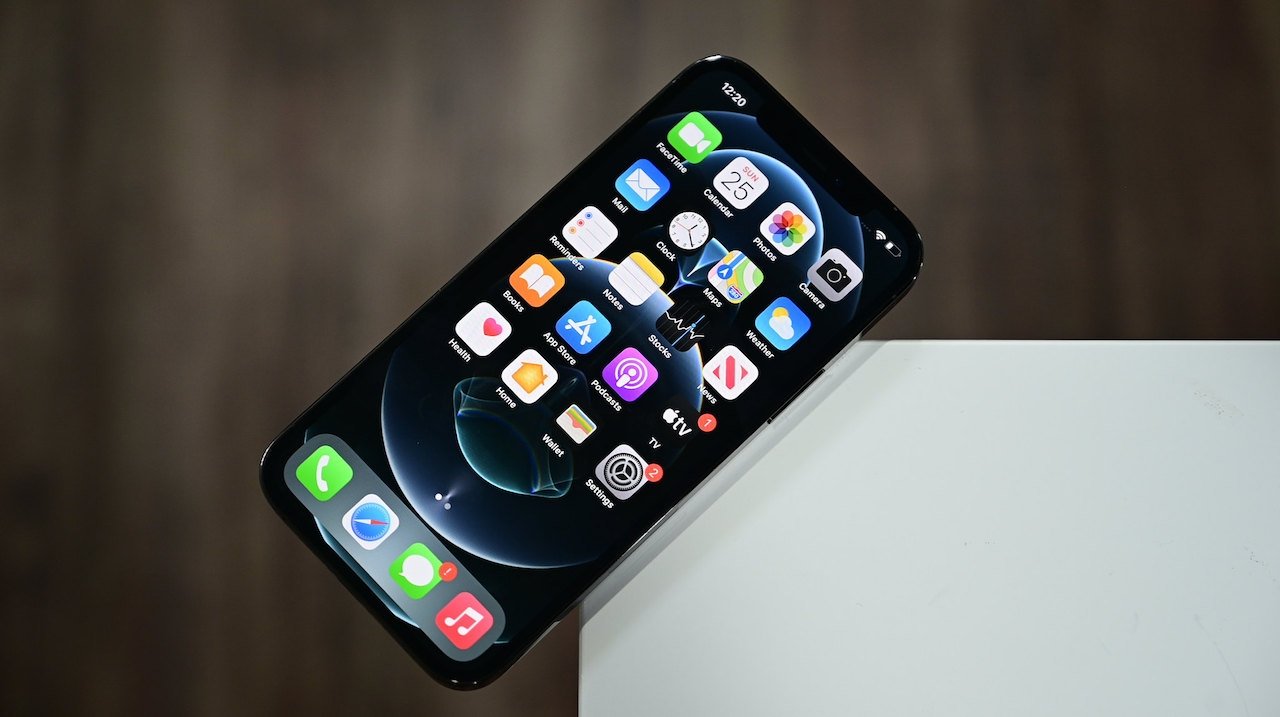
A new report suggests that 5G performance on the iPhone 12 and iPhone 12 Pro lineups lag many of their Android-based competitors.
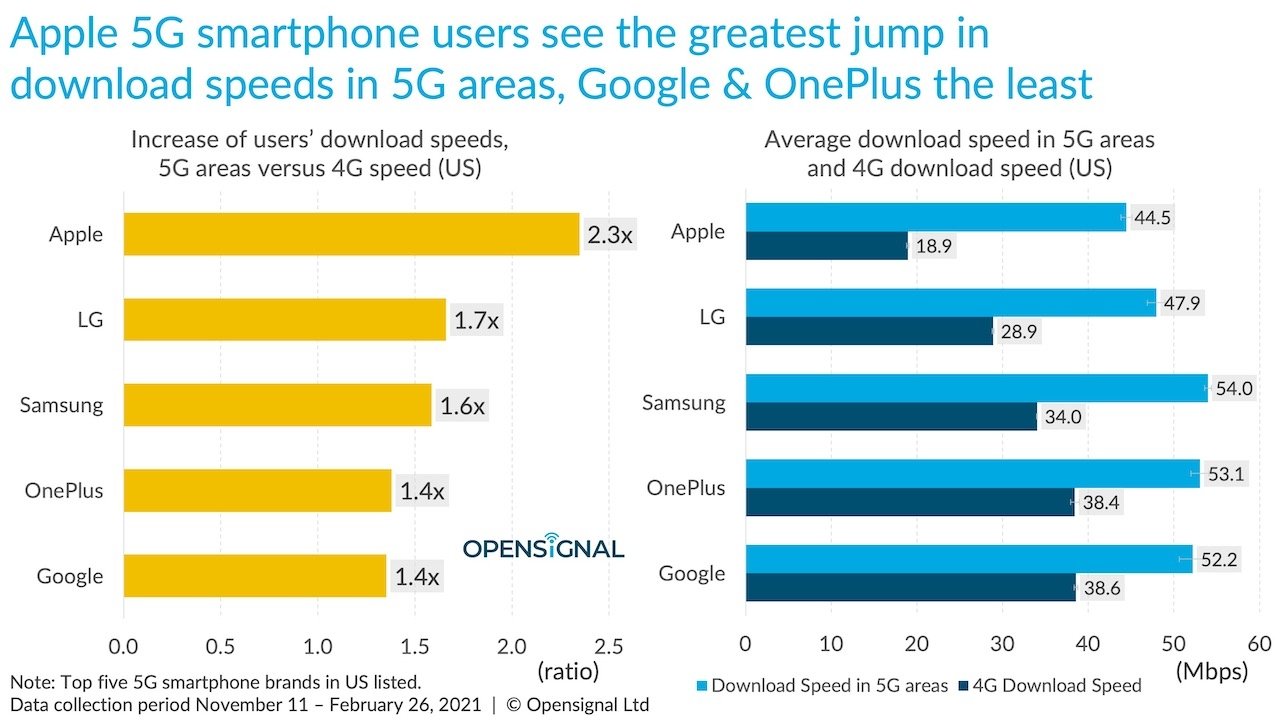
Although the iPhone 12 and iPhone 12 Pro models saw a 2.3 times increase in speeds compared to their 4G iPhone counterparts, Apple's latest smartphones ranked lower than at least 25 Android models in the OpenSignal speed report.
Credit: OpenSignal
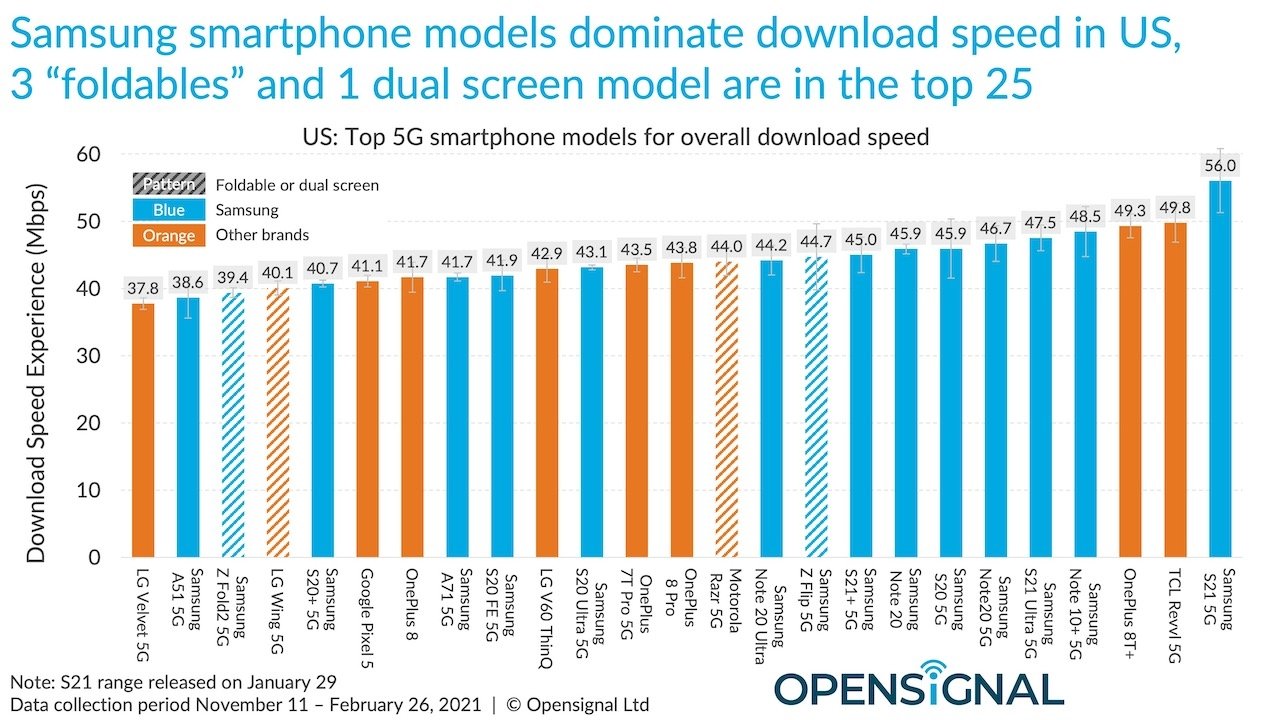
Samsung accounted for at least 60% of the top 25 fastest smartphones in the report, which ranked devices based on average 5G or 4G download speeds. Apple devices didn't break the top 25, OpenSignal says.
The Samsung Galaxy S21 5G took the top spot with an average speed of 56 Mbps. Next up were the TCL Revvl 5G and the OnePlus 8T+, with speeds of 49.8 Mbps and 49.3 Mbps, respectively. In 25th place was the LG Velvet 5G with 37.9 Mbps.
Credit: OpenSignal
The iPhone 12 Pro and iPhone 12 Pro Max clocked in slower with speeds of 36.9 Mbps and 36.2 Mbps, OpenSignal claims. The iPhone 12 and iPhone 12 mini had speeds of 29.6 Mbps and 32.9 Mbps, respectively.
OpenSignal does add that Apple devices did see a bigger jump in speeds with the 5G upgrade, though it attributes that to the fact that previous devices were using slower Intel modems rather than Qualcomm units.
The company also tracked a 36% speed increase when comparing current 5G-equipped iPhone 12 models with cellular iPad Pro devices. That, OpenSignal adds, suggests that future iPad Pro users could see a significant speed bump when 5G-equipped models debut.
As for why Apple's 2021 devices are lagging behind in terms of download speeds, OpenSignal's Ian Fogg told 9to5Mac that it may have to do with RF design. The iPhone 12 is Apple's first 5G device, while Samsung is currently on its third generation of 5G-equipped handsets.
Stay on top of all Apple news right from your HomePod. Say, "Hey, Siri, play AppleInsider," and you'll get latest AppleInsider Podcast. Or ask your HomePod mini for "AppleInsider Daily" instead and you'll hear a fast update direct from our news team. And, if you're interested in Apple-centric home automation, say "Hey, Siri, play HomeKit Insider," and you'll be listening to our newest specialized podcast in moments.
Source: Appleinsider









