NEWS

Two New Apple Silicon MacBooks Enter Production in Late 2021, Report Claims

03/11/2021

2009

Two New Apple Silicon MacBooks Enter Production in Late 2021, Report Claims


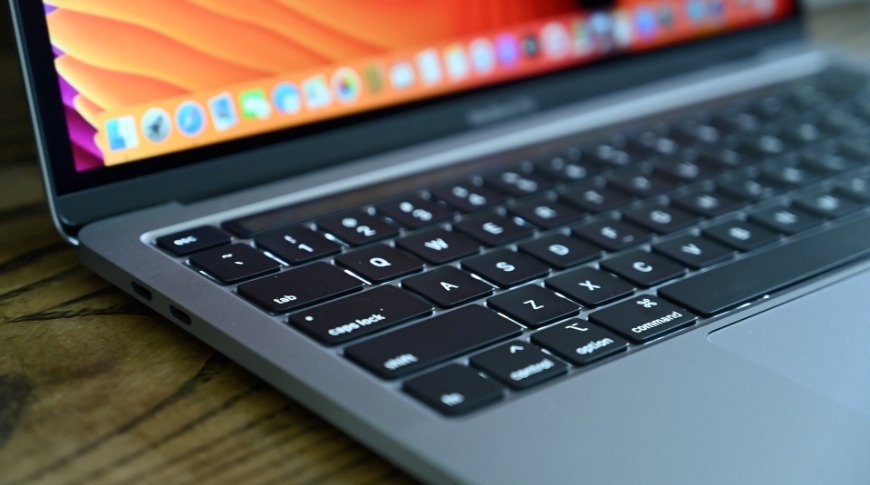
Apple has reportedly rescheduled manufacturing of two new Apple Silicon MacBook Pro models to the second half of 2021, echoing current predictions surrounding rumored 14- and 16-inch models.


The tech giant previously planned to begin mass production of the two unspecified MacBooks in May or June, Nikkei Asia reports in an English version of a story about iPhone 12 mini production originally published by Nikkei on Wednesday. While an exact timeline was not fleshed out, a push into the second half of the year lines up with expectations aired by analyst Ming-Chi Kuo and other insiders.


Today's report fails to specify which MacBook Pro models will reach the assembly line, though predictions suggest Apple is primed to introduce a 14-inch MacBook Pro and 16-inch MacBook Pro in 2021. Both laptops are anticipated to sport Apple Silicon chips — potentially second-generation "M1X" or "M2" designs that build on the M1.


According to Kuo, the two upcoming MacBook Pros will benefit from mini LED screens, a redesigned chassis, and the return of MagSafe charging technology. Also making a comeback are expanded I/O options including an HDMI port and an SD card reader, while the much-maligned Touch Bar will be replaced by physical function keys. Many of Kuo's predictions were echoed by Bloomberg in January.


Kuo expects a launch in the third quarter, while others are quoting a debut date sometime in 2021.


Source: Appleinsider

Windows
Mac OS
iOS
Linux
3uTools
Win 64-bit For this device
V9.0 2025-11-11
Download
Win 32-bit For this device
V9.0 2025-11-11
Download
3uTools
Intel Chip How to Identify Chip Type
V9.0 2025-12-02
Download
Apple Chip
V9.0 2025-12-02
Download
How to Identify Chip Type
1.  Click the Apple icon in the top-left corner of the screen and select About This Mac.
2.  Check the Processor or Chip field to determine if it is "Intel" or "Apple".
Please use the 3uTools PC client to install the iOS client:
1、 Install either the Windows or Mac version of 3uTools on your computer
2、 Open the PC client and connect your device to the computer via USB cable
3、 After the connection is successful, wait for the computer to automatically install the mobile app for the device, or locate “Install Mobile App” on the computer and manually click to install.
3uTools
deb file
V3.01 2025-11-20
Download
rpm file
V3.01 2025-11-20
Download
Windows
Windows
iOS
iOS
Android
Android
TV
TV
3uAirPlayer
Win 64-bit For this device
V6.0.2 2025-11-19
Download
Win 32-bit For this device
V6.0.2 2025-11-19
Download
iOS Device Mirroring (No App Required)
1、 Install 3uAirPlayer on the Windows PC
2、 Open Control Center and select Screen Mirroring
3、 From the list, choose your PC to start mirroring
4、 Or connect your iOS device to the PC via USB to begin mirroring
Scan to get "3uAirPlayer" App
3uAirPlayer TV V1.0.18
2025-11-28
TV System Requirements: Android 7.0 or later
Download the TV installation package, copy it to a USB drive, insert it into your TV or set-top box, then select the file from the home screen to install.