NEWS

Apple Opens Repair Program for iPhone 11 Touchscreen Issues

12/07/2020

2459

Apple Opens Repair Program for iPhone 11 Touchscreen Issues


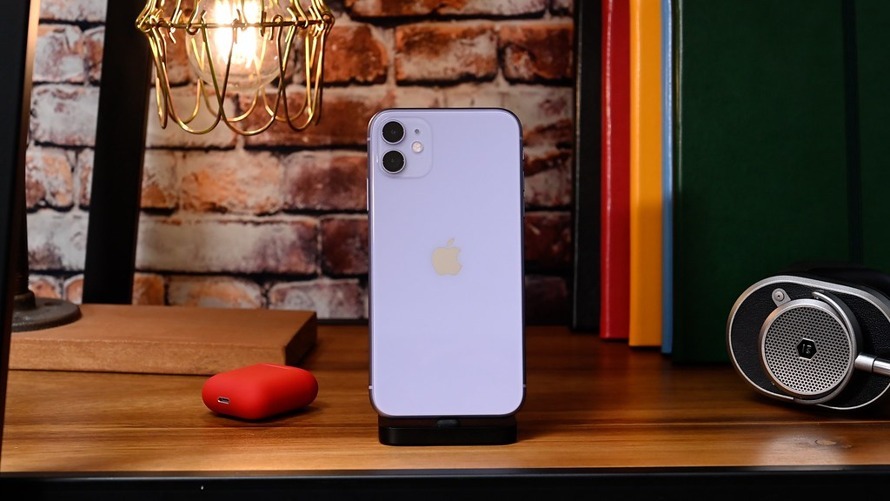
Apple on Friday launched a worldwide repair service program for iPhone 11 devices suffering from a display module issue that causes screens to stop responding to touch input.


The "iPhone 11 Display Module Replacement Program for Touch Issues" covers models of the handset manufactured between November 2019 and May 2020, Apple said in an announcement posted to its website.


According to the company, a "small percentage" of iPhone 11 models are impacted by the problem, which was traced back to a faulty display module. It is unclear how many units are affected or covered by the repair program.


Owners of iPhone 11 handsets that present touchscreen troubles can input their unit's serial number into an automated verification system on Apple's support website. If eligible, Apple or an Apple Authorized Service Provider will replace or repair the device free of charge.


Apple notes other hardware damage that might impede the repair process, like a cracked screen, will need to be fixed prior to service. Customers might bear the cost of those initial repairs. Similarly, customers are eligible for a refund if they paid for repair services now covered by the new program.


Like most Apple service programs, the iPhone 11 plan does not extend standard warranty coverage and covers affected devices for two years after first retail purchase.


Source: Appleinsider

Windows
Mac OS
iOS
Linux
3uTools
Win 64-bit For this device
V9.0 2025-11-11
Download
Win 32-bit For this device
V9.0 2025-11-11
Download
3uTools
Intel Chip How to Identify Chip Type
V9.0 2025-12-02
Download
Apple Chip
V9.0 2025-12-02
Download
How to Identify Chip Type
1.  Click the Apple icon in the top-left corner of the screen and select About This Mac.
2.  Check the Processor or Chip field to determine if it is "Intel" or "Apple".
Please use the 3uTools PC client to install the iOS client:
1、 Install either the Windows or Mac version of 3uTools on your computer
2、 Open the PC client and connect your device to the computer via USB cable
3、 After the connection is successful, wait for the computer to automatically install the mobile app for the device, or locate “Install Mobile App” on the computer and manually click to install.
3uTools
deb file
V3.01 2025-11-20
Download
rpm file
V3.01 2025-11-20
Download
Windows
Windows
iOS
iOS
Android
Android
TV
TV
3uAirPlayer
Win 64-bit For this device
V6.0.2 2025-11-19
Download
Win 32-bit For this device
V6.0.2 2025-11-19
Download
iOS Device Mirroring (No App Required)
1、 Install 3uAirPlayer on the Windows PC
2、 Open Control Center and select Screen Mirroring
3、 From the list, choose your PC to start mirroring
4、 Or connect your iOS device to the PC via USB to begin mirroring
Scan to get "3uAirPlayer" App
3uAirPlayer TV V1.0.18
2025-11-28
TV System Requirements: Android 7.0 or later
Download the TV installation package, copy it to a USB drive, insert it into your TV or set-top box, then select the file from the home screen to install.