NEWS

Apple TV+ to Air Oprah Interview With President Barack Obama

11/12/2020

2713

Apple TV+ to Air Oprah Interview With President Barack Obama


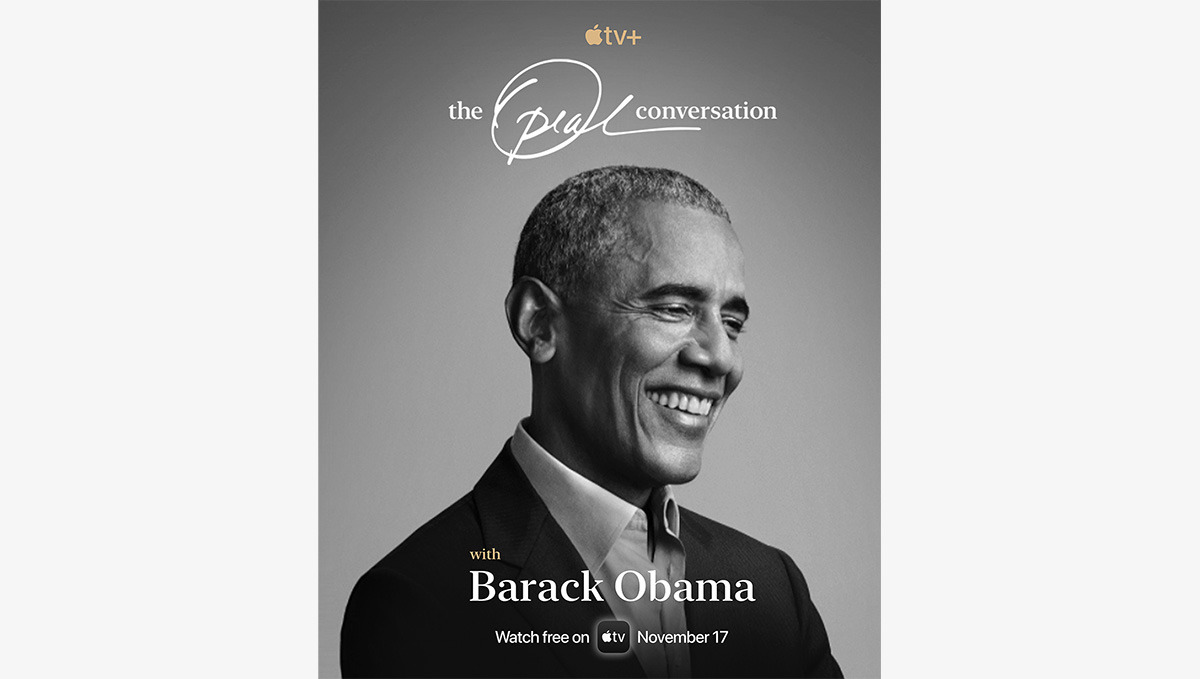
Oprah Winfrey is set to interview President Barack Obama on an upcoming episode of Apple TV+ series "The Oprah Conversation," and users without a subscription will be able to watch it.


The episode will debut globally on the Oprah-headed Apple series at 9 a.m. Eastern (6 a.m. Pacific) on Tuesday, Nov. 17. It will be available to watch for free through Tuesday, Dec. 1, meaning that anyone with the Apple TV app will be able to stream it. After that, presumably, it'll remain available for Apple TV+ subscribers.


According to Apple, the episode will see Oprah interviewing the 44th president of the U.S. about his upcoming memoir, "A Promised Land," as well as topics such as his legacy, race, democracy, and The American Dream. The memoir debuts the same day as the interview with Oprah.


"In their candid conversation, Oprah and President Obama explore the transformative years leading up to his historic presidency, and reflect on the aspirations, perseverance and accomplishments that brought him to the White House, and the monumental expectations placed upon him during his pivotal time in office," Apple said of the episode.


"The Promised Land" will also debut on Apple Books, and will be available as both an ebook and an audiobook narrated by President Obama himself.


Source: Appleinsider

Windows
Mac OS
iOS
Linux
3uTools
Win 64-bit For this device
V9.0 2025-11-11
Download
Win 32-bit For this device
V9.0 2025-11-11
Download
3uTools
Intel Chip How to Identify Chip Type
V9.0 2025-12-02
Download
Apple Chip
V9.0 2025-12-02
Download
How to Identify Chip Type
1.  Click the Apple icon in the top-left corner of the screen and select About This Mac.
2.  Check the Processor or Chip field to determine if it is "Intel" or "Apple".
Please use the 3uTools PC client to install the iOS client:
1、 Install either the Windows or Mac version of 3uTools on your computer
2、 Open the PC client and connect your device to the computer via USB cable
3、 After the connection is successful, wait for the computer to automatically install the mobile app for the device, or locate “Install Mobile App” on the computer and manually click to install.
3uTools
deb file
V3.01 2025-11-20
Download
rpm file
V3.01 2025-11-20
Download
Windows
Windows
iOS
iOS
Android
Android
TV
TV
3uAirPlayer
Win 64-bit For this device
V6.0.2 2025-11-19
Download
Win 32-bit For this device
V6.0.2 2025-11-19
Download
iOS Device Mirroring (No App Required)
1、 Install 3uAirPlayer on the Windows PC
2、 Open Control Center and select Screen Mirroring
3、 From the list, choose your PC to start mirroring
4、 Or connect your iOS device to the PC via USB to begin mirroring
Scan to get "3uAirPlayer" App
3uAirPlayer TV V1.0.18
2025-11-28
TV System Requirements: Android 7.0 or later
Download the TV installation package, copy it to a USB drive, insert it into your TV or set-top box, then select the file from the home screen to install.