
NEWS

Apple Commemorates Martin Luther King Jr Day

01/17/2017

3570

Apple is commemorating Martin Luther King Jr Day by devoting its homepage to a full-page photo and quote. Commit yourself to the noble struggle for equal rights. You will make a greater person of yourself, a greater nation of your country, and a finer world to live in.
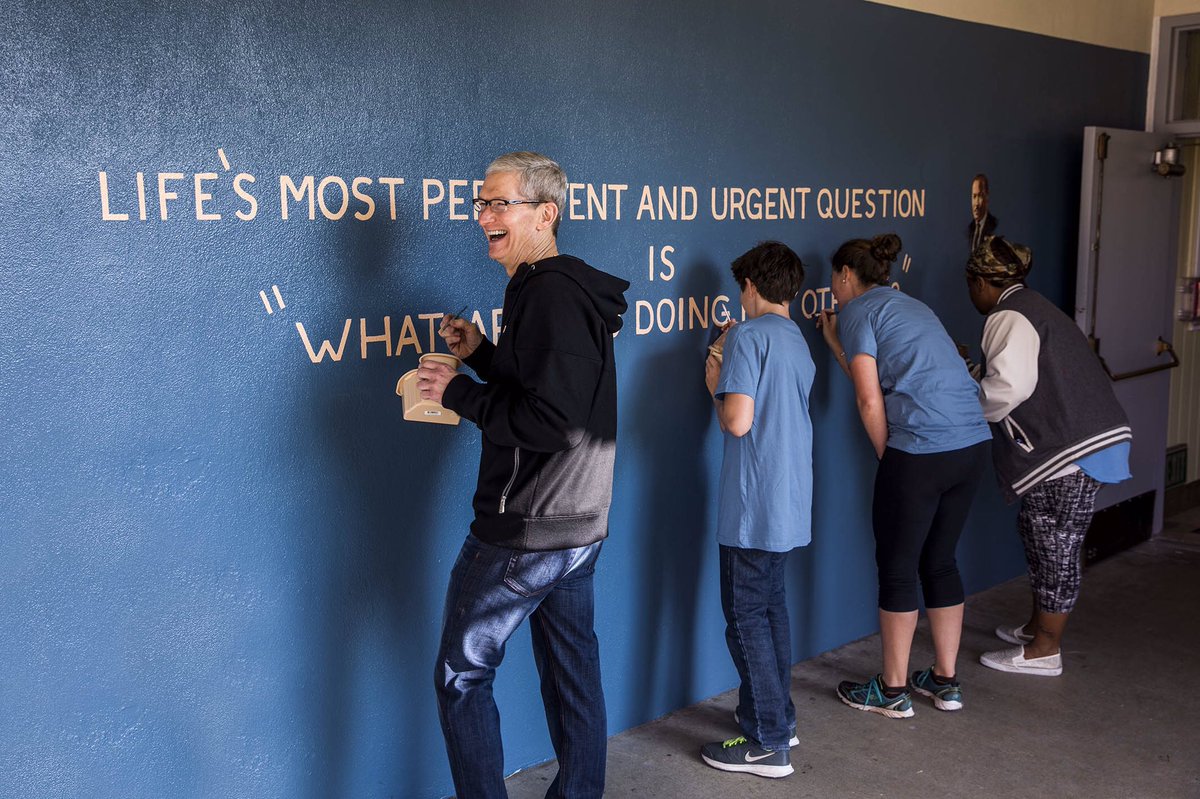

Apple Commemorates Martin Luther King Jr Day


Tim Cook also tweeted in honor of Dr King, who led the non-violent civil disobedience protests that played a crucial role in advancing civil rights in the USA …


Martin Luther King Jr Day is a federal holiday observed on the third Monday of January, which this year follows one day after King’s birthday. The holiday was signed into law by President Reagan in 1983, and first observed in 1986. Resistance to the holiday by some states meant that it was not officially observed in all 50 states until 2000.


Apple Commemorates Martin Luther King Jr Day


Tim Cook tweeted that ‘we honor #MLK by working to help achieve justice and equality,’ and including a quote by King which paraphrased one used by President Calvin Coolidge in a 1925 address, ‘No matter by what various crafts we came here, we are all now in the same boat.’ 


We honor #MLK by working to help achieve justice and equality. "We may have all come on different ships, but we're in the same boat now.”


King’s most famous speech took place on the steps of the Lincoln Memorial during the 1963 March on Washington for Jobs and Freedom. In it, he repeatedly used the phrase ‘I have a dream’ to describe his hope and vision for the future of America.


Source: 9to5mac


Windows
Mac OS
iOS
Linux
3uTools
Win 64-bit For this device
V9.0 2025-11-11
Download
Win 32-bit For this device
V9.0 2025-11-11
Download
3uTools
Intel Chip How to Identify Chip Type
V9.0 2025-12-02
Download
Apple Silicon
V9.0 2025-12-02
Download
How to Identify Chip Type
1.  Click the Apple icon in the top-left corner of the screen and select About This Mac.
2.  Check the Processor or Chip field to determine if it is "Intel" or "Apple".
Please use the 3uTools PC client to install the iOS client:
1、 Install either the Windows or Mac version of 3uTools on your computer
2、 Open the PC client and connect your device to the computer via USB cable
3、 After the connection is successful, wait for the computer to automatically install the mobile app for the device, or locate “Install Mobile App” on the computer and manually click to install.
3uTools
deb file
V3.01 2025-11-20
Download
rpm file
V3.01 2025-11-20
Download
Windows
Windows
iOS
iOS
Android
Android
TV
TV
3uAirPlayer
Win 64-bit For this device
V6.0.2 2025-11-19
Download
Win 32-bit For this device
V6.0.2 2025-11-19
Download
iOS Device Mirroring (No App Required)
1、 Install 3uAirPlayer on the Windows PC
2、 Open Control Center and select Screen Mirroring
3、 From the list, choose your PC to start mirroring
4、 Or connect your iOS device to the PC via USB to begin mirroring
Scan to get "3uAirPlayer" App
3uAirPlayer TV V1.0.18
2025-11-28
TV System Requirements: Android 7.0 or later
Download the TV installation package, copy it to a USB drive, insert it into your TV or set-top box, then select the file from the home screen to install.




