NEWS

Xbox App That Can Stream Games to iPhone in Beta, is 'Coming Soon'

09/28/2020

2524

Xbox App That Can Stream Games to iPhone in Beta, is 'Coming Soon'


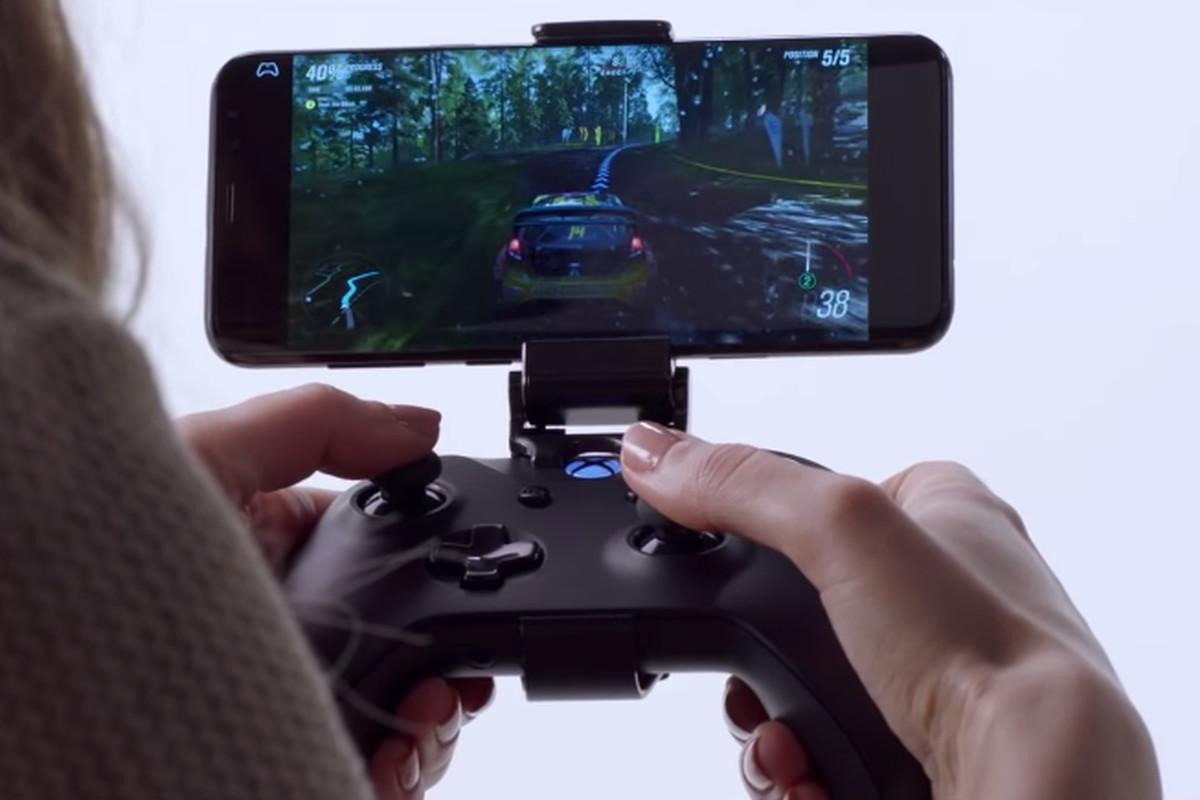
Microsoft will soon release an app with a remote play feature that will let users stream Xbox One games to their iOS devices, according to a new report.


Cloud-based game streaming apps, like Xbox Game Pass and Google Stadia, are barred from the App Store. But games that simply mirror content from a device are allowed, and a few days ago, Microsoft teased that it was working on such a system.


Now, The Verge reports that Microsoft's iPhone streaming app is "coming soon." The company is currently testing the app with TestFlight members, likely meaning that it'll arrive on the consumer-facing App Store soon.


Specifically, the app will feature a Remote Play ability so that users can stream content from an Xbox One to an iPhone. That's similar to existing systems like PS4 Remote Play from Sony.


The remote play feature won't solve the issue that's at the center of an ongoing feud between Apple and Microsoft, however.


Apple doesn't allow apps to stream games from the cloud on iOS or iPadOS, requiring each individual game to have its own App Store page. That has received criticism from Microsoft, who accused the Cupertino tech giant of treating gaming apps "differently."


Earlier in September, Apple loosened existing rules to allow "catalog" apps where users could sign up for a service, but it did not change the restrictions on cloud gaming. Microsoft still criticized the changes.


Source: Appleinsider

Windows
Mac OS
iOS
Linux
3uTools
Win 64-bit For this device
V9.0 2025-11-11
Download
Win 32-bit For this device
V9.0 2025-11-11
Download
3uTools
Intel Chip How to Identify Chip Type
V9.0 2025-12-02
Download
Apple Chip
V9.0 2025-12-02
Download
How to Identify Chip Type
1.  Click the Apple icon in the top-left corner of the screen and select About This Mac.
2.  Check the Processor or Chip field to determine if it is "Intel" or "Apple".
Please use the 3uTools PC client to install the iOS client:
1、 Install either the Windows or Mac version of 3uTools on your computer
2、 Open the PC client and connect your device to the computer via USB cable
3、 After the connection is successful, wait for the computer to automatically install the mobile app for the device, or locate “Install Mobile App” on the computer and manually click to install.
3uTools
deb file
V3.01 2025-11-20
Download
rpm file
V3.01 2025-11-20
Download
Windows
Windows
iOS
iOS
Android
Android
TV
TV
3uAirPlayer
Win 64-bit For this device
V6.0.2 2025-11-19
Download
Win 32-bit For this device
V6.0.2 2025-11-19
Download
iOS Device Mirroring (No App Required)
1、 Install 3uAirPlayer on the Windows PC
2、 Open Control Center and select Screen Mirroring
3、 From the list, choose your PC to start mirroring
4、 Or connect your iOS device to the PC via USB to begin mirroring
Scan to get "3uAirPlayer" App
3uAirPlayer TV V1.0.18
2025-11-28
TV System Requirements: Android 7.0 or later
Download the TV installation package, copy it to a USB drive, insert it into your TV or set-top box, then select the file from the home screen to install.