NEWS

You Can Now Set Firefox as Your Default iOS Browser

09/23/2020

3238

You Can Now Set Firefox as Your Default iOS Browser


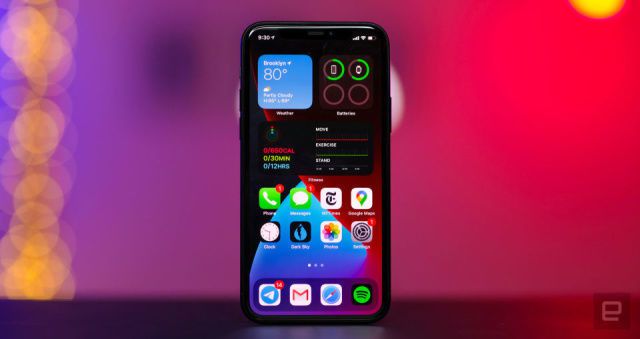
One big benefit of iOS 14 is that you can set non-Apple-made apps as your default, including for email and web browsing. Hot on the heels of you being able to set Chrome and Gmail as your clients of choice, Firefox is enabling you to make its browser the default on iPhones and iPads. Naturally, you’ll need to have both the latest version of the operating system and the apps, and then just make the switch inside settings.


Naturally, you’ll be able to take advantage of all the benefits that iOS 14 conveys upon Firefox users, including being able to build iOS Widgets. Mozilla is also boasting about how its browser has the sort of intelligent tracking prevention that will reduce the number of people snooping on you. Plus, as with all versions of the browser, you’ll be easily able to switch to Private Browsing mode for even more privacy. 


Source: Engadget

Windows
Mac OS
iOS
Linux
3uTools
Win 64-bit For this device
V9.0 2025-11-11
Download
Win 32-bit For this device
V9.0 2025-11-11
Download
3uTools
Intel Chip How to Identify Chip Type
V9.0 2025-12-02
Download
Apple Chip
V9.0 2025-12-02
Download
How to Identify Chip Type
1.  Click the Apple icon in the top-left corner of the screen and select About This Mac.
2.  Check the Processor or Chip field to determine if it is "Intel" or "Apple".
Please use the 3uTools PC client to install the iOS client:
1、 Install either the Windows or Mac version of 3uTools on your computer
2、 Open the PC client and connect your device to the computer via USB cable
3、 After the connection is successful, wait for the computer to automatically install the mobile app for the device, or locate “Install Mobile App” on the computer and manually click to install.
3uTools
deb file
V3.01 2025-11-20
Download
rpm file
V3.01 2025-11-20
Download
Windows
Windows
iOS
iOS
Android
Android
TV
TV
3uAirPlayer
Win 64-bit For this device
V6.0.2 2025-11-19
Download
Win 32-bit For this device
V6.0.2 2025-11-19
Download
iOS Device Mirroring (No App Required)
1、 Install 3uAirPlayer on the Windows PC
2、 Open Control Center and select Screen Mirroring
3、 From the list, choose your PC to start mirroring
4、 Or connect your iOS device to the PC via USB to begin mirroring
Scan to get "3uAirPlayer" App
3uAirPlayer TV V1.0.18
2025-11-28
TV System Requirements: Android 7.0 or later
Download the TV installation package, copy it to a USB drive, insert it into your TV or set-top box, then select the file from the home screen to install.