NEWS

More Quality Control Issues Hit 'iPhone 12', But Won't Alter Launch

08/10/2020

2389

More Quality Control Issues Hit 'iPhone 12', But Won't Alter Launch


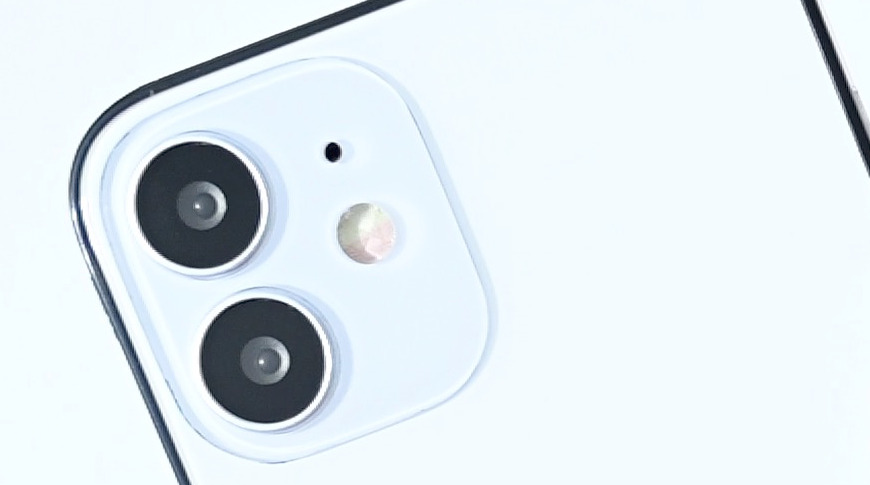
A new report from Ming-Chi Kuo stays that one manufacturer is finding cracked coatings on their camera lenses for the "iPhone 12" and "iPhone 12 Max," but it's not expected to delay the launch.


For the second time, a quality control issue is reportedly affecting the two lower-end "iPhone 12" models. Previously it was BOE having difficulty mass producing the OLED screens, but now it's a case of cracked coatings on the camera lens, this time from Genius Electronic Optical.


According to analyst Ming-Chi Kuo, the company has discovered the cracked coatings specifically on the wide-angle lens intended for the "iPhone 12" and "iPhone 12 Max." The fault was reportedly found during high temperature and high humidity testing.


It's a small manufacturing issue but one that will have to be corrected. However, it's not expected to cause any delay to the launch of these phones, chiefly because Genius Electronic Optical is not the only supplier.


Kuo reports that Apple is also using Largan, previously best known for making fingerprint recognition lenses, and that it has no such issues.


The note from Kuo doesn't give an estimate for how long it may take Genius Electronic Optical to correct its issues. However, he does believe that the company will need to lower its price to Apple in order to win back orders from Largan.


Source: Appleinsider

Windows
Mac OS
iOS
Linux
3uTools
Win 64-bit For this device
V9.0 2025-11-11
Download
Win 32-bit For this device
V9.0 2025-11-11
Download
3uTools
Intel Chip How to Identify Chip Type
V9.0 2025-12-02
Download
Apple Chip
V9.0 2025-12-02
Download
How to Identify Chip Type
1.  Click the Apple icon in the top-left corner of the screen and select About This Mac.
2.  Check the Processor or Chip field to determine if it is "Intel" or "Apple".
Please use the 3uTools PC client to install the iOS client:
1、 Install either the Windows or Mac version of 3uTools on your computer
2、 Open the PC client and connect your device to the computer via USB cable
3、 After the connection is successful, wait for the computer to automatically install the mobile app for the device, or locate “Install Mobile App” on the computer and manually click to install.
3uTools
deb file
V3.01 2025-11-20
Download
rpm file
V3.01 2025-11-20
Download
Windows
Windows
iOS
iOS
Android
Android
TV
TV
3uAirPlayer
Win 64-bit For this device
V6.0.2 2025-11-19
Download
Win 32-bit For this device
V6.0.2 2025-11-19
Download
iOS Device Mirroring (No App Required)
1、 Install 3uAirPlayer on the Windows PC
2、 Open Control Center and select Screen Mirroring
3、 From the list, choose your PC to start mirroring
4、 Or connect your iOS device to the PC via USB to begin mirroring
Scan to get "3uAirPlayer" App
3uAirPlayer TV V1.0.18
2025-11-28
TV System Requirements: Android 7.0 or later
Download the TV installation package, copy it to a USB drive, insert it into your TV or set-top box, then select the file from the home screen to install.