NEWS

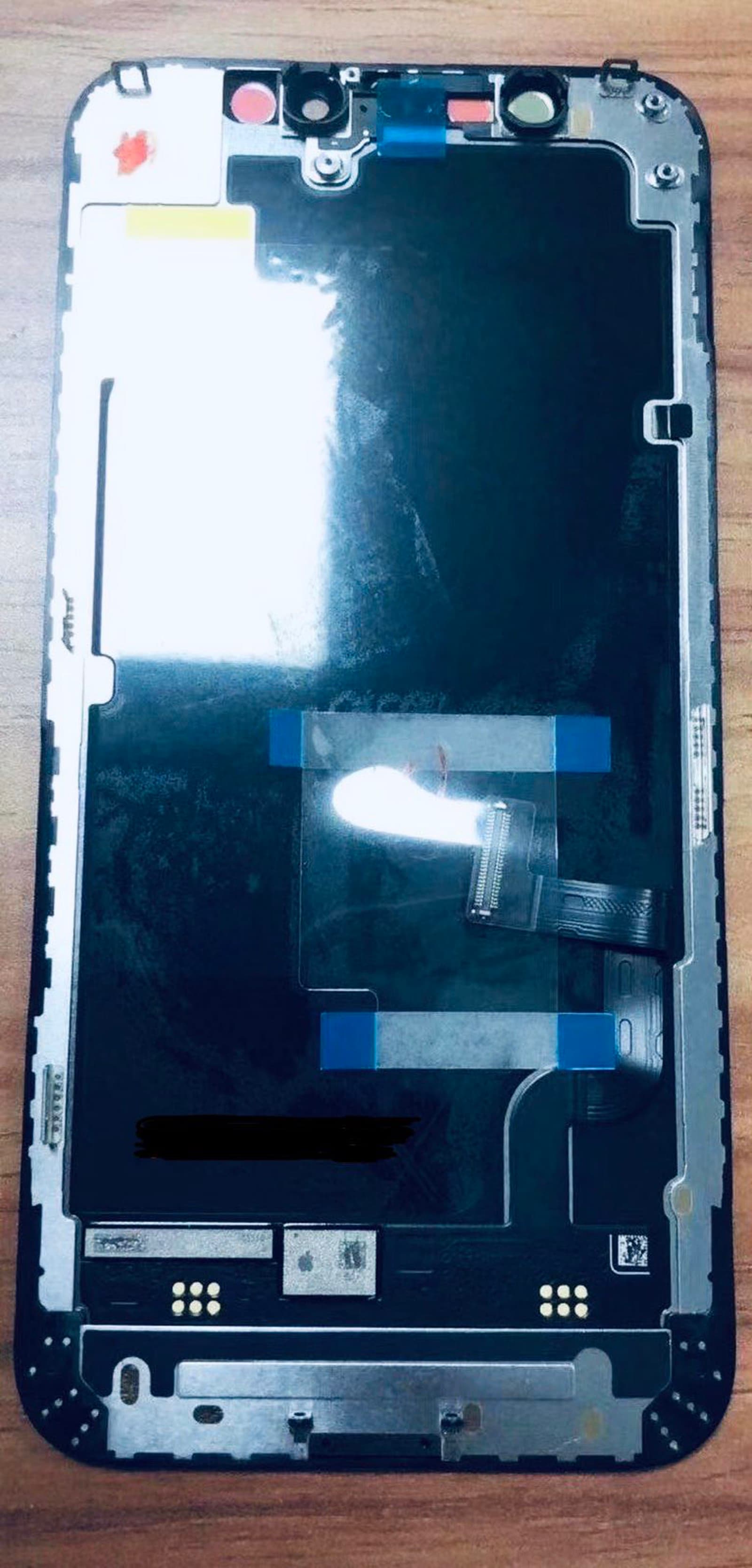
Alleged iPhone 12 OLED display unit leaks online in new photo

08/07/2020

2525

Alleged iPhone 12 OLED display unit leaks online in new photo

We know that Apple is already planning on a bit of a delay for the upcoming iPhone 12 lineup, which ultimately means that the rumor mill has even more time to whet our appetites before things get officially official.


Serial leaker Mr. White has taken to Twitter to show off yet another component of the upcoming, but still unofficial, iPhone 12. This time around it’s supposedly the OLED display unit for the upcoming iPhone 12. It’s not much to look at in passing, and it’s also hard to discern which iPhone 12 model this could be for. At first blush it doesn’t appear to be for the 6.7-inch model, at least. So this could be the OLED display unit for either the rumored 5.4-inch or 6.1-inch models.


Unfortunately, that’s all we have from the image. When Apple does get around to announcing its newest iPhone lineup, we should see four new models: two iPhone 12 variants, one with a 5.4-inch screen and another with a 6.1-inch display. The top-of-the-line models will be the 6.1-inch iPhone 12 Pro and the 6.7-inch iPhone 12 Pro Max. Those pro models will reportedly boast three rear cameras, while the other two will feature only two cameras on the back. They will all reportedly feature OLED screens, though.


In addition to the change to all new iPhone models featuring OLED displays, all four iPhone 12 units are expected to ship with 5G support on board.


In related leaks, we recently saw an array of internal magnets, which could be related to mounting or charging.


Source: iDB

Windows
Mac OS
iOS
Linux
3uTools
Win 64-bit For this device
V9.0 2025-11-11
Download
Win 32-bit For this device
V9.0 2025-11-11
Download
3uTools
Intel Chip How to Identify Chip Type
V9.0 2025-12-02
Download
Apple Chip
V9.0 2025-12-02
Download
How to Identify Chip Type
1.  Click the Apple icon in the top-left corner of the screen and select About This Mac.
2.  Check the Processor or Chip field to determine if it is "Intel" or "Apple".
Please use the 3uTools PC client to install the iOS client:
1、 Install either the Windows or Mac version of 3uTools on your computer
2、 Open the PC client and connect your device to the computer via USB cable
3、 After the connection is successful, wait for the computer to automatically install the mobile app for the device, or locate “Install Mobile App” on the computer and manually click to install.
3uTools
deb file
V3.01 2025-11-20
Download
rpm file
V3.01 2025-11-20
Download
Windows
Windows
iOS
iOS
Android
Android
TV
TV
3uAirPlayer
Win 64-bit For this device
V6.0.2 2025-11-19
Download
Win 32-bit For this device
V6.0.2 2025-11-19
Download
iOS Device Mirroring (No App Required)
1、 Install 3uAirPlayer on the Windows PC
2、 Open Control Center and select Screen Mirroring
3、 From the list, choose your PC to start mirroring
4、 Or connect your iOS device to the PC via USB to begin mirroring
Scan to get "3uAirPlayer" App
3uAirPlayer TV V1.0.18
2025-11-28
TV System Requirements: Android 7.0 or later
Download the TV installation package, copy it to a USB drive, insert it into your TV or set-top box, then select the file from the home screen to install.