 NEWS
NEWS
Apple's iPhone SE Helps iPhone Revenue Grow 2% in Q3
 07/31/2020
 2835
2835
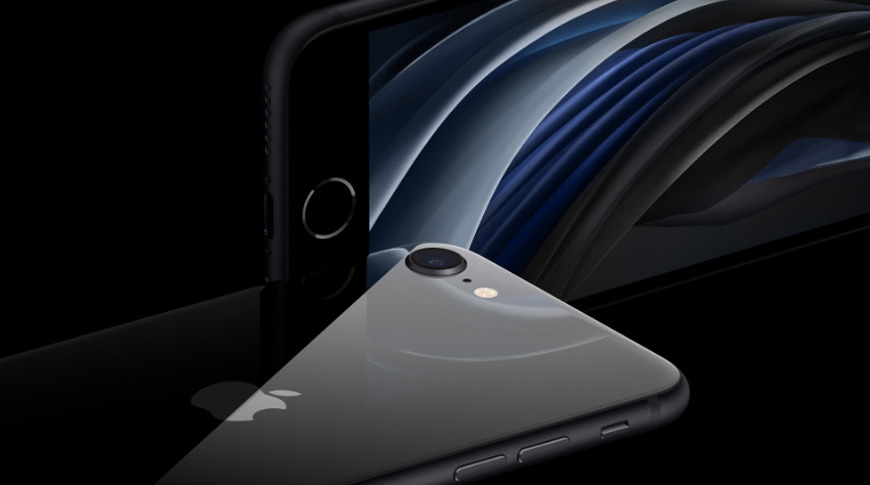
Reporting that the iPhone 11 Pro remains its best-selling model, Apple on Thursday revealed that overall iPhone revenue grew more than expected during its third quarter.
As part of its Q3 2020 earnings call, Apple CFO Luca Maestri revealed that iPhone revenues had been better than the company expected, helped by the iPhone SE. While Apple had not publicly issued guidance, its internal estimates showed the iPhone sales being down on the previous year.
"In April, we expected year over year performance to worse and, but we saw better than expected demand in May and June," said Maestri. "We attribute this increase in demand to several interactive causes, including a strong iPhone SE launch, continued economic stimulus and potentially some benefit from shelter in place restrictions lifting around the world."
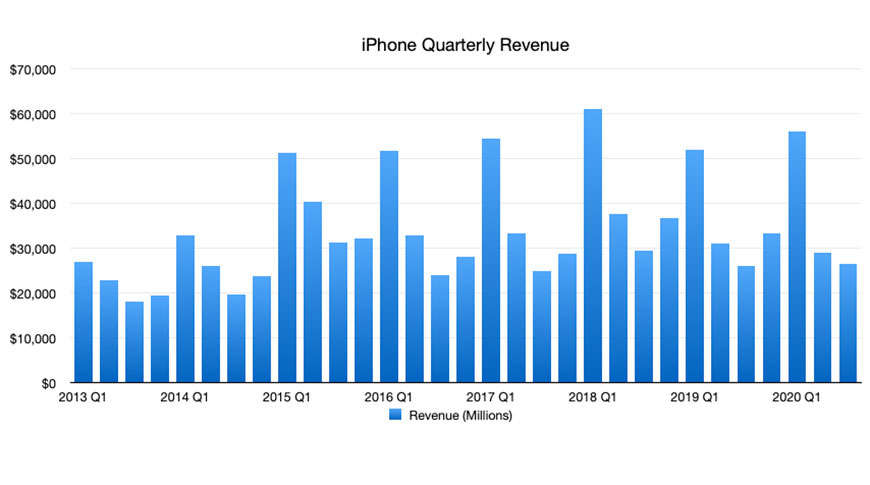
"[Our] iPhone revenue grew 2% to 26 point 4 billion," continued Maestri, "with customer demand improving as the quarter progressed. COVID-19 was most impactful during the first three weeks of April, when lock downs and point of sale closures became more widespread in many countries."
"We saw marked improvement around the world in May in June, which we attribute to an improved level of customer demand, helped by the very successful launch of iPhone SE and economic stimulus packages," he concluded.
[We are] very pleased with how we did on iPhone," said Cook. "[It] was better than we thought, largely because, as we pointed out in the prepared remarks, May and June were much better."
Growing user base
"If you look at iPhone in totality," he continued, "the things that get me very optimistic is the size of the active installed base. The fact that if you look in the major geographies like the US we had the top two selling smartphones. In the UK we had three of the top four. In Australia we had five of the top six and in Japan, we had the top four. [In] urban China, iPhone 11 was the top selling smartphone in the country."
"These, as you know, are some very different geographies with very different competitive situations and we're doing fairly well," he said. "[With the] iPhone SE, it's also clear that from the early data, we're seeing a higher switcher number than we did in the previous year, which we feel very good about."
"It also seemed to appeal to some people that were holding on to the device a little longer because they wanted a smaller form factor phone," he continued. "And so the combination of the smaller form factor, and an incredibly affordable price, made the iPhone SE very popular iPhone 11 is still the most popular smartphone but iPhone SE definitely helped our results."
Source: Appleinsider









