NEWS

Foxconn Now Making Apple's iPhone 11 in India

07/27/2020

2186

Foxconn Now Making Apple's iPhone 11 in India


The company's plant near Chennai has previously made the iPhone XR, but this is the first time Foxconn has made any of the iPhone 11 range in the country.


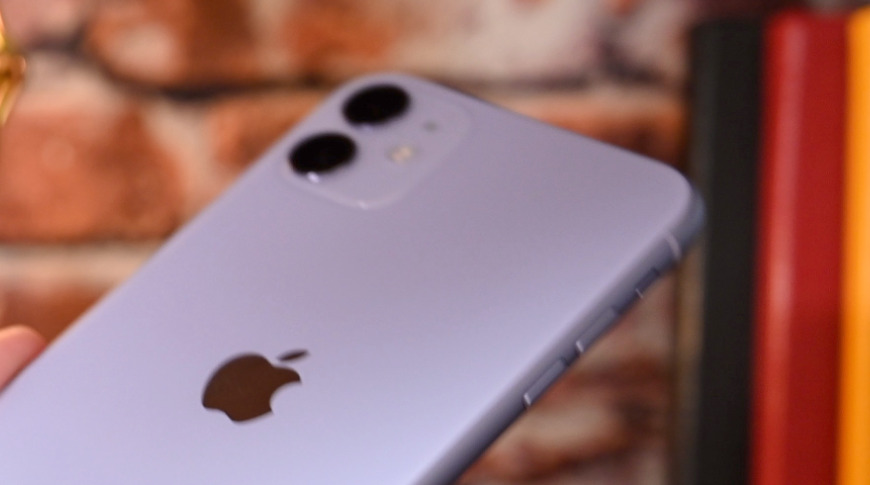
Apple has expanded manufacturing in India with Foxconn's factory near Chennai now adding the iPhone 11 to its production line. The plant, which has previously assembled the iPhone XR and the original iPhone SE, represents the first time the iPhone 11 range has been made in India.


According to The Economic Times, Apple's move is intended to leverage the country's Made in India initiative. That could reportedly mean Apple being able to sell the iPhone 11 in India without facing the current 22% import duties.


In theory, that could mean Apple would be able to reduce the price of its phones, but The Economic Times reports that there is no current plan to do so.


However, this is seen as the start of the process and the publication reports that an unnamed executive has said Apple will step up iPhone 11 production in phases. It may also consider exporting this India-produced iPhone 11 to the rest of the world.


Foxconn's Chennai plant previously faced an interruption as components were delayed at the ports in a dispute between India and China.


Source: Appleinsider

Windows
Mac OS
iOS
Linux
3uTools
Win 64-bit For this device
V9.0 2025-11-11
Download
Win 32-bit For this device
V9.0 2025-11-11
Download
3uTools
Intel Chip How to Identify Chip Type
V9.0 2025-12-02
Download
Apple Chip
V9.0 2025-12-02
Download
How to Identify Chip Type
1.  Click the Apple icon in the top-left corner of the screen and select About This Mac.
2.  Check the Processor or Chip field to determine if it is "Intel" or "Apple".
Please use the 3uTools PC client to install the iOS client:
1、 Install either the Windows or Mac version of 3uTools on your computer
2、 Open the PC client and connect your device to the computer via USB cable
3、 After the connection is successful, wait for the computer to automatically install the mobile app for the device, or locate “Install Mobile App” on the computer and manually click to install.
3uTools
deb file
V3.01 2025-11-20
Download
rpm file
V3.01 2025-11-20
Download
Windows
Windows
iOS
iOS
Android
Android
TV
TV
3uAirPlayer
Win 64-bit For this device
V6.0.2 2025-11-19
Download
Win 32-bit For this device
V6.0.2 2025-11-19
Download
iOS Device Mirroring (No App Required)
1、 Install 3uAirPlayer on the Windows PC
2、 Open Control Center and select Screen Mirroring
3、 From the list, choose your PC to start mirroring
4、 Or connect your iOS device to the PC via USB to begin mirroring
Scan to get "3uAirPlayer" App
3uAirPlayer TV V1.0.18
2025-11-28
TV System Requirements: Android 7.0 or later
Download the TV installation package, copy it to a USB drive, insert it into your TV or set-top box, then select the file from the home screen to install.