
NEWS

iPhone 12 Premium 5G Models Are Already Delayed?

07/07/2020

2250

iPhone 12 Premium 5G Models Are Already Delayed?


The iPhone 12 was initially expected to arrive on its traditional September release date, but over the past few months we've seen a swarm of speculation that some, or all, of the iPhone 12 family could actually be arriving much later. The iPhone 12 collection is rumored to include two models that run sub-6GHz 5G and two premium handsets that have the superior mmWave 5G.

The difference between these forms of 5G basically comes down to speed. While both are much speedier than the 4G speeds we've been used to, mmWave has the potential to offer speeds of 5.0 Gbps or faster. However, the downside to mmWave is that the frequency is much more easily blocked than sub-6GHz. 


This has lead to difficulties regarding the mmWave antenna, as there have been previous reports that suggested that Apple had to redesign where the antenna was housed in the iPhone 12, due to issues with the signal being blocked too easily. 


While we can't be 100% certain that this is what has caused the delay, it does seem likely that it's had some kind of impact – especially when combined with the coronavirus pandemic that has caused significant manufacturing delays for many companies. According to GSMArena, the mmWave iPhone 12 is about two months behind schedule. However, it also appears that the sub-6GHz is also running late by about one month as well. 


There have been reports that the final iPhone 12 assembly could be delayed until early October, which means that we could be seeing the iPhone 12's official launch in November. 
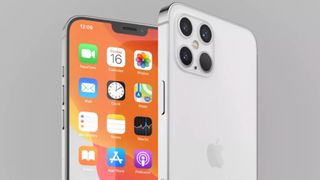

Source: Digitalcameraworld

Windows
Mac OS
iOS
Linux
3uTools
Win 64-bit For this device
V9.0 2025-11-11
Download
Win 32-bit For this device
V9.0 2025-11-11
Download
3uTools
Intel Chip How to Identify Chip Type
V9.0 2025-12-02
Download
Apple Chip
V9.0 2025-12-02
Download
How to Identify Chip Type
1.  Click the Apple icon in the top-left corner of the screen and select About This Mac.
2.  Check the Processor or Chip field to determine if it is "Intel" or "Apple".
Please use the 3uTools PC client to install the iOS client:
1、 Install either the Windows or Mac version of 3uTools on your computer
2、 Open the PC client and connect your device to the computer via USB cable
3、 After the connection is successful, wait for the computer to automatically install the mobile app for the device, or locate “Install Mobile App” on the computer and manually click to install.
3uTools
deb file
V3.01 2025-11-20
Download
rpm file
V3.01 2025-11-20
Download
Windows
Windows
iOS
iOS
Android
Android
TV
TV
3uAirPlayer
Win 64-bit For this device
V6.0.2 2025-11-19
Download
Win 32-bit For this device
V6.0.2 2025-11-19
Download
iOS Device Mirroring (No App Required)
1、 Install 3uAirPlayer on the Windows PC
2、 Open Control Center and select Screen Mirroring
3、 From the list, choose your PC to start mirroring
4、 Or connect your iOS device to the PC via USB to begin mirroring
Scan to get "3uAirPlayer" App
3uAirPlayer TV V1.0.18
2025-11-28
TV System Requirements: Android 7.0 or later
Download the TV installation package, copy it to a USB drive, insert it into your TV or set-top box, then select the file from the home screen to install.




