NEWS

Apple Card May Offer Monthly Installment Plans for iPads and Macs

06/08/2020

2404

Apple Card May Offer Monthly Installment Plans for iPads and Macs


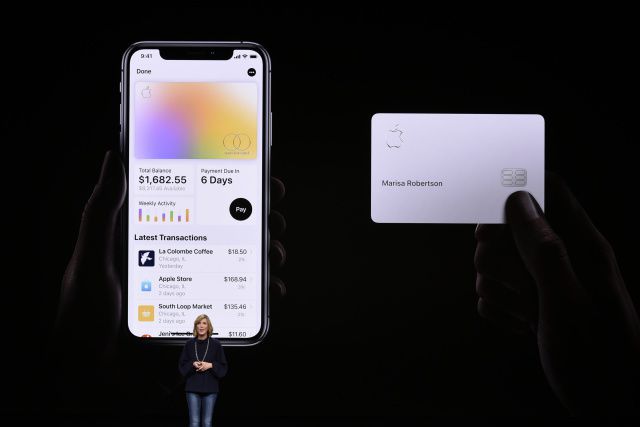
The Apple Card already has perks if you’re buying from Apple itself, but the company is apparently willing to further sweeten those incentives. Bloomberg sources say Apple is planning a Card feature that will let you buy “many” products (not just the iPhone) in monthly, interest-free payments. You could pay off iPads, iPad accessories, Macs and even the Pro Display XDR in 12 months, and smaller gear like AirPods, Apple TV and HomePod in six months. The option would reportedly be ready in “the coming weeks.”


Apple declined to comment, although chief executive Tim Cook hinted in April that installment plans were coming for devices besides the iPhone.


If accurate, this would clearly be intended to fuel Apple Card enrollment and device sales. It would also represent an extension of Apple’s efforts to address economic hardship during the pandemic. Ideally, this helps customers buy MacBooks and other products they might need for working from home if they can’t afford to pay the full price right away.


Source: Engadget

Windows
Mac OS
iOS
Linux
3uTools
Win 64-bit For this device
V9.0 2025-11-11
Download
Win 32-bit For this device
V9.0 2025-11-11
Download
3uTools
Intel Chip How to Identify Chip Type
V9.0 2025-12-02
Download
Apple Chip
V9.0 2025-12-02
Download
How to Identify Chip Type
1.  Click the Apple icon in the top-left corner of the screen and select About This Mac.
2.  Check the Processor or Chip field to determine if it is "Intel" or "Apple".
Please use the 3uTools PC client to install the iOS client:
1、 Install either the Windows or Mac version of 3uTools on your computer
2、 Open the PC client and connect your device to the computer via USB cable
3、 After the connection is successful, wait for the computer to automatically install the mobile app for the device, or locate “Install Mobile App” on the computer and manually click to install.
3uTools
deb file
V3.01 2025-11-20
Download
rpm file
V3.01 2025-11-20
Download
Windows
Windows
iOS
iOS
Android
Android
TV
TV
3uAirPlayer
Win 64-bit For this device
V6.0.2 2025-11-19
Download
Win 32-bit For this device
V6.0.2 2025-11-19
Download
iOS Device Mirroring (No App Required)
1、 Install 3uAirPlayer on the Windows PC
2、 Open Control Center and select Screen Mirroring
3、 From the list, choose your PC to start mirroring
4、 Or connect your iOS device to the PC via USB to begin mirroring
Scan to get "3uAirPlayer" App
3uAirPlayer TV V1.0.18
2025-11-28
TV System Requirements: Android 7.0 or later
Download the TV installation package, copy it to a USB drive, insert it into your TV or set-top box, then select the file from the home screen to install.