NEWS

YouTube Kids is now on Apple TV

05/27/2020

2437

YouTube Kids is now on Apple TV


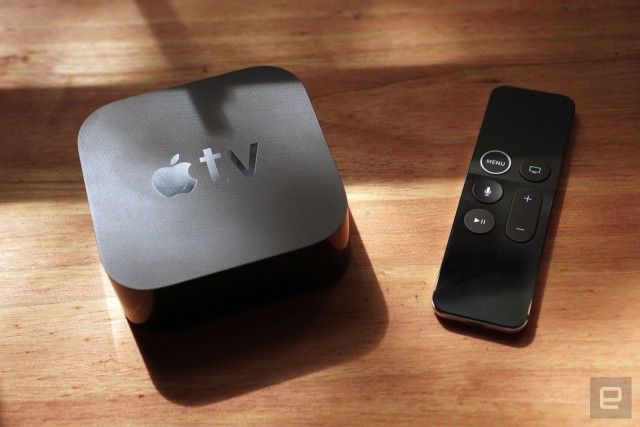
YouTube’s dedicated app for kids is now out for download from the App Store on Apple TV, so long as it’s available in your region. It works on both the 4K and the HD versions of the device, and you can use the Siri Remote to fire it up by saying “Hey Siri, open YouTube Kids.” While you can let your kids use the app without signing in, you’ll have to log in to import your current parental control settings, though you can always change them through the app on a phone or a tablet.


YouTube Kids launched as an app for mobile devices in 2015 to provide children a curated selection of age-appropriate content. Since then, YouTube has rolled out the app to various smart TVs and eventually launched a desktop version. The platform has been dealing with child-exploitative videos masquerading as child-friendly content on its website for years. While the YouTube Kids app has had its own share of issues — back in 2018, it suggested conspiracy theory videos when you search for certain keywords — it could keep children away from the most egregious videos on the platform.


Source: Engadget

Windows
Mac OS
iOS
Linux
3uTools
Win 64-bit For this device
V9.0 2025-11-11
Download
Win 32-bit For this device
V9.0 2025-11-11
Download
3uTools
Intel Chip How to Identify Chip Type
V9.0 2025-12-02
Download
Apple Chip
V9.0 2025-12-02
Download
How to Identify Chip Type
1.  Click the Apple icon in the top-left corner of the screen and select About This Mac.
2.  Check the Processor or Chip field to determine if it is "Intel" or "Apple".
Please use the 3uTools PC client to install the iOS client:
1、 Install either the Windows or Mac version of 3uTools on your computer
2、 Open the PC client and connect your device to the computer via USB cable
3、 After the connection is successful, wait for the computer to automatically install the mobile app for the device, or locate “Install Mobile App” on the computer and manually click to install.
3uTools
deb file
V3.01 2025-11-20
Download
rpm file
V3.01 2025-11-20
Download
Windows
Windows
iOS
iOS
Android
Android
TV
TV
3uAirPlayer
Win 64-bit For this device
V6.0.2 2025-11-19
Download
Win 32-bit For this device
V6.0.2 2025-11-19
Download
iOS Device Mirroring (No App Required)
1、 Install 3uAirPlayer on the Windows PC
2、 Open Control Center and select Screen Mirroring
3、 From the list, choose your PC to start mirroring
4、 Or connect your iOS device to the PC via USB to begin mirroring
Scan to get "3uAirPlayer" App
3uAirPlayer TV V1.0.18
2025-11-28
TV System Requirements: Android 7.0 or later
Download the TV installation package, copy it to a USB drive, insert it into your TV or set-top box, then select the file from the home screen to install.