 NEWS
NEWS
Portrait Mode on iPhone SE Relies Only on Machine Learning
 04/28/2020
 2984
2984
Apple's new iPhone SE is the company's first — and thus far, only — iPhone to solely rely on machine learning for Portrait Mode depth estimation.
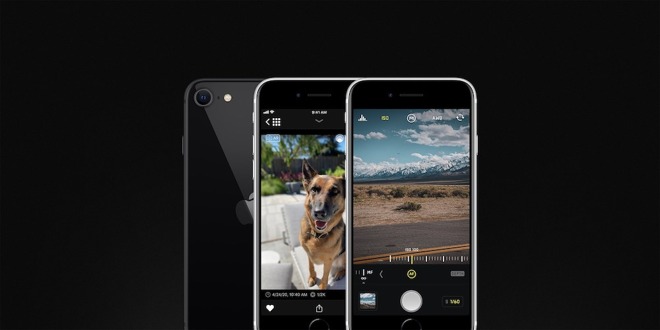
The iPhone SE can create depth maps from a single 2D image using machine learning. Credit: Halide
The iPhone SE, released in April, appears to be largely a copy of the iPhone 8, right down to the single-lens monocular camera. But, under the hood, there's much more going on for depth estimation than any other iPhone before it.
According to a blog post from the makers of camera app Halide, the iPhone SE is the first in Apple's lineup to use "Single Image Monocular Depth Estimation." That means it's the first iPhone that can create a portrait blur effect using just a single 2D image.
In past iPhones, Portrait Mode has required at least two cameras. That's because the best source of depth information has long been comparing two images coming from two slightly different places. Once the system compares those images, it can separate the subject of a photo from the background, allowing for the blurred or "bokeh effect."
The iPhone XR changed that, introducing Portrait Mode support through the use of sensor "focus pixels," which could produce a rough depth map. But while the new iPhone SE has focus pixels, its older hardware lacks the coverage requisite for depth-mapping purposes.
"The new iPhone SE can't use focus pixels, because its older sensor doesn't have enough coverage," Halide's Ben Sandofsky wrote. An iFixit teardown revealed on Monday that the iPhone SE's camera sensor is basically interchangeable with the iPhone 8's.
Instead, the entry-level iPhone produces depth maps entirely through machine learning. That also means that it can produce Portrait Mode photos from both its front- and rear-facing cameras. That's something undoubtedly made possible by the top-of-the-line A13 Bionic chipset underneath its hood.
The depth information isn't perfect, Halide points out, but it's an impressive feat given the relative hardware limitations of a three-year-old, single-sensor camera setup. Similarly, Portrait Mode on the iPhone SE only works on people, but Halide says the new version of its app allows bokeh effects on non-human subjects on the iPhone SE.
Source: Appleinsider









