 NEWS
NEWS
iPhone SE Plus Postponed Until Second Half of 2021
 04/22/2020
 3461
3461
Apple may postpone a larger version of the new low-cost iPhone SE until the second half of 2021, according to Apple analyst Ming-Chi Kuo.
In a previous note, Kuo said that Apple was working on an "iPhone SE Plus" set to be released in the first half of 2021, but now he believes Apple will "likely postpone" this new model until later in 2021.
We predicted that Apple would launch the new iPhone model in 1H21 in a previous report ("iPhone supply chain to be 2020 top pick in the tech sector; key predictions for new iPhone product mixes in 2020 and 2021" [December 5, 2019]). However, we think that Apple will likely postpone the new model from 1H21 to 2H21.
The iPhone SE Plus is expected to have a 5.5 or 6.1-inch display with a full-screen design, similar to the iPhone 11 and 11 Pro. It will not use Face ID, though, and will instead feature Touch ID integrated into the power button on the right side of the device.
With no Face ID, the iPhone SE Plus will feature a smaller notch as the front of the device will only need to house a standard front-facing camera, microphone, and speaker.
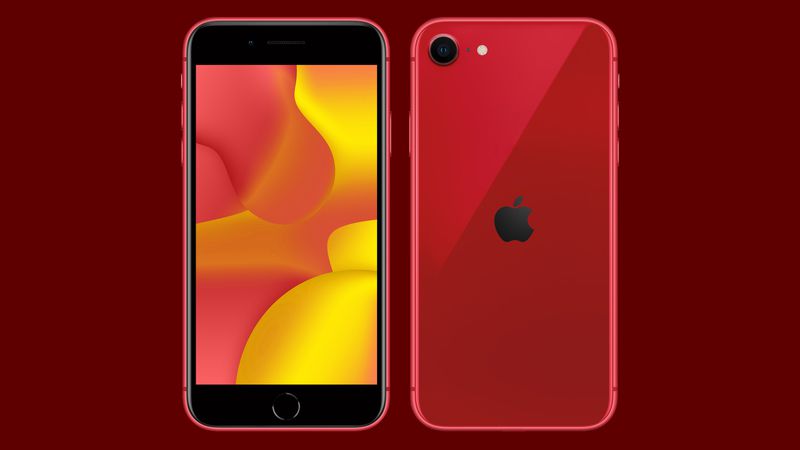
Apple just this month released the iPhone SE, a $399 iPhone that is similar in design to the iPhone 8 but with an upgraded A13 processor. It marries Touch ID and an older iPhone design with newer iPhone performance and is an appealing upgrade option for those coming from older iPhones like the iPhone 6 or iPhone 7.
Kuo has not provided details on the pricing of the iPhone SE Plus, but if it's in the SE family, it will presumably have a price tag lower than that of Apple's flagship devices despite the full-screen design and relocated Touch ID button.
Source: Macrumors









