 NEWS
NEWS
New Concept Imagines How Apple Could Recreate Xcode for iPad
 04/21/2020
 3052
3052
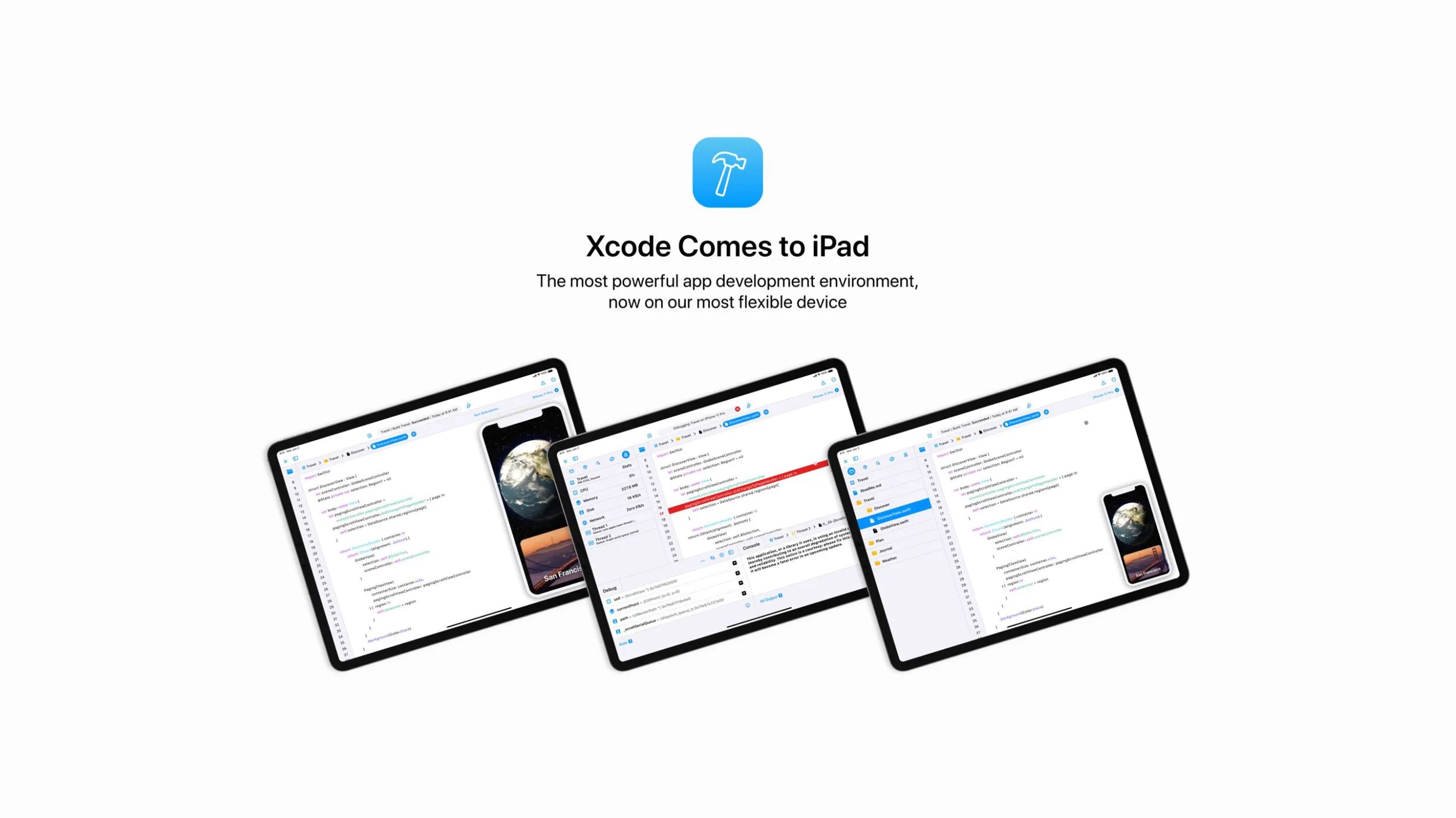
Every year, right after Apple announces a new iPad or something related, the old discussion about having a version of Xcode for iPadOS is retaken. While we don’t know if Apple is working on that for the next WWDC in June, designer Parker Ortolani is back with a fantastic concept that imagines how Apple could recreate Xcode for the iPad.
Xcode is a tool from Apple that lets developers create apps for iOS, macOS, watchOS, and tvOS. Since Xcode is a very complex program, it’s only available for Mac at the moment, and although Apple offers the Swift Playgrounds app for iPad, the company has never officially indicated that it has plans to release a version of Xcode for its tablet.
With iPadOS becoming increasingly sophisticated, bringing computer features such as advanced mouse support, it makes sense to think that iPad should have such a professional tool. That’s where Parker’s concept comes in to thrill our imagination.
If Apple brings Xcode to the iPad, the app needs to be completely rethought with a new interface adapted for touch. Even with keyboard and mouse support, all iPad apps should offer a primarily touch-based experience, and it shouldn’t be different with Xcode.
The concept shows bigger buttons and larger menus while it keeps the essence of Xcode for Mac with the code right in the center and the list with all the project files in the sidebar. The iPad version would also offer a real-time preview for SwiftUI apps.
Developers could immediately test all their apps for iOS right on the iPad, without the need to run them on a simulator or by connecting a device to the Mac. Parker also imagines how the debug tools and console would look on the Xcode for iPad.
Personally, I can see how Xcode for iPad would be potentially useful for many reasons. While I would probably still use my Mac to work with Xcode, having it on my iPad would allow me to make adjustments or finish a project on the go without the Mac nearby.
There’s also the fact that a Mac can be much more expensive than an iPad. Having Xcode on iPad means that more developers would be able to create their first iOS apps with a machine that costs just $329.
Source: 9to5mac









