 NEWS
NEWS
Apple Donating Portion of PRODUCT(RED) iPhone SE Proceeds to COVID-19 Relief
 04/16/2020
 2645
2645
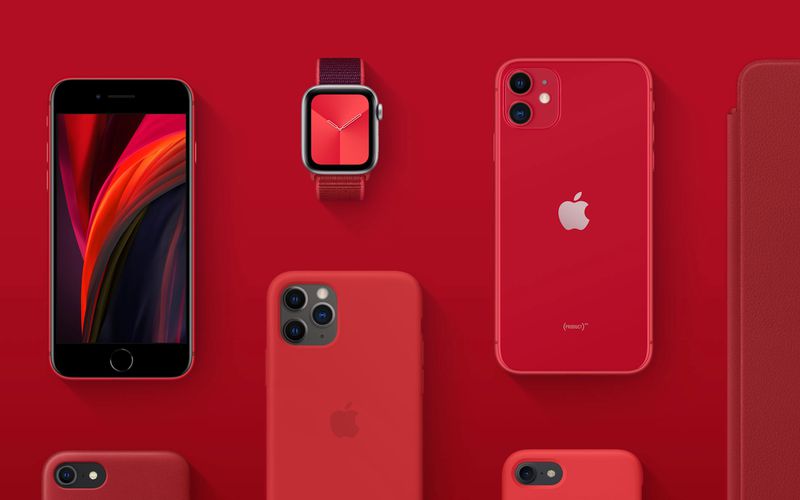
The new iPhone SE is available in a special PRODUCT(RED) variant, in addition to black and white. In conjunction with that, Apple says it will donate a portion of proceeds for iPhone SE (PRODUCT)RED purchases to the Global Fund’s COVID-19 response fund.
Typically Apple donates a portion of PRODUCT(RED) proceeds to Global Fund HIV/AIDS grants. Tim Cook said last December that Apple has donated more than $220 million to the initiative since the inception of (RED) in 2006.
This time around, Apple says that a portion of proceeds from iPhone SE (PRODUCT)RED sales will go to Global Fund’s COVID-19 Response efforts. This invasive helps provide funding to countries in need of personal protective equipment, lab equipment, supply chain support, and much more.
“Every iPhone SE (PRODUCT)RED purchase now contributes directly to the Global Fund to combat COVID-19,” Apple says.
Apple also notes that some proceeds will still go to HIV/AIDs grants, with “a specific focus on eliminating transmission of the virus from mothers to their babies.”
In total, 100% of eligible proceeds from (RED) purchases will go to the COVID-19 Response Fund. Here’s the full blurb from Apple: A portion of proceeds for iPhone SE (PRODUCT)RED purchases will go directly to Global Fund’s newly established COVID-19 Response — providing funding to countries in need of PPE, diagnostics treatment, lab equipment, public safety communications, supply chain support and more — as well as HIV/AIDS grants that provide testing, counseling, treatment and prevention programs with a specific focus on eliminating transmission of the virus from mothers to their babies.
The new iPhone SE will be available for pre-order starting this Friday, April 17, with the first deliveries arriving on Friday, April 24. Pricing starts at $399, including the special (PRODUCT)RED variant. Learn more in our full announcement coverage here.
Source: 9to5mac









