 NEWS
NEWS
Apple's Siri Can Help Triage Users Who Ask About New Coronavirus
 03/23/2020
 2425
2425
Apple this weekend updated its Siri voice assistant with information and assets designed to triage users who believe they are suffering from COVID-19.
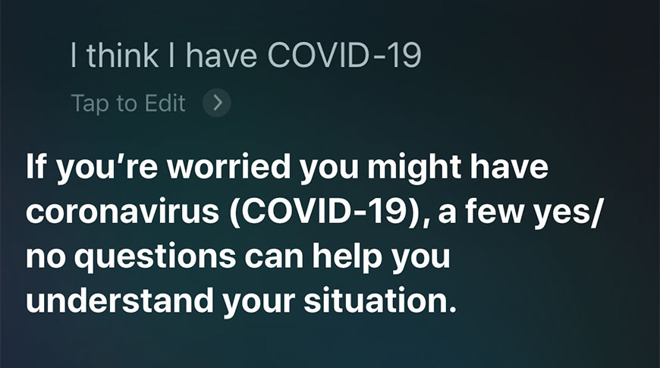
With the new capability, built using information provided by the U.S. Public Health Service and the Centers for Disease Control, Siri guides users through a set of questions designed in part to screen for the new coronavirus. Depending on user responses, the process branches to provide additional information about the disease and, if necessary, contact emergency services or a health provider.
The feature is triggered by queries like "Hey Siri, do I have the coronavirus?" and "Hey Siri, I think I have COVID-19."
Siri first asks if users are exhibiting symptoms including fever, dry cough, or shortness of breath. A positive answer leads to a follow-up question regarding severity which, depending on the response, results in an option to automatically call 911. Those without symptoms are asked if they have been exposed to someone who tested positive for COVID-19.
Users who answer "yes" to certain questions, specifically those referencing COVID-19 symptoms, are urged to isolate and closely monitor the situation, or contact a medical provider if the condition worsens, are age 65 or over, or have a serious medical condition.
If the situation is not dire, Siri directs users to the CDC's COVID-19 webpage or the App Store, the latter of which currently features a PSA on social distancing from the White House Coronavirus Task Force. The same PSA is in rotation on the Apple.com homepage and in the "Browse" section of Apple Music.
Siri's COVID-19 protocol is currently restricted to the U.S., likely because the feature's underlying information was derived from American health authorities. Whether Apple is working on similar solutions for other regions is unknown.
Testing the feature in the United Kingdom prompts users to find more details from the UK government's website, rather than undergoing a symptoms check.
CNBC reported on the new Siri capability on Saturday.
In addition to user-facing resources, Apple is assisting the general public through monetary donations and the contribution of face masks in the U.S. and abroad.
Source: Appleinsider










